

12 Best CRM Software for Small Business (2025 Guide)
Choosing the right CRM software for small business is less about finding a digital rolodex and more about selecting a central engine to power your sales, marketing, and customer service efforts. A well-implemented CRM can transform scattered customer data into a clear roadmap for growth, helping you nurture leads, close deals faster, and build lasting relationships. For a deeper dive into the core concepts and benefits, consider understanding the fundamentals of Customer Relationship Management (CRM) before exploring specific platforms.
This guide moves beyond generic feature lists to provide a practical, in-depth analysis of the top CRM solutions tailored for small businesses. We’ve evaluated each platform based on real-world use cases, implementation hurdles, and specific limitations that marketing materials often gloss over. You will find a detailed breakdown of 12 leading options, from comprehensive suites like HubSpot and Zoho to sales-focused tools like Pipedrive and Close.
Each entry includes screenshots, direct links, and a clear analysis of pricing, key features, and ideal user profiles. Our goal is to equip you with the insights needed to select a CRM that not only fits your current budget but also scales with your ambitions. Whether you're a solo entrepreneur or a growing team, this resource will help you find the perfect platform to manage your customer interactions and drive sustainable growth.
1. Salesforce Starter Suite
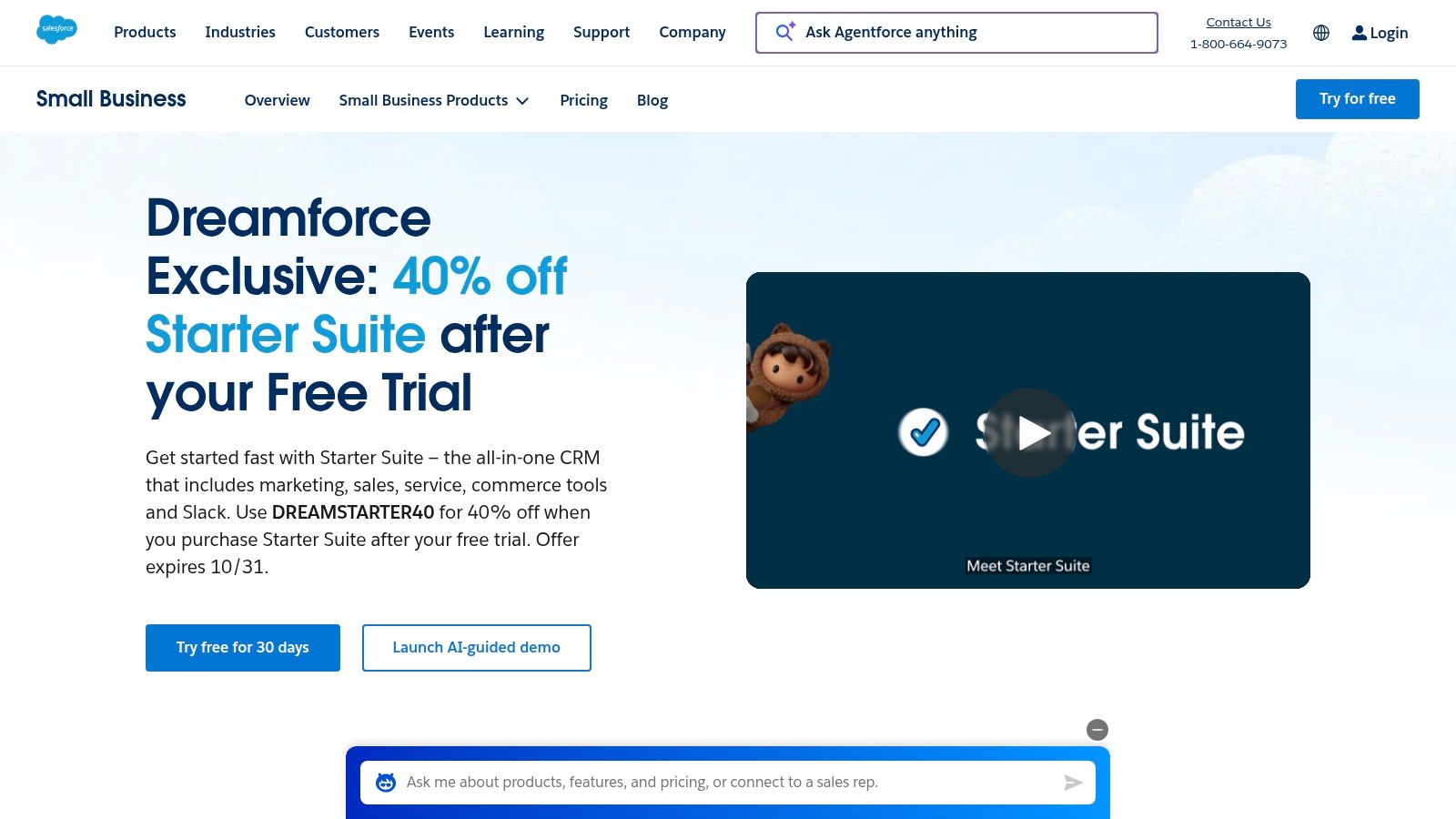
Salesforce Starter Suite is an all-in-one CRM bundle designed to help small businesses quickly implement core sales, service, and marketing functions. Its primary advantage is providing an accessible entry point into the robust Salesforce ecosystem, which is ideal for ambitious companies planning for significant growth. The guided onboarding and simplified setup process reduce the initial complexity often associated with enterprise-grade CRM software for small business.
Why It Stands Out
The key differentiator for Starter Suite is its seamless upgrade path. As your business expands, you can transition to more advanced Salesforce tiers like Pro or Enterprise without needing a disruptive data migration. This future-proofs your CRM investment. The suite includes foundational tools for managing leads, accounts, and opportunities, plus a built-in email marketing tool with 2,000 sends per month included.
| Feature | Description |
|---|---|
| Pricing | Starts at $25 per user/month (billed annually) |
| Best For | Startups and small businesses with strong growth ambitions that want to avoid outgrowing their first CRM. |
| Key Pro | Eliminates future data migration by providing a direct upgrade path within the Salesforce ecosystem. |
| Key Con | Advanced features and full API access are locked behind higher-priced tiers. |
For more information, visit the Salesforce Starter Suite website.
2. HubSpot CRM and Sales Hub
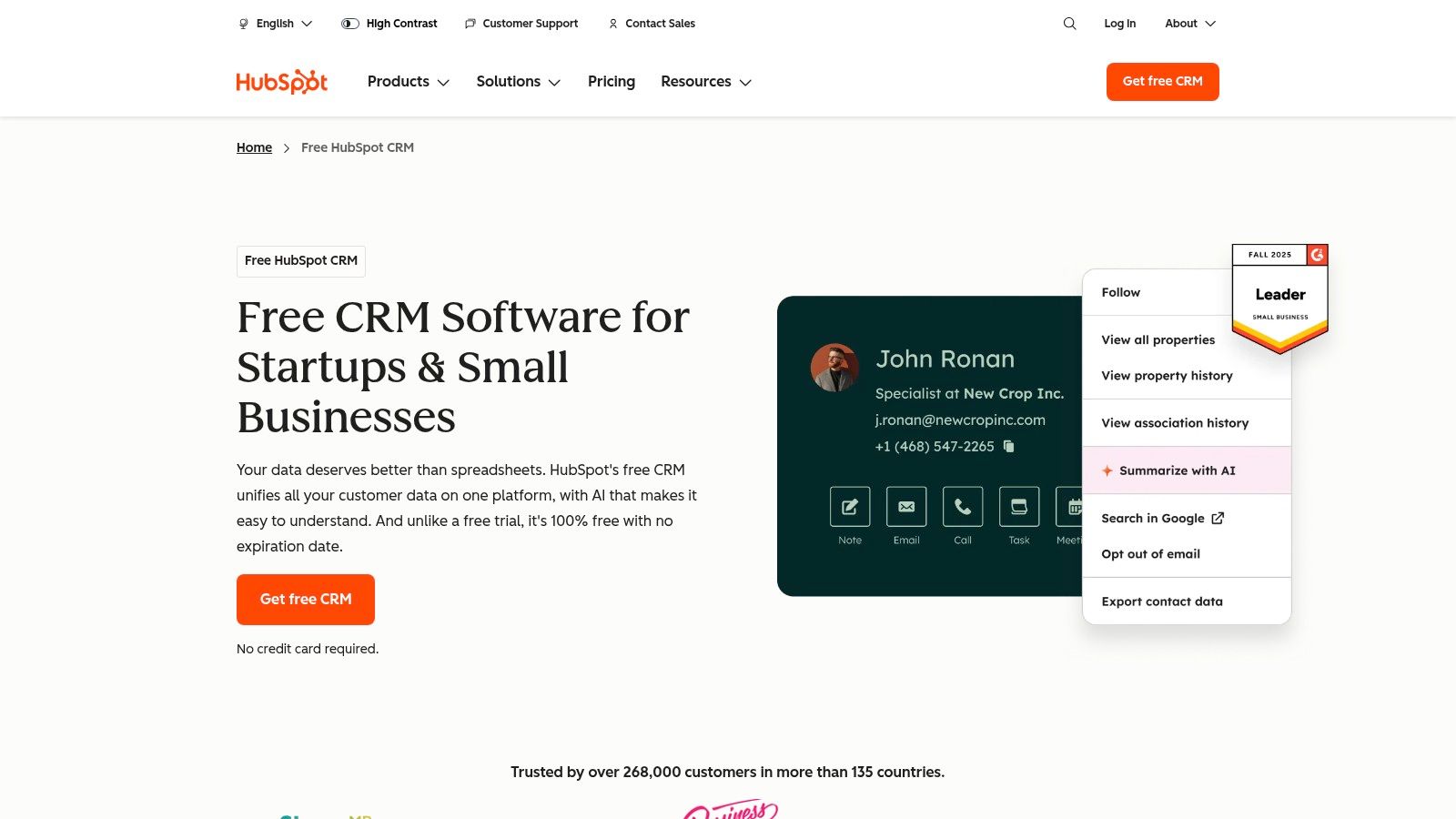
HubSpot offers a powerful free CRM that serves as the foundation for its optional paid Sales, Service, and Marketing Hubs. This model allows small businesses to start without any cost and scale their tools as they grow. It's a leading choice for teams that want a unified platform to manage the entire customer lifecycle, supported by a vast library of educational content and broad integration capabilities.
Why It Stands Out
HubSpot's biggest strength is its freemium model combined with an all-in-one ecosystem. The free tier provides more than just basic contact management; it includes a shared inbox, live chat, and basic reporting, making it a genuinely useful piece of crm software for small business. As needs evolve, you can add paid Sales Hub features for deal pipelines and automation. For businesses looking to fully leverage HubSpot, exploring professional HubSpot CRM implementation services can be highly beneficial. This integrated approach also makes it one of the top account management tools for growth.
| Feature | Description |
|---|---|
| Pricing | Core CRM is free; paid Sales Hub starts at $15 per user/month (billed annually) |
| Best For | Startups and small businesses seeking a no-cost entry point with the option to scale into an all-in-one platform. |
| Key Pro | The generous free CRM allows teams to validate the platform's value before committing financially. |
| Key Con | Advanced automation and reporting features are gated behind the more expensive Professional and Enterprise tiers. |
For more information, visit the HubSpot CRM and Sales Hub website.
3. Zoho CRM
Zoho CRM is a powerful and affordable platform known for its extensive feature set and deep integration within the broader Zoho ecosystem. It provides small businesses with a comprehensive solution that can manage everything from sales pipelines to marketing campaigns and customer support. Its appeal lies in offering enterprise-level functionality, like workflow automation and advanced analytics, at a price point accessible to teams on a budget. This makes it a popular choice for businesses seeking a scalable and cost-effective CRM software for small business.
Why It Stands Out
The key differentiator for Zoho CRM is its seamless connectivity with other Zoho applications, such as Zoho Books, Desk, and Campaigns. This creates a unified operating system for your entire business, eliminating data silos. The platform is highly customizable and includes powerful tools like lead and deal management, forecasting, and robust mobile apps. Higher-tier plans also feature Zia, an AI-powered assistant that provides intelligent sales suggestions and automates routine tasks.
| Feature | Description |
|---|---|
| Pricing | Free plan for up to 3 users; paid plans start at $14 per user/month (billed annually) |
| Best For | Small to mid-sized businesses that want an all-in-one, affordable platform with the option to expand functionality within a single ecosystem. |
| Key Pro | Exceptionally broad functionality and a generous free plan, offering great value for the price. |
| Key Con | Advanced AI and deep customization options are primarily locked behind more expensive tiers, and the interface can feel complex for new users. |
For more information, visit the Zoho CRM website.
4. Pipedrive
Pipedrive is a sales-first CRM designed to help small teams visualize and manage their sales process with exceptional clarity. Its core strength lies in its intuitive, activity-based selling approach, which prompts users to focus on the actions that close deals. This makes it an outstanding choice for businesses that need a straightforward tool to drive sales execution without the complexity of an all-encompassing marketing and service suite.
Why It Stands Out
Pipedrive’s main differentiator is its visual drag-and-drop pipeline, which makes managing deals feel simple and intuitive. This high degree of usability ensures rapid team adoption with minimal training, a critical factor for busy small businesses. The platform is highly customizable and can be extended with a marketplace of over 500 integrations and paid add-ons for lead generation, web visitor tracking, and project management, allowing you to build the exact sales tool you need.
| Feature | Description |
|---|---|
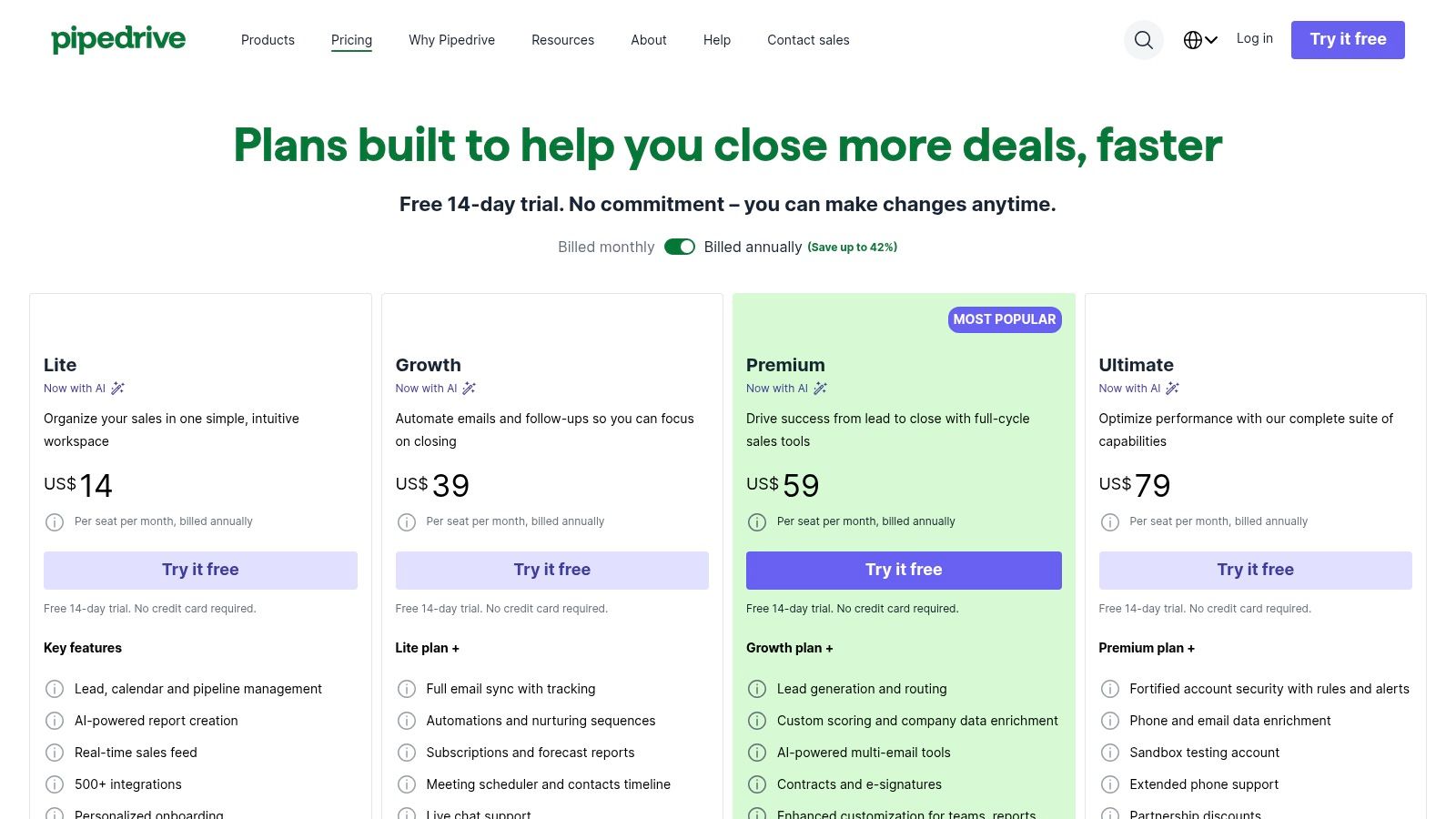
| Pricing | Starts at $14.90 per user/month (billed annually) |
| Best For | Sales-focused small businesses that prioritize ease of use and a visual approach to pipeline management. |
| Key Pro | Very quick to learn and adopt, making it one of the most user-friendly options for sales teams. |
| Key Con | The cost can increase significantly as you add necessary features through paid add-ons. |
For more information, visit the Pipedrive website.
5. monday sales CRM
monday sales CRM is a highly visual and flexible platform built on the monday.com Work OS, making it a unique choice for teams that want to manage their entire workflow in one place. It excels at combining traditional CRM functionalities with powerful project management and collaboration features. This approach allows small businesses to create a centralized hub for all sales-related activities, from lead capture to post-sale project handoffs, without needing separate tools.
Why It Stands Out
The platform’s standout feature is its extreme customizability. Unlike more rigid CRMs, monday allows you to build pipelines, dashboards, and workflows that perfectly match your unique sales process using a no-code, drag-and-drop interface. Its powerful automation engine can handle routine tasks like lead assignment and follow-up reminders, freeing up your team to focus on selling. The emphasis on visibility makes it one of the top collaboration tools for small business, ensuring everyone is aligned.
| Feature | Description |
|---|---|
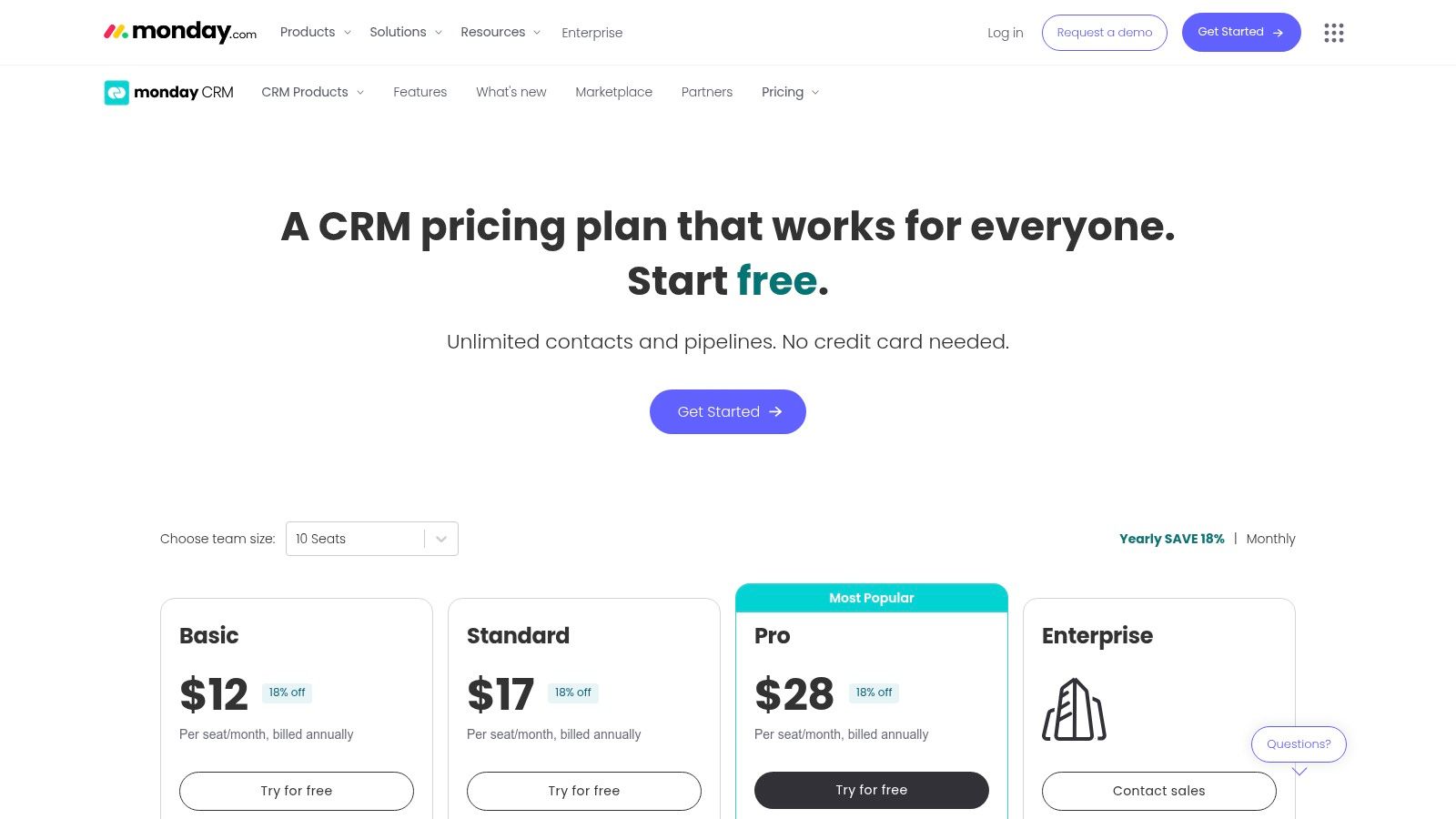
| Pricing | Starts at $12 per seat/month (3-seat minimum) |
| Best For | Teams that need a CRM that deeply integrates with project and task management workflows. |
| Key Pro | Exceptionally flexible layouts and powerful no-code automations can be tailored to any business process. |
| Key Con | The 3-seat minimum on paid plans makes it less cost-effective for solo entrepreneurs or teams of two. |
For more information, visit the monday sales CRM website.
6. Freshsales by Freshworks
Freshsales is a sales-focused CRM designed for small businesses that prioritize direct communication with leads and customers. Its primary advantage is the integration of built-in phone, chat, and email capabilities directly into the platform, eliminating the need for multiple third-party tools. This unified approach simplifies sales outreach and provides a complete, chronological view of every interaction, making it a strong choice for high-touch sales teams.
Why It Stands Out
The key differentiator for Freshsales is its native multichannel communication hub. Unlike other CRMs that rely heavily on integrations, Freshsales includes telephony and chat features out of the box, even in lower-tiered plans. Its AI-powered assistant, Freddy, offers deal insights and lead scoring to help teams prioritize their efforts effectively. The generous free plan for up to three users makes this an excellent piece of crm software for small business teams looking to start without an initial investment.
| Feature | Description |
|---|---|
| Pricing | Free plan available. Paid plans start at $15 per user/month (billed annually). |
| Best For | Sales teams that need a unified platform for calling, emailing, and chatting with prospects. |
| Key Pro | The free-forever plan for up to 3 users provides core CRM functionalities at no cost. |
| Key Con | Advanced AI features like Freddy Copilot are often sold as separate, costly add-ons. |
For more information, visit the Freshsales website.
7. Keap
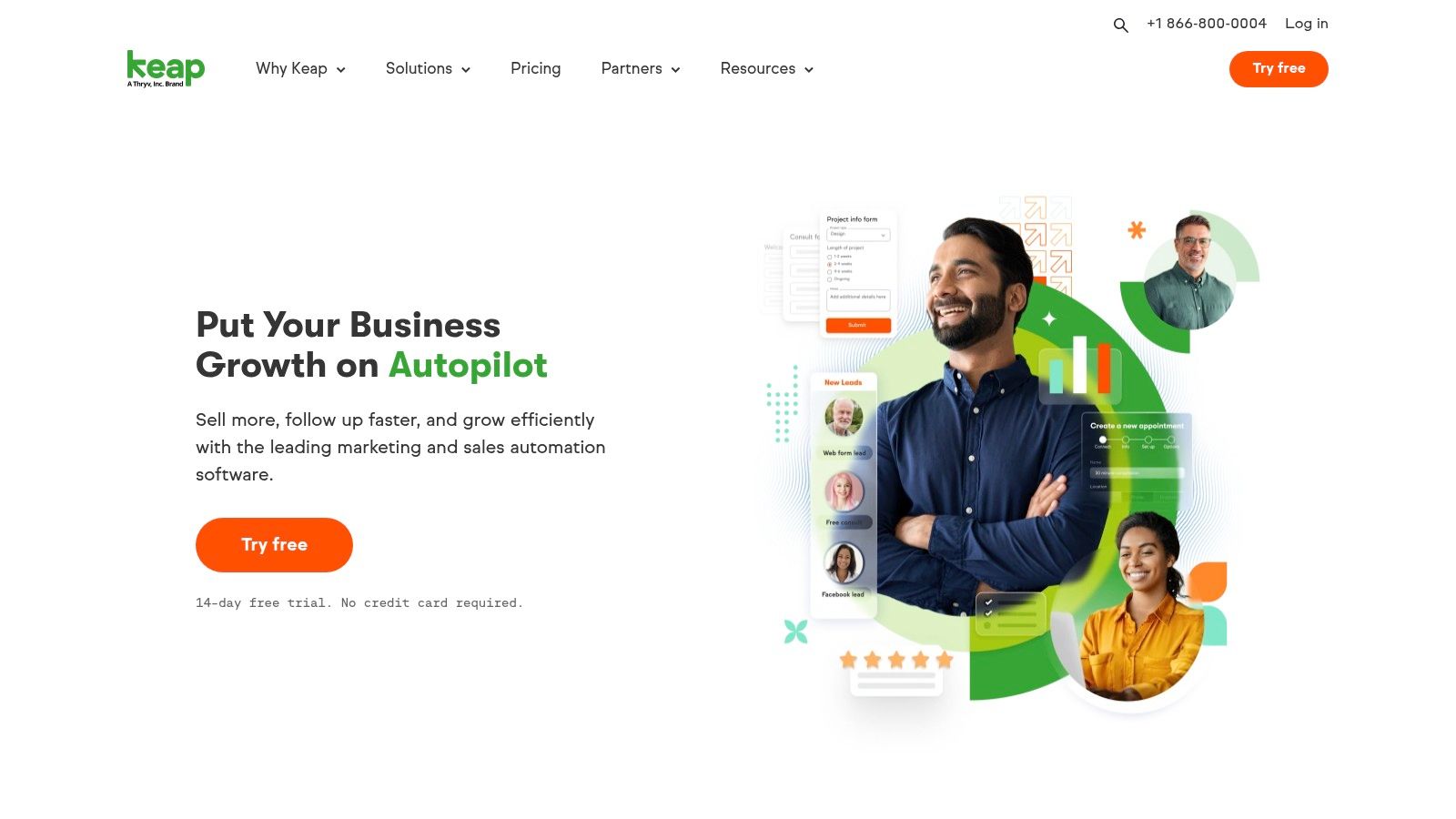
Keap is a specialized CRM software for small business that excels at combining sales and marketing automation with integrated payment processing. It is engineered to help entrepreneurs automate the entire customer journey, from lead capture and nurturing to sales and invoicing. The platform’s focus on automation allows business owners to create repeatable processes, saving time and ensuring consistent follow-up with prospects and clients.
Why It Stands Out
Keap's key differentiator is its powerful visual automation builder, which allows users to design complex "if-then" sequences for marketing and sales without needing to code. This is paired with native payment processing (Keap Pay), enabling businesses to manage contacts, send campaigns, and collect payments all from one central hub. For those needing assistance, Keap also offers optional expert coaching and migration services to ensure a smooth setup and quick adoption.
| Feature | Description |
|---|---|
| Pricing | Starts at $159 per month for 1,500 contacts and 2 users |
| Best For | Service-based businesses and online entrepreneurs who need to automate follow-up and streamline billing. |
| Key Pro | Combines advanced marketing/sales automation with built-in payment processing in one platform. |
| Key Con | The robust automation features can be overly complex for businesses needing only basic contact management. |
For more information, visit the Keap website.
8. Close CRM
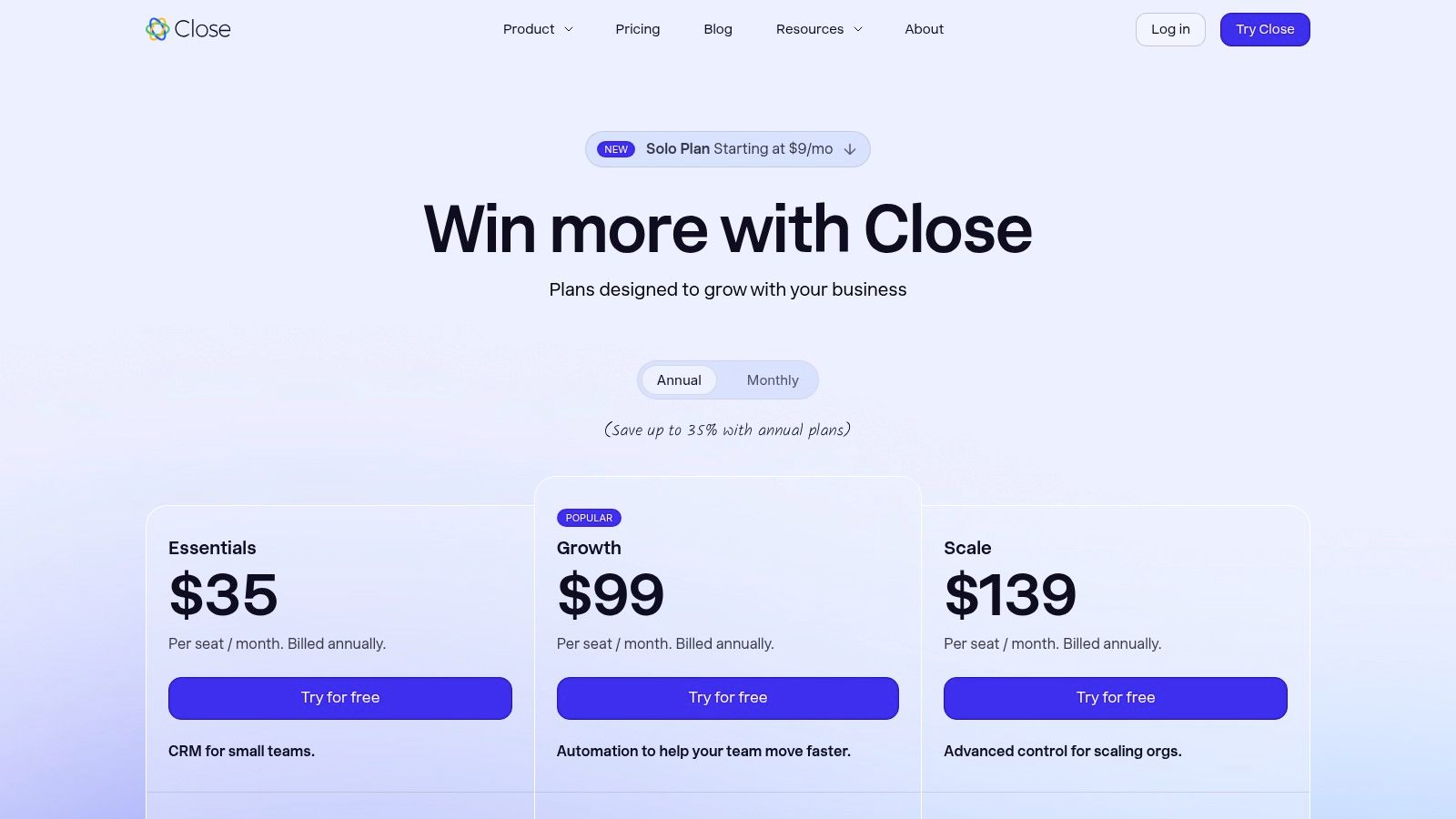
Close CRM is a high-velocity sales platform designed for outbound teams that need to communicate with leads at scale. It integrates calling, SMS, and email directly into the CRM, eliminating the need to switch between different applications. This native communication suite is the core of its value, making it an excellent choice for small businesses focused on maximizing sales rep productivity and outreach volume.
Why It Stands Out
The key differentiator for Close is its relentless focus on sales workflow efficiency. Features like its power and predictive dialers (available on higher plans) automate the dialing process, allowing reps to connect with more prospects in less time. All communication, including call recordings and SMS messages, is automatically logged on a contact’s timeline, providing a complete, unified view of every interaction. This makes it a powerful piece of crm software for small business sales teams.
| Feature | Description |
|---|---|
| Pricing | Starts at $29 per user/month (billed annually) for the "Starter" plan. |
| Best For | Outbound-focused sales teams that rely heavily on phone calls and multi-channel follow-ups. |
| Key Pro | Native, all-in-one communication tools (calling, SMS, email) that dramatically speed up sales workflows. |
| Key Con | Calling and SMS usage are metered and billed separately, which can add significant costs for high-volume teams. |
For more information, visit the Close CRM website.
9. Copper
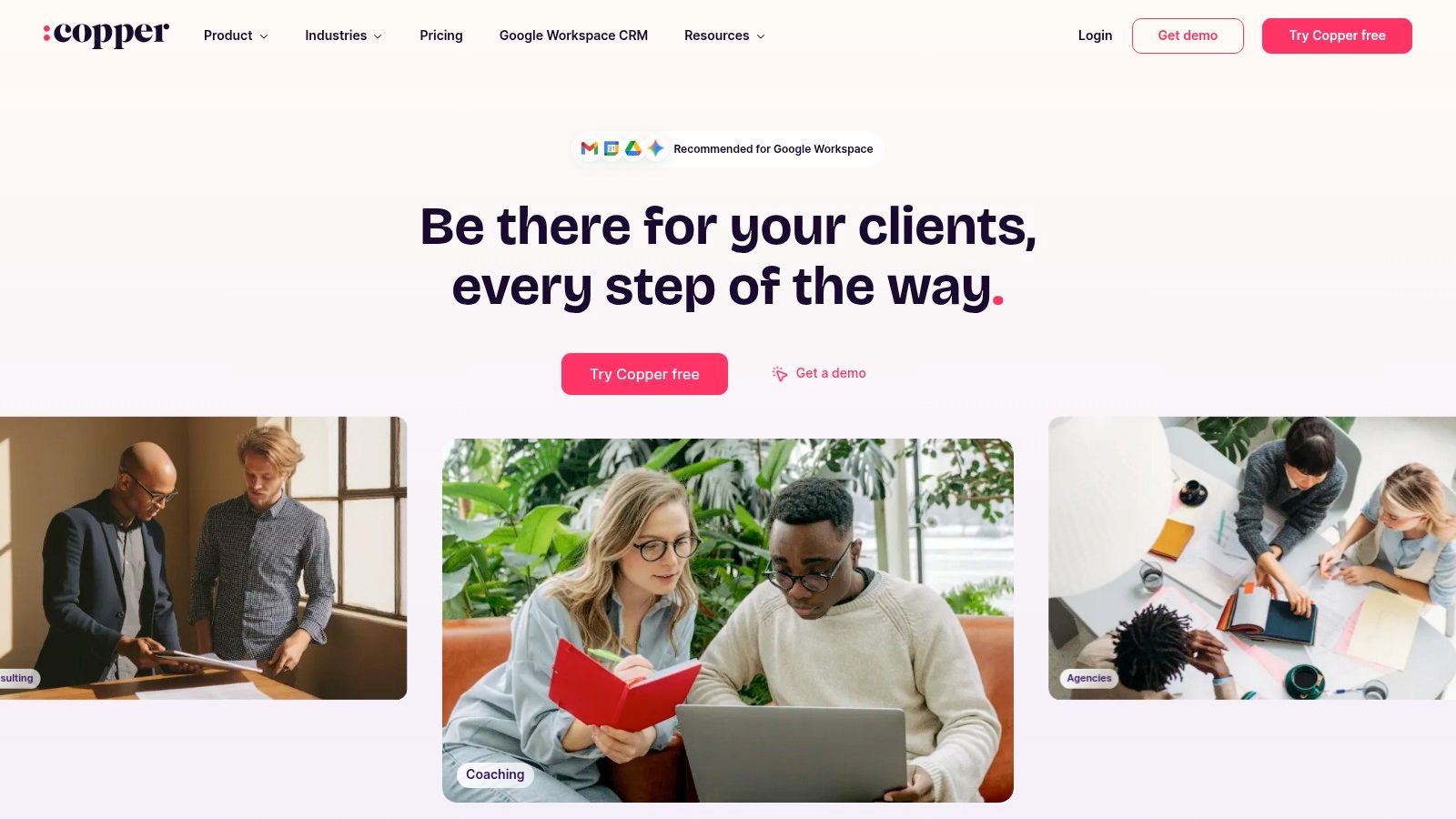
Copper is a CRM designed specifically for businesses that live and breathe in Google Workspace. It integrates deeply with Gmail, Google Calendar, and Google Drive, allowing teams to manage customer relationships directly from their inbox. This native functionality minimizes the need to switch between applications, making it an excellent choice for agencies, consultants, and small teams that want their CRM to feel like a natural extension of their existing Google tools.
Why It Stands Out
Copper’s key differentiator is its ability to operate almost entirely within the Gmail interface via a Chrome extension. It automatically captures contact details, emails, and files, linking them to the appropriate deals or projects without manual data entry. This "zero-input" philosophy is a significant time-saver and drives high user adoption. The visual pipeline management and automated task creation further streamline sales processes, making it a very intuitive crm software for small business users already comfortable with Google’s ecosystem.
| Feature | Description |
|---|---|
| Pricing | Plans start at $29 per user/month (billed annually) with a 14-day free trial. |
| Best For | Small businesses, agencies, and teams that are heavily reliant on Google Workspace for daily operations. |
| Key Pro | Native operation inside Gmail dramatically reduces context switching and simplifies CRM adoption. |
| Key Con | Its biggest strength is also a limitation; it is far less effective for businesses not centered on the Google ecosystem. |
For more information, visit the Copper website.
10. Insightly
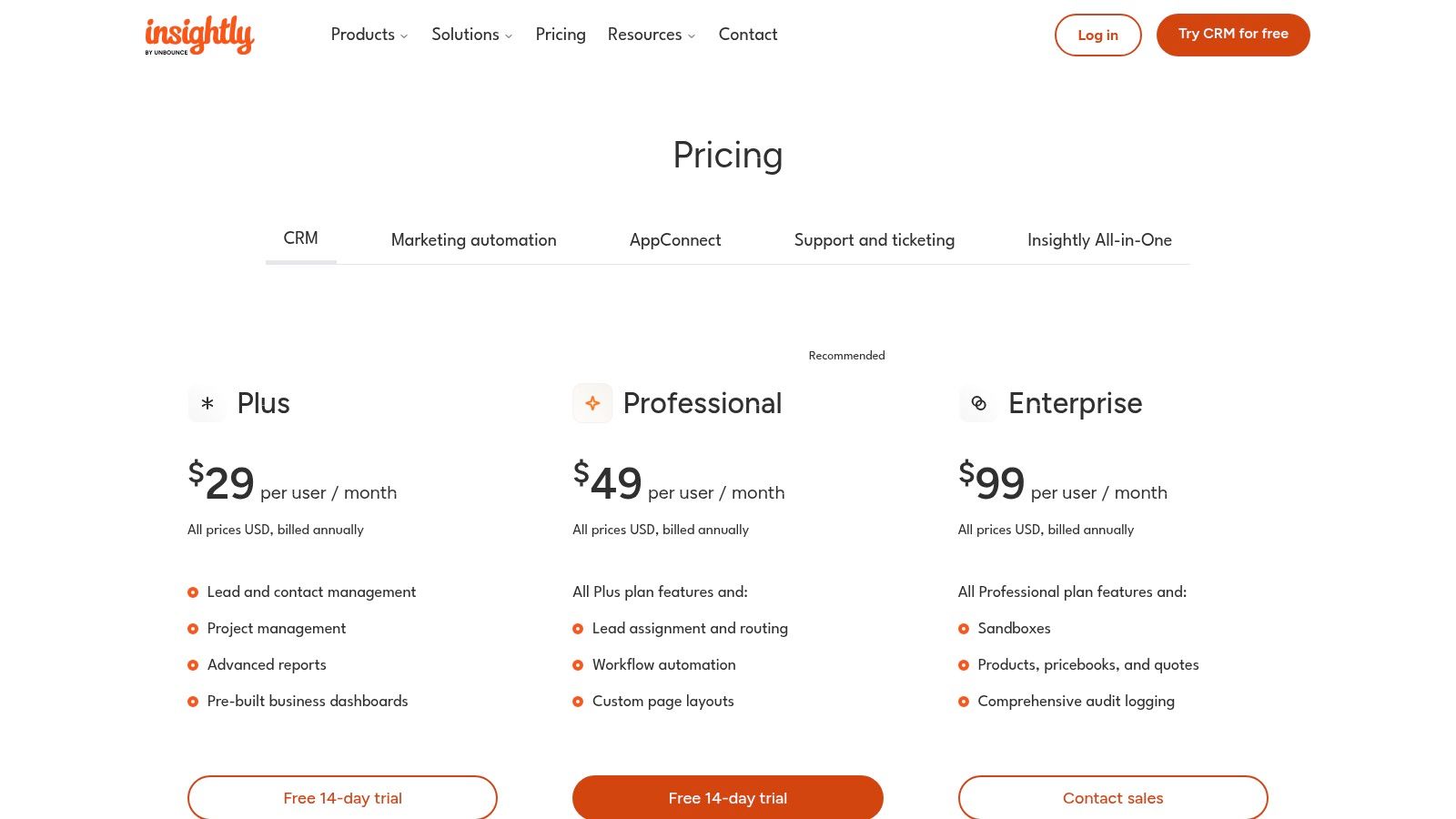
Insightly is a unified platform that combines core CRM functionalities with robust project management features, making it an excellent choice for businesses that manage post-sale delivery. It allows teams to track opportunities from lead to close and then seamlessly convert them into projects within the same system. This integration is ideal for service-based companies, agencies, and consultants who need a single source of truth for both customer relationships and project execution, eliminating the need for separate software.
Why It Stands Out
The standout feature is its native project management module, which sets it apart from many competitors that require third-party integrations for similar functionality. Once a deal is won, you can create a project with tasks, milestones, and deadlines directly from the opportunity record, ensuring a smooth handoff from sales to delivery. This makes it a strong contender for crm software for small business where workflow efficiency is critical.
| Feature | Description |
|---|---|
| Pricing | Starts at $29 per user/month (billed annually) |
| Best For | Service-based businesses, agencies, and consulting firms that need to manage client projects post-sale. |
| Key Pro | Combines CRM and project delivery in one product, streamlining the entire customer lifecycle. |
| Key Con | Advanced features like sandboxes are reserved for higher-tier plans, and some implementations may require paid onboarding. |
For more information, visit the Insightly website.
11. G2 (CRM for Small Business category)
G2 is not a CRM itself, but a powerful B2B software marketplace that offers a curated category specifically for small business CRM. It provides a vital starting point for your research, allowing you to read verified user reviews, compare multiple vendors side-by-side, and filter options based on features, pricing, and satisfaction scores. This approach helps you build a data-backed shortlist before committing to demos or trials.
Why It Stands Out
The primary advantage of using G2 is its reliance on aggregated, verified user feedback. Instead of relying solely on vendor marketing, you can see how actual small business users rate a particular CRM on ease of use, quality of support, and specific features. Its detailed Grid reports visually map out market leaders versus high performers, which is invaluable for quickly understanding the landscape of crm software for small business. This process aligns with software procurement best practices by emphasizing due diligence.
| Feature | Description |
|---|---|
| Pricing | Free to browse and compare; vendors may pay for premium placement. |
| Best For | Small businesses in the initial research phase who want to compare a wide range of CRMs using real user feedback. |
| Key Pro | Leverages authentic peer reviews to help you shortlist the best solutions based on SMB-specific satisfaction ratings. |
| Key Con | Sponsored placements can influence vendor visibility, and pricing details should always be verified on the vendor's site. |
For more information, visit the G2 CRM for Small Business category website.
12. Capterra (CRM for Small Businesses)
Capterra is not a CRM provider but an essential buyer-resource site where small businesses can research and compare different options. It acts as an independent software marketplace, offering extensive lists, user reviews, and detailed feature breakdowns. This makes it an invaluable first stop for any business owner trying to navigate the crowded market of CRM software for small business, allowing for effective side-by-side analysis of vendors.
Why It Stands Out
Capterra's strength lies in its powerful filtering tools and aggregated user reviews. You can quickly narrow down the vast selection of CRMs by specific features, pricing models, company size, and industry. Reading reviews from peers provides real-world insights that go beyond marketing copy, helping you discover both popular platforms and lesser-known alternatives that might be a perfect fit for your unique needs.
| Feature | Description |
|---|---|
| Pricing | Free to use; pricing information is provided for listed vendors. |
| Best For | Business owners in the initial research phase who want to compare multiple CRM options and read user reviews. |
| Key Pro | Excellent for discovering niche or alternative CRMs beyond the major market leaders. |
| Key Con | 'Starts at' pricing can be outdated; always verify costs directly with the software vendor. |
For more information, visit the Capterra CRM for Small Businesses website.
Top 12 Small-Business CRM Comparison
| Product | Core features ✨ | UX / Quality ★ | Value / Pricing 💰 | Target audience 👥 | Unique selling point 🏆 |
|---|---|---|---|---|---|
| Salesforce Starter Suite | Lead/account/opportunity mgmt; email mktg (2k/mo); guided onboarding | ★★★★☆ enterprise-grade, scalable | 💰 Low entry; upgrade costs to unlock APIs | 👥 Small teams planning enterprise growth | 🏆 Seamless upgrade into Salesforce ecosystem |
| HubSpot CRM and Sales Hub | Free core CRM; shared inbox & live chat; tiered Hubs | ★★★★☆ intuitive, rich resources | 💰 Generous free tier; Pro can be costly | 👥 Startups & scale-ups needing unified stack | 🏆 Free CRM + extensive education & integrations |
| Zoho CRM | Lead/deal workflows; 600+ integrations; optional Zia AI | ★★★☆☆ feature-rich but can feel complex | 💰 Very competitive; free up to 3 users | 👥 Budget-conscious SMBs | 🏆 Best value inside Zoho app ecosystem |
| Pipedrive | Drag-and-drop pipelines; email sync; marketplace | ★★★★☆ fast to learn & adopt | 💰 Transparent pricing; add-ons increase TCO | 👥 Small sales teams focused on execution | 🏆 Sales-first, highly usable pipeline UX |
| monday sales CRM | Custom boards; no-code automations; dashboards | ★★★☆☆ highly flexible, needs setup | 💰 Flexible plans; seat minimums may apply | 👥 Teams combining CRM + workflows | 🏆 Work OS with strong no-code automation |
| Freshsales by Freshworks | Kanban views; built-in phone/chat/email; AI insights | ★★★★☆ solid multichannel experience | 💰 Free plan up to 3 users; low entry | 👥 SMBs needing native telephony & chat | 🏆 Native telephony + Freddy AI insights |
| Keap | Visual automation builder; SMS/email; integrated payments | ★★★☆☆ powerful for automation, steeper UX | 💰 Pricing scales by contacts/services | 👥 Small businesses needing payments + automation | 🏆 Integrated payments (Keap Pay) & onboarding services |
| Close CRM | Built-in calling, SMS, predictive/power dialers; automation | ★★★★☆ optimized for outbound speed | 💰 Clear tiers; calling/SMS metered extra | 👥 Outbound sales teams & SDRs | 🏆 Native calling + power dialers for volume calling |
| Copper | Deep Gmail/Workspace integration; pipelines inside Gmail | ★★★★☆ minimal setup for Google users | 💰 Best value if on Google Workspace | 👥 Google Workspace-centric small teams | 🏆 Operates natively inside Gmail to reduce context switching |
| Insightly | CRM + integrated project management; automation | ★★★☆☆ all-in-one for sales → delivery | 💰 Per-user pricing; onboarding may cost extra | 👥 SMBs needing CRM + project delivery | 🏆 Combines opportunity tracking and project delivery |
| G2 (CRM small biz category) | Verified reviews; side-by-side comparisons; Grid reports | ★★★★☆ trusted marketplace & research | 💰 Free to use; leads to vendor trials | 👥 Buyers shortlisting CRM vendors | 🏆 Verified user reviews & comparative Grid reports |
| Capterra (CRM for small businesses) | Listings, filters, "starts at" pricing, user reviews | ★★★☆☆ broad discovery, review depth varies | 💰 Free browse; "starts at" may be outdated | 👥 SMB buyers researching options | 🏆 Extensive filters & vendor discovery resources |
Making the Right Choice for Your Business
Navigating the landscape of CRM software for small business can feel overwhelming, but making an informed choice is the first step toward transforming your customer relationships and driving growth. Throughout this guide, we've explored a diverse range of platforms, from the all-in-one powerhouses like Salesforce and HubSpot to the sales-focused precision of Pipedrive and Close. We've seen how tools like monday sales CRM bring a visual, workflow-centric approach, while others like Copper offer seamless integration with the Google Workspace ecosystem.
The central takeaway is clear: there is no single "best" CRM. The right solution is entirely dependent on your unique business context. An e-commerce startup will have vastly different needs than a B2B consulting firm or a local service provider. Your ideal platform hinges on your specific sales process, marketing strategy, and the daily workflows of your team.
Your Action Plan for Choosing the Right CRM
Before you commit to a subscription, it’s crucial to perform a final internal audit. This strategic pause ensures the tool you select aligns perfectly with your operational reality, not just the features listed on a pricing page.
To make your final decision, consider these critical factors:
- Define Your Primary Goal: What is the single biggest problem you need to solve? Is it lead disorganization, a lack of sales pipeline visibility, poor customer follow-up, or inefficient marketing automation? Pinpoint this core need and let it guide your choice. For instance, if pipeline management is your main pain point, Pipedrive is a strong contender. If you need a free, foundational tool with room to grow, HubSpot's free CRM is an excellent starting point.
- Evaluate Your Existing Tech Stack: How will the new CRM integrate with the tools you already use every day? Consider your email client (like Google Workspace or Outlook), accounting software, and marketing platforms. A CRM like Copper excels with Google integration, while Zoho offers a tightly integrated suite of business apps. Poor integration can create data silos and manual work, defeating the purpose of a CRM.
- Assess Scalability and Total Cost of Ownership: Look beyond the introductory price. Consider the long-term cost as your team grows and your needs become more complex. Review the pricing tiers carefully. Will you need to upgrade to a much more expensive plan just to access one or two critical features? A platform like Zoho CRM often provides significant value at a competitive price point, making it a scalable option for many small businesses.
- Prioritize User Adoption: The most powerful CRM is useless if your team won't use it. During the free trial period, involve the end-users. Is the interface intuitive? Can they perform their key tasks without extensive training? A visually appealing and user-friendly interface, like the one offered by monday sales CRM, can significantly boost adoption rates.
Choosing the right CRM software for your small business is a strategic investment in your future. It's about more than just managing contacts; it's about building a centralized, data-driven engine for sustainable growth. By taking the time to align your specific needs with the right platform, you empower your team to build stronger relationships and close more deals, creating a solid foundation for success.
As you invest in powerful software like a new CRM, managing subscription costs and user access across your team becomes a new challenge. AccountShare simplifies this by enabling you to securely share software subscriptions, ensuring your entire team gets the tools they need without the expense of multiple individual licenses. Streamline your software management and maximize your ROI by visiting AccountShare to learn more.