

Your Guide to the Simply Piano Family Plan
If you've got a household of budding musicians, the Simply Piano family plan is a fantastic way to get everyone learning together. It's a single subscription that gives you up to six separate profiles, which is a far more affordable route than juggling multiple accounts or paying for pricey individual lessons.
Why a Shared Piano Plan Makes Sense for Families
Picking a subscription isn't just about the features list; it's about how it fits into the rhythm of your family life. The simply piano family plan is more than just a smart financial move—it's an investment in a shared activity that can genuinely bring everyone closer, no matter their age or musical background.
Turning Your Home into a Musical Hub
Think about this common scenario: your child starts lessons and their enthusiasm gets you thinking about picking up the piano again after years of not playing. Or maybe you have two kids who both want to learn, but one is obsessed with classical music while the other just wants to play the latest pop hits. This is exactly where the family plan shines.
Because everyone gets their own profile, their progress is tracked separately. This means:
- Your youngest's "Piano Basics" course won’t get mixed up with your teenager's practice sessions on Taylor Swift songs.
- You can revisit the instrument at your own pace without feeling like you're falling behind.
- Everyone gets to build their own song library and track their achievements, which gives them a real sense of ownership over their learning.
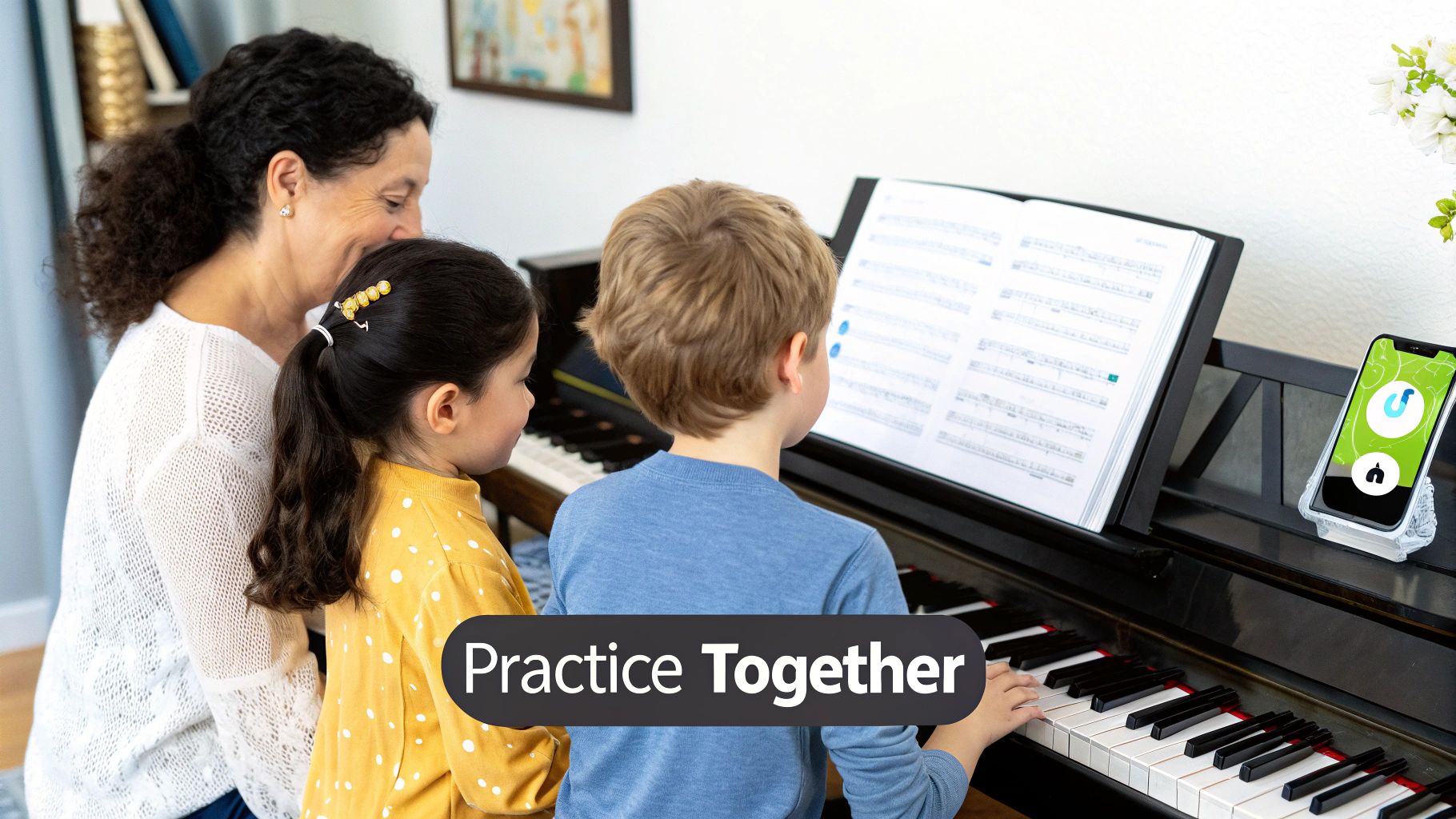
This infographic really captures how a family can dive into music together, transforming what could be individual practice into a shared family experience.

As the image shows, a family plan can turn an isolated hobby into a fun, multi-generational activity that gets everyone involved.
It's About More Than Just Saving Money
Sure, the cost savings are a big plus, but the real magic is in the shared experience. There's something incredibly motivating about watching your partner or child finally nail a tricky piece they've been working on for days. It creates a built-in support system right at home.
A shared hobby can become a powerful bonding tool. It turns what could be a solitary pursuit into a family adventure, creating lasting memories and a mutual appreciation for music.
I know one family where the son's interest in the app reignited his parents' own passion for music. What started as his hobby quickly became something they all did together. This kind of organic, spontaneous engagement is what makes the family plan so great. It removes the friction, making it easy for anyone in the house to say, "Hey, I want to try that too," without worrying about extra costs or a complicated setup.
You're not just buying an app; you're creating opportunities to connect.
A Practical Look at Family Plan Pricing
Before you commit to any subscription, it’s smart to run the numbers. With the Simply Piano family plan, the math is pretty straightforward and overwhelmingly positive, especially if you have more than one aspiring musician at home.
The whole idea is built on simple economics. Instead of juggling multiple individual subscriptions—and their individual costs—you get everyone under one roof for a single, manageable fee. This is a game-changer for families, making sure that price doesn't stand in the way of anyone wanting to learn.
Breaking Down the Annual Cost
Think about it this way: the moment a second person in your house wants to learn piano, you’re faced with a choice. Do you double your yearly cost by buying another individual plan? That can get expensive, fast.
The Simply Piano family plan offers a much smarter path. For one annual fee, you get access for up to 5 family members in total. A family of four doesn’t pay four separate fees; they pay one flat rate that’s often cheaper than just two individual subscriptions combined. The more people who use it, the more you save.
The real beauty of this isn't just a one-time discount. It's about long-term value. Your family can grow with the subscription, and you won't see your costs multiply every time someone new decides to start playing.
This shared subscription model is something we see across a lot of great digital services because it just makes sense. It simplifies billing and gets the whole family involved. We covered a similar setup in our guide on the Duolingo family plan discount, where the same principle applies: one shared plan is almost always a better deal than many separate ones.
Simply Piano Family Plan vs Individual Plan Cost Breakdown
When you put the numbers side-by-side, the financial benefit is impossible to ignore. Simply Piano’s family plan typically runs $179.99 a year. That’s only a little more than a single individual subscription, but it covers your whole household.
Let’s look at how the savings stack up as you add more users.
| Number of Users | Total Cost with Individual Plans | Total Cost with Family Plan | Annual Savings with Family Plan |
|---|---|---|---|
| 2 Users | ~$300 | $179.99 | ~$120 |
| 3 Users | ~$450 | $179.99 | ~$270 |
| 4 Users | ~$600 | $179.99 | ~$420 |
| 5 Users | ~$750 | $179.99 | ~$570 |
Note: Individual plan costs are estimated for comparison purposes.
As you can see, the value is immediate. Once you have two people using it, the plan has already paid for itself. For larger families, the savings are massive. This tiered approach is common in educational tools; for another example, you can check out Kubrio's pricing plans to see how they structure their offerings.
Ultimately, if you have more than one person eager to learn, investing in the family plan isn't just a good idea—it's the most financially savvy decision you can make.
Getting Your Family Set Up and Making Music

Alright, so you've signed up for the Simply Piano family plan. The next step is getting everyone in on the action, and thankfully, Simply Piano makes this part pretty painless. The whole idea is to get you past the admin stuff and onto the keyboard as quickly as possible.
The magic happens through individual profiles. Once your main subscription is active, you become the account manager. It's your job to create a separate little musical world for each person in your family, ensuring their learning path and progress are completely their own.
Inviting the Family to Play
First, you'll want to find the "Family Plan" or "Manage Profiles" area, which is usually tucked away in the app's settings menu. From there, you can start adding your family members.
For a younger child, you can just create a profile for them yourself and hand over the login details. For a spouse, partner, or older kid, you can usually send an invitation link directly to their email or phone. They’ll click the link, set up their own password, and their profile will automatically connect to your family plan.
This whole process is pretty standard if you've ever shared other subscriptions. In fact, it’s quite similar to setting up other shared services, like we cover in our guide on how to share Microsoft 365 Family: https://accountshare.ai/blogs/new/how-to-share-microsoft-365-family.
Key Takeaway: Each profile is a fresh start. This means your five-year-old’s journey through "Piano Basics 1" won't ever cross paths with your progress in the "Pop Chords" course. Keeping everyone’s progress separate is absolutely essential for staying motivated.
As the person managing the account, it's a good idea to keep security in mind. A simple but effective step is encouraging everyone to use strong passwords. For an even bigger security boost, you might look into using two-factor authentication wherever possible to keep your accounts locked down.
Managing Profiles as Your Family Grows
Life changes, and your Simply Piano plan is flexible enough to change with it. Handling profile management over time is just as straightforward as the initial setup.
Here are a few real-world situations you'll likely run into:
- A New Musician Joins: Your youngest is finally ready to start their piano journey. No problem. Just head back into the profile settings and add them the same way you added everyone else.
- A Profile Goes Quiet: Maybe your teenager is off to college and their piano lessons have fallen by the wayside. You can easily remove their profile to open up the spot for someone else. Their progress is often saved, so they can pick it back up later if they want.
- Keeping Things Tidy: You can hop in anytime to edit profile names or change avatars. It's a small touch, but it helps everyone feel like they have their own personalized space.
The system is designed so you can make these tweaks in just a couple of minutes. The goal is to make account management a non-issue, letting your family focus on what really matters: learning, playing, and sharing music together.
Making the Most of Your Shared Subscription
Alright, so you've got everyone set up with their profiles. Now for the fun part: turning that subscription into a genuine, lasting musical hobby for the whole family. The real goal here is to weave piano practice into the fabric of your daily life so it feels more like a shared passion and less like another item on the to-do list.
Remember, consistency trumps everything, especially when you’re juggling a busy family schedule. You don't need marathon sessions. In fact, just 10-15 minutes of focused playing a few times a week can build serious momentum. For those of us sharing a single keyboard, a little bit of planning goes a long way.
Creating a Practice Schedule That Actually Works
Let's be honest, rigid schedules are doomed to fail in a lively home. I've found a more flexible approach works wonders, one that rolls with everyone’s energy levels and commitments. A simple chart on the fridge can be surprisingly effective, letting everyone claim their practice slots for the day or week.
Think about "piano time" differently:
- Morning Warm-up: Someone can play a quick song or two before heading out for school or work.
- After-School Wind-Down: For kids, this can be an incredible way to decompress before diving into homework.
- Pre-Dinner Jam: Someone can practice while dinner is in the oven.
This reframes practice from a scheduled chore into small, satisfying musical moments sprinkled throughout the day.
The biggest mistake I see is treating practice as a solo mission. Try to frame it as a family project. The journey of learning together is often just as rewarding as nailing a new song.
For instance, a friend of mine got the Simply Piano family plan for his son. Before long, he and his wife were dusting off their old skills and joining in. It organically became their new way to connect after a long day, which is a massive win in itself.
Keeping Everyone Engaged and Motivated
Motivation is often the trickiest part. Simply Piano’s game-like lessons are a great start, but adding your own family-focused encouragement can make all the difference. The secret is to celebrate the small wins and the effort, not just perfection.
Here are a few ideas that have worked for others:
- Family Recitals: Once a month, host a super casual "recital." Everyone plays one piece they're proud of, no matter how simple.
- Milestone Parties: Did someone finally master a tricky song or finish a course? Celebrate with their favorite dessert or a family movie night.
- Duet Challenges: Once two people have the basics down, challenge them to learn a simple duet together.
This creates a spirit of mutual support instead of competition, which is exactly what you want.
Using App Features to Your Advantage
Don't sleep on the app's built-in features. The ability to download sheet music for offline practice is a game-changer for families on the move. That flexibility means learning can happen on a vacation or at a grandparent's house, even without a Wi-Fi signal. If you want a deeper dive into how its features help modern learners, check out this in-depth review from American Songwriter.
By building a supportive atmosphere and using the app's tools, your Simply Piano plan will grow from a simple subscription into a vibrant piece of your family's culture.
Troubleshooting Common Family Plan Headaches
Even the best-laid plans can hit a snag, and the Simply Piano family plan is no exception. Technology can be finicky, but the good news is that most common issues are things you can fix yourself in just a few minutes, without waiting on a support ticket.
Let's look at what to do when things go a little off-key.
A classic problem is progress not syncing between devices. Maybe your son aced a new song on the family tablet, but when he opens the app on his phone, that progress is nowhere to be found. It’s frustrating, but it's usually just a simple caching glitch.
The first thing to try is the oldest trick in the IT book: turn it off and on again. Completely close the app on all devices involved, wait a second, and then reopen it. If that doesn't jog its memory, have the user log out of their profile on both devices and then sign back in. This forces a fresh sync with Simply Piano's servers and almost always gets things back in order.
What to Do When an Invite Vanishes
Another headache is when a family member swears they never received their invitation. You sent it, but it seems to have disappeared into thin air. Before you get too frustrated, run through this quick checklist.
- Double-Check the Email: It sounds obvious, but a simple typo is the number one reason invites don't arrive. Just one wrong letter and it's gone.
- Search the Spam Folder: Ask your family member to take a peek in their junk or spam folder. Sometimes, email services get a little too aggressive with their filters.
- Send It a Different Way: If email is failing you, just copy the invite link and send it directly through a text message or a different messaging app.
Still no luck? Head back into your account settings within the Simply Piano app. You can typically generate a brand new invitation link from there and try again.
A quick side note on sharing: managing multiple accounts means being smart about passwords. Even with family, you want to handle credentials securely. We've got a whole guide on the secure way to share passwords that covers some great habits to get into.
Sorting Out Billing Questions
Finally, nothing causes stress quite like an unexpected charge or confusion over a renewal date. It's important to remember that Simply Piano doesn't handle billing directly. All payments and subscriptions are managed through whichever app store you signed up with—either the Apple App Store or the Google Play Store.
If you have a billing question, your first stop should be the subscription management section on your phone or tablet. In your device's settings, you can see exactly when your plan renews, how much you're being charged, and confirm that your family plan is active. This is also the same place you'd go to cancel or make changes, putting you in full control.
Got Questions? We’ve Got Answers
When you're thinking about getting the Simply Piano family plan, a few questions always pop up. Let's get them answered so you can figure out if it's the right fit for your household.
One of the first things everyone asks is, "How many people can actually use it?" The family plan is pretty generous, giving you up to six individual profiles. This isn't just six people sharing one login; each person gets their own separate space to learn, track their progress, and build their own song library. It’s one subscription to rule them all.
Can I Share It With Friends or Family Who Live Elsewhere?
This one comes up a lot. Technically, you control the account, so you could share it with anyone. However, Simply Piano's terms of service are pretty clear that the family plan is intended for members of a single household.
The whole point of the plan is to make learning an instrument more affordable for a family unit living under one roof. Stretching it beyond that might be against their rules.
Do All Members Get the Same Features?
People often wonder if the "extra" profiles are watered-down versions of the main account. Nope, not at all. Every single person gets the full, unrestricted premium experience.
That means everyone gets:
- Full access to the entire song library—from Bach to Billie Eilish.
- All the courses and lessons, whether you're a total beginner or working on complex chords.
- Real-time feedback and personal progress tracking.
There’s no "lite" version here. Every profile is a full premium account, which is great because it ensures everyone gets the same high-quality learning experience.
The big takeaway is that one subscription unlocks the complete Simply Piano world for everyone in the family. No hidden tiers, no feature restrictions—just music for all.
What Happens to Our Progress If We Cancel?
So, what if you subscribe for a year and then decide to take a break? Does everyone’s hard work just disappear? The good news is that your family's learning data is safe.
When your subscription ends, you’ll lose access to the premium songs and lessons, but all the progress is saved to your account. If you ever decide to come back and resubscribe with that same account, everyone can pick up right where they left off. No one has to start from scratch, which makes it easy to pause and restart whenever life gets in the way.
Ready to bring more music into your home? AccountShare can help you manage shared subscriptions like the Simply Piano family plan safely and easily. Find out more at https://accountshare.ai.