

A Guide on how many devices for spotify and streaming limits
When you ask, "How many devices can I use on Spotify?" there are really two answers, and both are important. You can be logged into your account just about everywhere, but the rules change depending on whether you're streaming live or listening offline.
Let's break down exactly what that means for your daily listening.
How Many Devices for Spotify: Streaming vs. Downloads
Think of your Spotify account like a key to a single, very cool music room. Only one person can be inside listening at a time. This is the essence of Spotify’s "one-stream" rule.
If you’re jamming out to a playlist on your laptop and then hit play on your phone, the music on the laptop will stop cold. Spotify will even show you a message that says something like, “Someone else is listening.” This applies to all single-user plans, including Spotify Free, Premium Individual, Premium Student, and each account within a Premium Duo plan. It’s their way of keeping individual accounts, well, individual.
But here's where things get much more flexible.
The Magic Number: 5 Offline Devices
While you can only stream on one device, Spotify lets Premium members download music and podcasts on up to five different devices for offline listening. This is a game-changer.
It means you can have your entire library ready to go on:
- Your main smartphone for the daily commute.
- A tablet for flights or long train rides.
- Your work laptop for focus-at-your-desk sessions.
- An old phone you’ve repurposed as a dedicated gym MP3 player.
- Your partner's tablet for a shared road trip playlist.
You can download up to 10,000 songs on each of those five devices. That's a massive amount of music you can access anywhere, no internet connection required. This flexibility is a huge part of why Spotify’s user base is so massive—the platform’s ability to fit into our multi-device lives is a major selling point. In fact, learning about Spotify's impressive user growth on backlinko.com shows just how popular this model is.
The key takeaway is simple: You can only stream music on one device at a time. But you can download music for offline listening on up to five devices simultaneously.
Once you get the hang of this distinction, you'll be able to manage your account like a pro and keep the music playing without those annoying interruptions.
Spotify Device Rules at a Glance
To make it even clearer, here’s a quick summary of how the streaming and download limits work across the different Spotify plans.
| Feature | Spotify Free | Spotify Premium (Individual/Duo/Student) | Spotify Premium Family |
|---|---|---|---|
| Simultaneous Streaming | 1 device per account | 1 device per account | 1 device per account (up to 6 accounts) |
| Offline Download Devices | None (feature not available) | Up to 5 devices per account | Up to 5 devices per account (up to 6 accounts) |
| Songs Per Device | N/A | Up to 10,000 | Up to 10,000 |
As you can see, the core rules for an individual account holder are the same whether you're on a solo Premium plan or part of a Duo or Family plan. The big difference with the Family plan is that each of the six members gets their own separate account with these generous limits.
Streaming vs. Downloading: Understanding Spotify's Two Big Rules
To really get a handle on how many devices you can use with Spotify, you have to understand the two core rules that govern every account. It all boils down to the difference between actively listening (streaming) and saving music for later (downloading). Getting this distinction right is the key to a smooth, frustration-free experience.
First up is what I call the ‘one stream’ rule. Think of your Spotify account like a personal DJ who can only play a set in one room at a time. If you’re streaming a playlist on your laptop in the living room and then fire up a podcast on your phone in the kitchen, the music on the laptop will instantly stop.
This rule is all about what’s actively playing right now, not just where you're logged in. It’s Spotify’s way of making sure a single account is being used by one person at any given moment.
The Real Power Move: Offline Listening
This brings us to the second, much more generous rule: the ‘offline device’ limit. This is a game-changing perk for Premium subscribers and completely redefines how you can use your account across all your gadgets.
While you can only stream to one device, Spotify lets you download your music and podcasts on up to five distinct devices at the same time. This is like having five pre-loaded iPods ready to go for any situation.
You could set it up like this:
- Your main phone for your daily commute and errands.
- A tablet loaded with playlists for that long flight where Wi-Fi is terrible.
- An old phone you've turned into a dedicated, durable gym device.
- Your work computer for deep-focus playlists that won't drain the office internet.
- A gaming console for the perfect soundtrack to your gaming sessions.
This multi-device flexibility is a huge part of what makes Spotify so useful. Over the years, Spotify has expanded its reach into over 180 markets, making its app available on everything from smart TVs and watches to car stereos. This massive compatibility, as detailed by insights into Spotify's global engagement on musicweek.com, is what makes offline access so incredibly valuable.
Why Spotify Has These Two Rules
Separating the rules for streaming and downloading strikes a perfect balance. The one-stream limit is there to protect artist royalties and maintain the fairness of their subscription plans. At the same time, the five-device download limit gives you the real-world flexibility you need in a world full of gadgets.
Spotify gets that we live in a multi-device world. By letting you download your library everywhere, they aren't punishing you for owning a phone, a tablet, and a laptop. Instead, they’re empowering you to take your music anywhere.
This system is designed so your favorite tracks are always with you, whether you have an internet connection or not. If you want to get this set up, our guide on how to play Spotify offline on all your devices walks you through the simple steps to make sure your playlists are always good to go.
How Your Spotify Plan Shapes Your Device Rules
The answer to "how many devices can I use on Spotify?" isn't a simple one—it all comes down to which subscription you have. Your plan is the gatekeeper, controlling how many people can stream at once and on how many gadgets you can save music for offline listening. Picking the right one is key to avoiding those annoying "someone else is listening" interruptions.
Let's break down what you get with each tier.
The Starting Point: Spotify Free
If you're on the Spotify Free plan, things are pretty straightforward. You can log in and listen on as many devices as you own—a phone, a laptop, a smart speaker, you name it. But there's a catch: you can only stream on one device at a time, and you'll always need an internet connection. The ability to download music for those offline moments? That's a perk reserved for Premium members.
Gaining Freedom with Premium Tiers
This is where things get interesting. Upgrading to a Premium Individual or Premium Student plan gives you some serious flexibility. You're still limited to streaming on just one device at a time, but you unlock the game-changing ability to download music on up to five different devices. This is perfect if you're a solo listener who hops between a phone for the gym, a laptop for work, and a tablet for home.
The Premium Duo plan is built for two people at the same address. You get two separate Premium accounts under one bill, each with its own playlists and recommendations. This means two people can stream their own tunes on their own devices simultaneously—no more fighting over who gets to play their music. Plus, each person gets their own five-device limit for offline downloads.
This diagram helps visualize the difference between streaming (an active, one-at-a-time event) and downloading (a passive, multi-device feature).
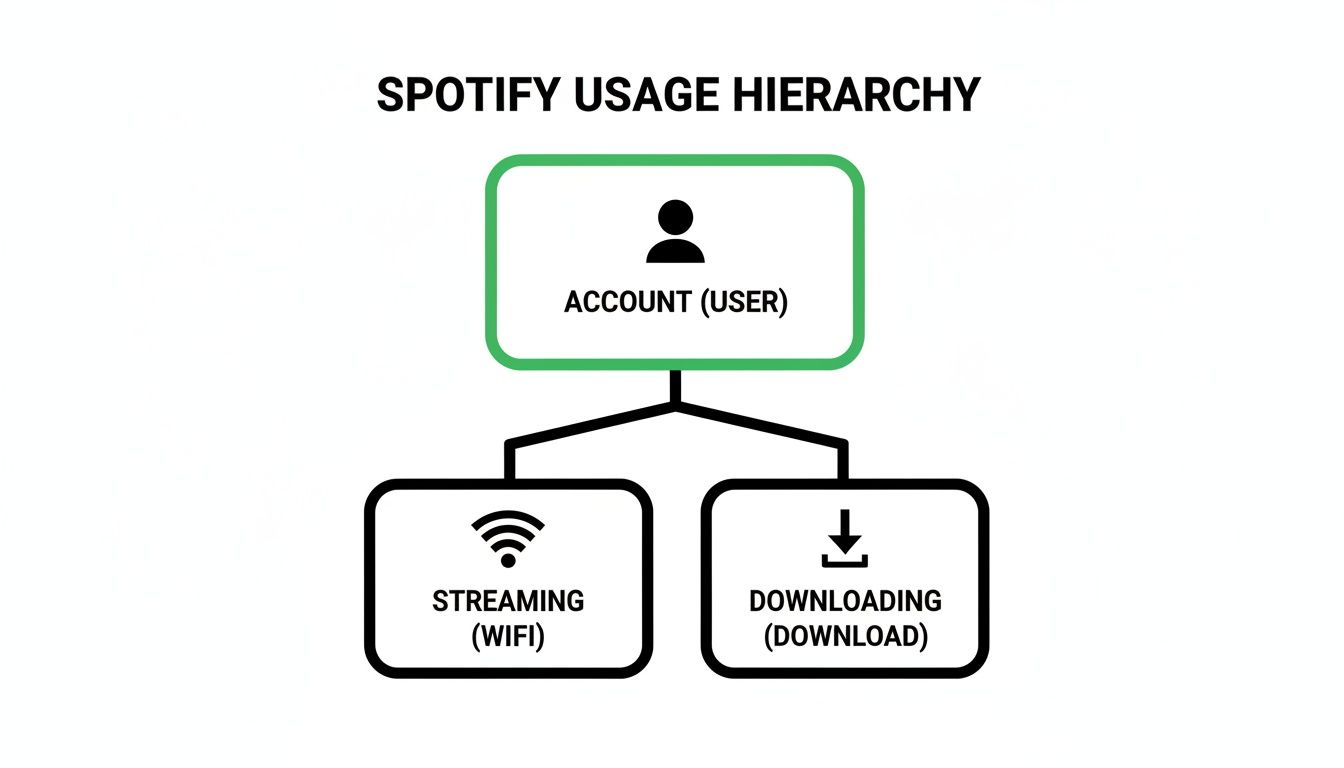
As you can see, while streaming is a singular activity per account, the offline download feature is where Premium really shines by letting you spread your music across multiple gadgets.
The Ultimate Plan for Families and Shared Homes
For a household full of music fans, the Premium Family plan is the undisputed champion. It offers up to six individual Premium accounts for family members living under the same roof, completely eliminating device conflicts.
With a Family plan, all six members can stream their own music, on their own devices, all at the same time. No more interruptions, no more taking turns.
And the download perks are massive. Every one of those six members gets their own five-device allowance for offline listening. Do the math: that’s a potential 30 devices with downloaded music across one family account! This kind of flexibility is a huge reason for Spotify's massive appeal. In early 2025, the platform boasted around 602 million monthly active users, a number fueled by plans that fit how modern families and individuals actually listen to music.
Comparing Device Limits Across Spotify Plans
To make it even clearer, here’s a side-by-side look at how the device and user limits stack up for each plan. This table will help you quickly see which subscription best fits your needs.
| Plan Type | Simultaneous Streams | Offline Devices Per Account | Total Users |
|---|---|---|---|
| Free | 1 | 0 | 1 |
| Premium Individual | 1 | 5 | 1 |
| Premium Student | 1 | 5 | 1 |
| Premium Duo | 2 (1 per user) | 10 (5 per user) | 2 |
| Premium Family | 6 (1 per user) | 30 (5 per user) | 6 |
Ultimately, choosing the right plan comes down to a simple question: how many people need to listen at the same time? Trying to share an Individual account is a recipe for frustration, but Duo and Family are designed to solve that problem.
If you are managing a shared plan with friends or family, it's also smart to know how to share Spotify Premium safely and legally to keep everyone's account secure.
How to View and Manage Your Spotify Devices
Ever feel like you’ve lost track of where your Spotify account is logged in? It happens. Taking control of your device list is a simple but crucial step for keeping your account secure and making sure your offline download slots are free for the devices you actually use. Think of it as your personal command center for your Spotify world.
Your five offline device slots are like reserved parking spots. If an old phone you traded in is still taking up a spot, your new tablet can't park there. Regularly clearing out this list keeps your account tidy and ready for any new gadget you bring into your life.
This is what your account's 'Offline devices' management page looks like, giving you a clear view of where your music is stored for those no-internet moments.
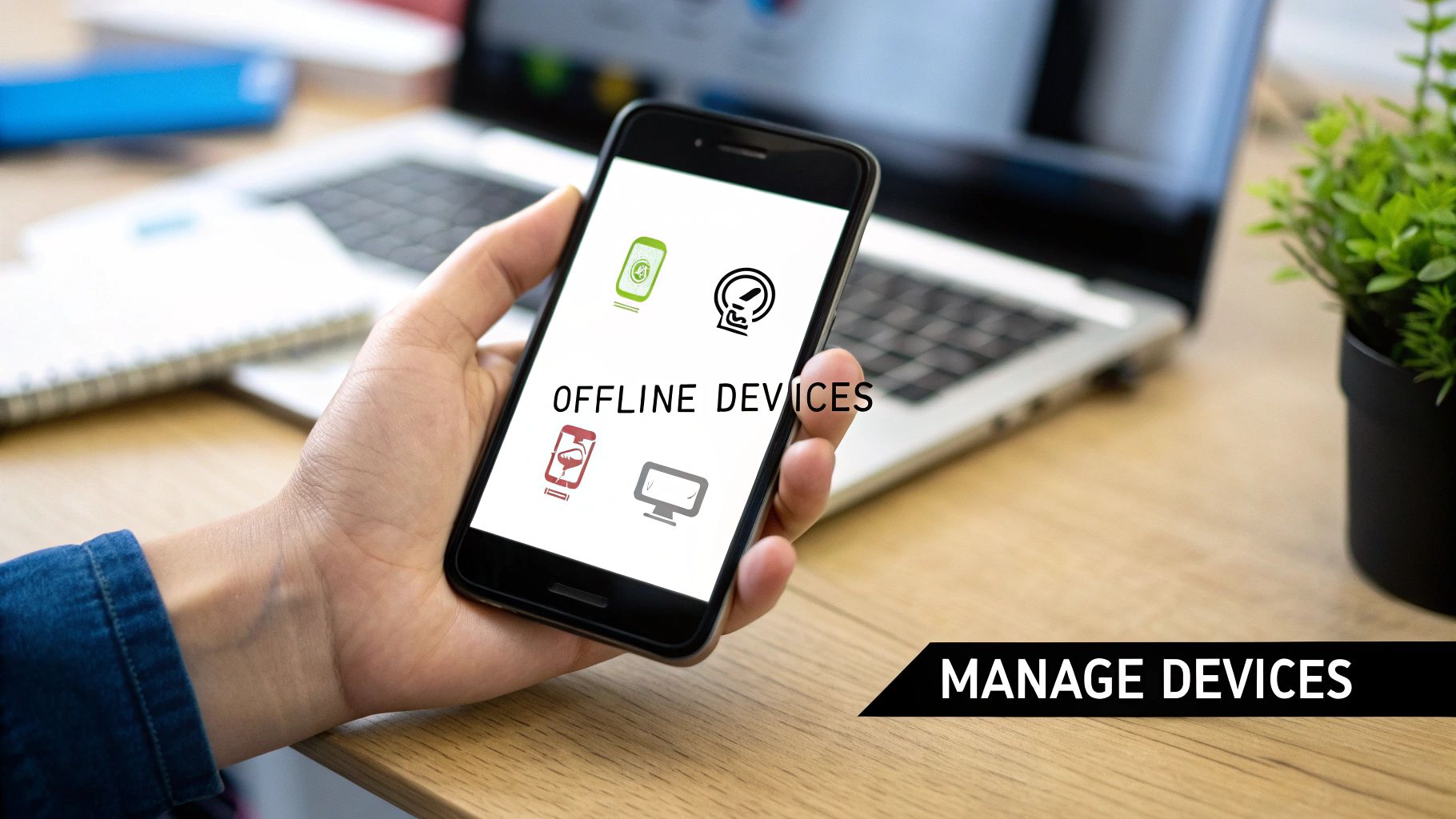
With just a click, you can remove any device and instantly free up a slot. It’s that easy.
Finding and Removing Offline Devices
Removing a device from your offline list is a breeze and can be done right from the Spotify website. It only takes a few seconds and keeps you under that five-device limit.
Here’s exactly how to do it:
- Navigate to your Spotify account overview page in any web browser.
- Log in if you're not already signed in.
- From the menu on the left, click on Offline devices.
- You'll now see a list of every device that has your downloaded music stored on it.
- Just click Remove next to any device you no longer use or don't recognize.
Keep in mind, this action doesn't log you out of the app on that device. It just revokes its permission to play your downloaded content, which is what frees up one of your precious five slots.
Pro Tip: Make it a habit to check this list every few months, or at least whenever you get a new gadget. This little bit of housekeeping can save you from that dreaded "You've reached your device limit" message right when you're trying to download a playlist for a flight.
The Ultimate Reset Button: Sign Out Everywhere
Sometimes, a simple cleanup isn't enough. Maybe you logged in on a friend's computer, a public device at the library, or you just have a nagging feeling someone else might be using your account. For those moments, you need the nuclear option: the Sign out everywhere feature.
You'll find this security powerhouse at the bottom of your account overview page. One click and it logs you out of Spotify on every single device—phones, tablets, web players, smart speakers, game consoles, you name it.
This is your go-to move for securing your account. After you use it, you'll have to log back in on your own trusted devices, but it ensures any and all unwanted users are kicked out for good. It’s a clean slate.
If you're running a shared plan like Duo or Family, knowing how to use these security tools is even more important. For more on that, check out our guide on how to add someone to your Spotify account the right way.
Working Through Common Spotify Device Issues
Nothing kills the vibe faster than a technical snag right when your favorite song is about to start. If you're juggling multiple devices on your Spotify account, you've probably run into a few confusing conflicts. Let's walk through how to fix the most common headaches so you can get back to the music.
The classic error message: "Someone else is listening." You've likely seen this one. It pops up when you try to play a song on your phone while someone else (or even you) is already streaming on another device, like a laptop or smart speaker. This is just Spotify enforcing its one-stream-at-a-time rule for individual accounts.
But sometimes, this happens when you're the only one listening. You might be at the gym with your headphones on, and suddenly the music cuts out, only to start blasting from the smart speaker back in your living room. This is usually a classic case of Spotify Connect confusion, where the app gets its wires crossed and sends the audio to the wrong place.
How to Stop Playback Hijacking
When your music unexpectedly jumps to another speaker, the fix is usually just a couple of taps away.
- Open the Spotify app and look at the "Now Playing" screen.
- Tap the little device icon at the bottom (it looks like a speaker in front of a screen).
- You'll see a list of all the devices on your network that Spotify can see.
- Just select "This Phone" (or whatever device you're holding) to pull the stream back under your control.
This simple move tells Spotify exactly where the party is, instantly resolving the mix-up. It's the quickest way to reclaim your listening session.
Another frustrating problem is when your offline downloads vanish into thin air. Imagine you’ve just boarded a flight, switched to offline mode, and opened Spotify to find your carefully curated playlist is completely empty. What gives?
This happens because Spotify needs your devices to check in online at least once every 30 days. It’s how they verify that your Premium subscription is still active and that the music licenses are up to date. If one of your devices stays offline for longer than a month, Spotify will automatically remove its downloads. The fix is easy: just make a habit of connecting your devices to Wi-Fi before a long trip to reset that 30-day clock.
Pro Tip: If you're seeing weird activity and suspect someone else might be on your account, the fastest way to lock things down is to use the "Sign out everywhere" feature. You can find it on your account page on the Spotify website. This logs every single device out, giving you a fresh start to log back in only on the devices you trust.
Once you get the hang of these common quirks—from rogue Spotify Connect streams to the 30-day offline check-in—you'll be able to solve most issues in seconds. It puts you back in charge, ensuring your music plays exactly where you want it, whenever you want it.
Your Top Questions About Spotify Devices, Answered
Even when you know the basic rules, real-life situations can get a little tricky. Let's dig into the most common questions people have about using Spotify across their different gadgets. I'll give you the straight answers to help you get the most out of your subscription.
Can I Be Logged Into Spotify on All My Devices at Once?
Yes, you sure can. Go ahead and log into your Spotify account on your phone, your laptop, that old tablet in the kitchen, your PlayStation, and your smart TV. There’s absolutely no limit to how many devices you can be signed into.
The real catch isn't about being logged in; it's about listening. If you have a plan for a single user, like Premium Individual or Student, you can only stream music on one device at a time. The moment you hit play on your laptop, the music on your phone will stop.
This is exactly why plans like Duo and Family are game-changers. They sidestep this one-stream rule by giving each person their very own account, so everyone can listen to whatever they want, whenever they want, without clashing.
What Happens When I Try to Download Music to a Sixth Device?
So you've hit your offline limit. When you try to save a playlist to that sixth device, Spotify will simply stop you in your tracks. You'll get a friendly little pop-up telling you you've maxed out your five-device allowance for offline listening.
The app will then guide you to manage your devices. It’s a simple process—you just have to remove one of the five existing devices from your offline list to free up a slot for the new one. This can all be handled right from your account page on the Spotify website.
Here's a pro-tip: Make it a habit to check this list every so often. Removing old phones or computers you don't use anymore keeps your offline slots free for the devices you actually care about.
How Does the Spotify Family Plan Work With So Many Devices?
The Spotify Family plan is the ultimate solution for households with multiple music lovers. It offers up to six completely separate Premium accounts for family members living together. Think of it less as one shared account and more like six individual subscriptions bundled together.
Here’s how that breaks down:
- All six people can stream music on their own devices at the same exact time. No more "who kicked me off?" arguments.
- Every single member gets their own personal limit of five devices for offline downloads.
- These limits are tied to the individual, not the plan. That means across the whole family, you could have up to 30 different devices loaded with offline music.
For families, this plan pretty much solves the device-juggling problem for good.
Help! Why Did All My Spotify Downloads Just Vanish?
Waking up to find your carefully curated offline library gone is alarming, but there's almost always a simple reason for it. Spotify has a rule: any device with downloads must connect to the internet at least once every 30 days.
This isn't just a random requirement. This brief online check-in lets Spotify do two important things:
- Verify Your Subscription: It needs to confirm you still have an active, paid Premium account.
- Refresh Music Licenses: It checks to make sure the rights for the songs you've downloaded are still valid.
If one of your devices—say, a dedicated workout phone or a travel tablet—stays offline for more than a month, Spotify will automatically wipe the downloads to stay compliant. The fix is easy, though. Just connect that device to the internet, open the app, and you can re-download your music. The 30-day countdown starts all over again.
At AccountShare, we believe great digital experiences should be within everyone's reach. Our platform is built to help you safely and easily share the cost of subscriptions, making it simpler than ever to enjoy services like Spotify Family without paying the full price. To see how you can start saving on your favorite subscriptions, check out AccountShare today.