

The 12 Cheapest Cloud Storage Options for 2026: An In-Depth Guide
Stop overpaying for cloud storage. With digital files multiplying faster than ever, finding an affordable and secure place to store everything is crucial. From family photos and important documents to massive project files, the cost of cloud services can quickly add up. But it doesn't have to.
We've gone beyond the marketing claims and surface-level pricing to analyze the true cost-per-terabyte, uncovering the hidden gems and best-value plans. This comprehensive guide breaks down the 12 cheapest cloud storage options available today, helping you identify the perfect solution for your specific needs. Whether you're a student on a budget, a photographer with terabytes of RAW files, or a family looking to share a single, cost-effective plan, this resource is for you. For a comprehensive overview of how these services function and their overall market, explore the broader landscape of cloud storage.
Inside this guide, you will find a detailed breakdown of each provider, including:
- Per-GB/TB Pricing Analysis: Discover the true cost beyond the monthly fee.
- Generous Free Tiers: Learn which services offer the most space for free.
- Security & Privacy Notes: Understand the tradeoffs between cost and data protection.
- Ideal Use-Cases: Match providers to your needs, from simple backup to active collaboration.
We explore everything from lifetime deals to the nuanced differences between long-term archiving and active file syncing. Each entry includes direct links and screenshots to simplify your comparison. Our goal is to empower you to make an informed decision, save money, and find the cheapest cloud storage without compromising on essential features or security. Let's dive in.
1. Google One (Google Drive)
For users deeply embedded in the Google ecosystem, Google One offers one of the most convenient and cheapest cloud storage options available. Its standout feature is the seamless integration across Gmail, Google Photos, and Google Drive, making it an effortless choice for Android users and anyone reliant on Google's productivity suite. The service begins with a generous 15 GB free tier, which is often enough for light email and document usage.
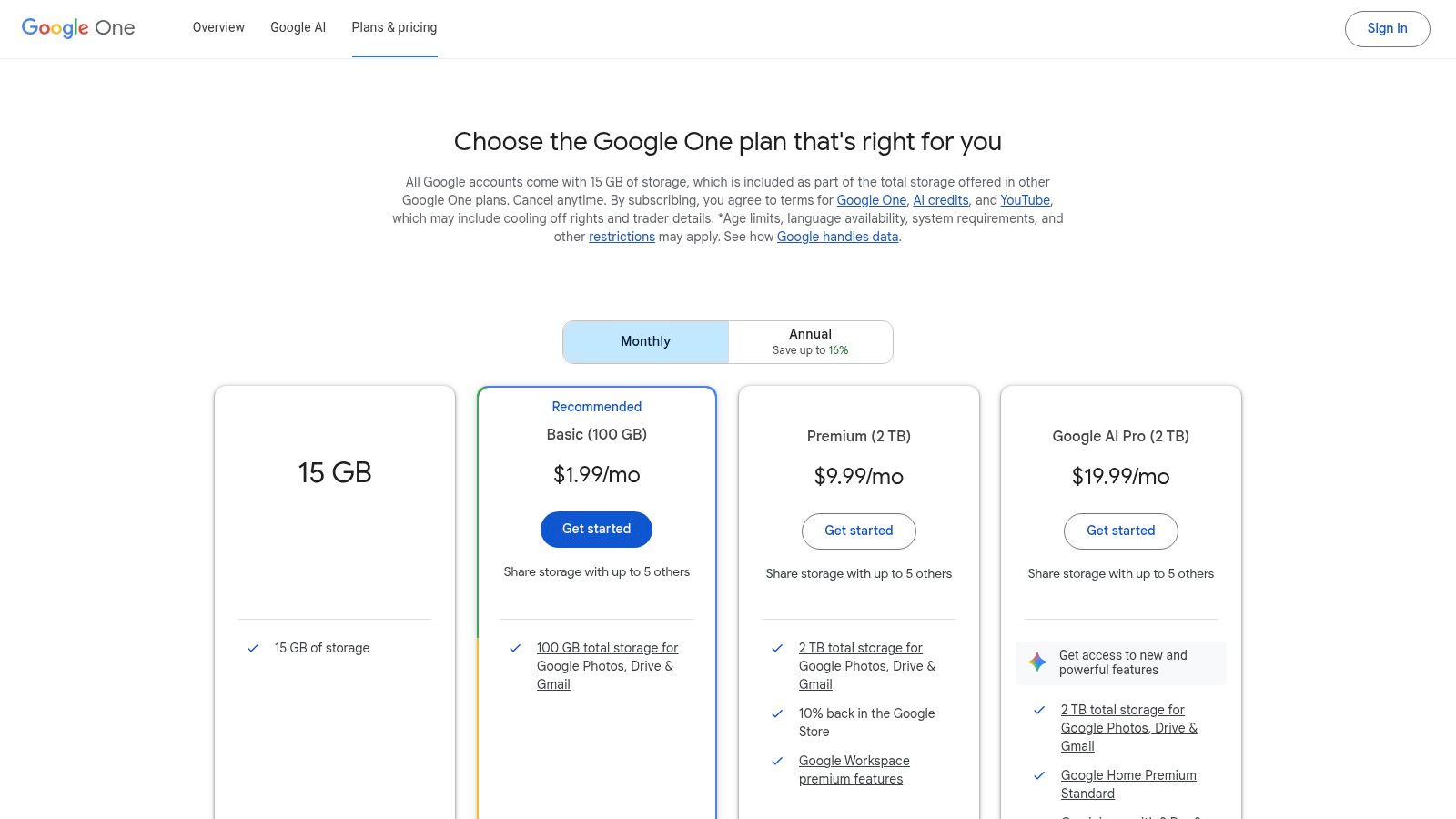
The platform truly shines in its entry-level paid plans, offering exceptional value at the 100 GB and 200 GB tiers. These plans are competitively priced and often come with discounts for annual prepayment, especially for new subscribers in the U.S. This makes Google One ideal for individuals needing to back up their phone's photos or expand their Gmail storage without a significant investment.
Core Features & Pricing
| Plan Tier | Price (Monthly) | Price (Annually) | Cost per GB (Annual) |
|---|---|---|---|
| 100 GB | $1.99 | $19.99 | ~$0.20 |
| 200 GB | $2.99 | $29.99 | ~$0.15 |
| 2 TB | $9.99 | $99.99 | ~$0.05 |
Pricing is approximate and may vary by region.
Practical Considerations
One of Google One's most powerful cost-saving features is its family sharing option. A single subscription can be shared with up to five other family members, with each person getting their own private storage space that draws from the shared pool. This makes the 2 TB plan an incredible value for a household. You can explore a deeper dive into how this works with our guide on sharing Google One subscriptions.
However, a key limitation is the lack of true end-to-end (zero-knowledge) encryption. While data is encrypted in transit and at rest, Google holds the encryption keys. This is a crucial consideration for users prioritizing maximum privacy.
Website: https://one.google.com/plans
2. Microsoft OneDrive (Microsoft 365)
For Windows users and those who rely on the Office suite, Microsoft OneDrive presents one of the cheapest cloud storage options, primarily through its integration with Microsoft 365 subscriptions. Its key advantage is the deep-level integration with the Windows operating system and apps like Word, Excel, and PowerPoint, making file syncing and collaboration seamless. The service starts with a 5 GB free plan, suitable for basic document storage.
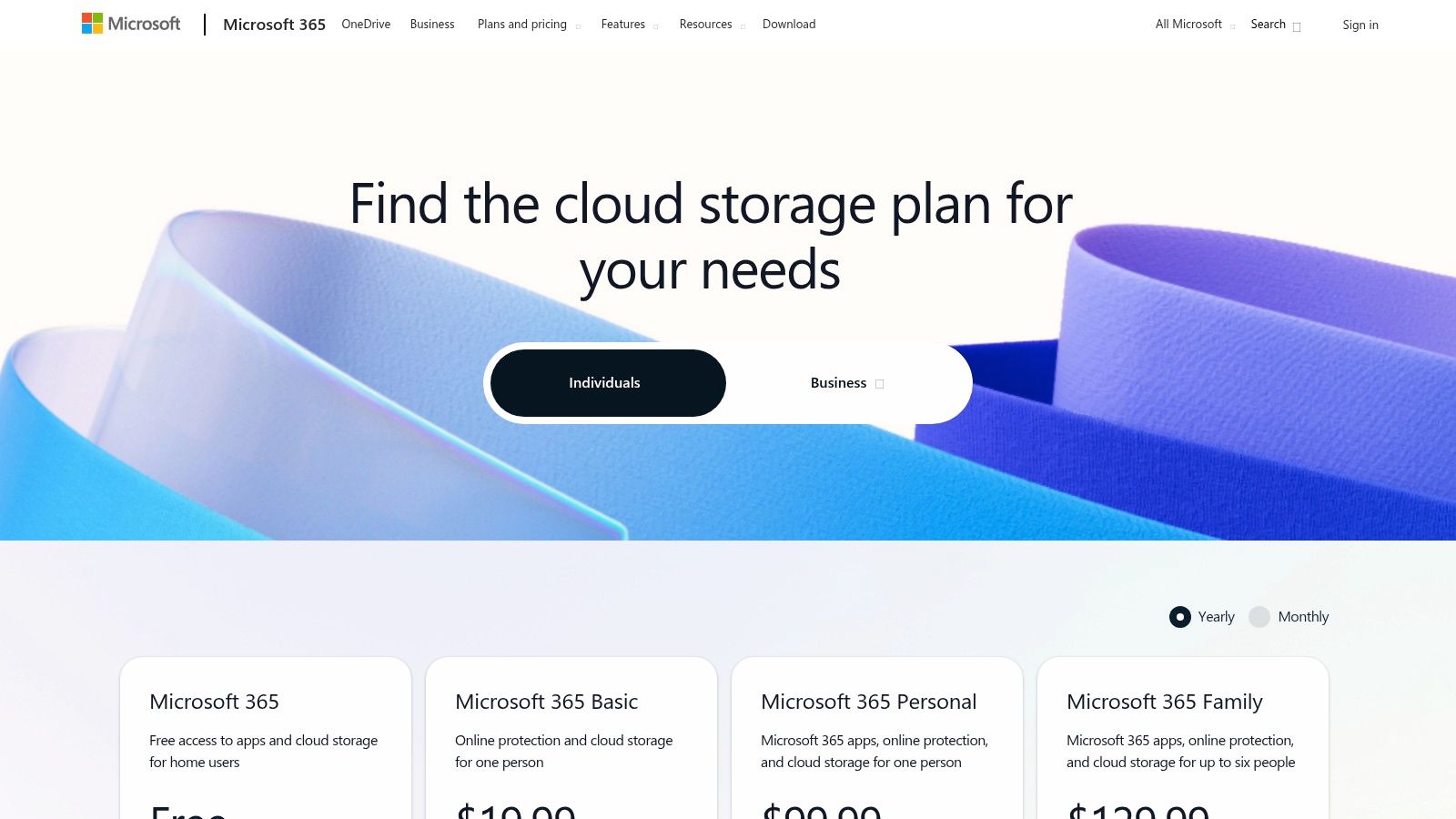
The real value emerges when OneDrive is bundled with Microsoft 365 Personal or Family plans. These subscriptions not only provide a massive 1 TB of storage per person but also include the full desktop versions of Office applications, offering a comprehensive productivity package. This bundle makes it an incredibly cost-effective solution for students, professionals, and families who need both storage and software.
Core Features & Pricing
| Plan Tier | Price (Monthly) | Price (Annually) | Cost per GB/TB (Annual) |
|---|---|---|---|
| 100 GB | $1.99 | $19.99 | ~$0.20 / GB |
| 1 TB (M365 Personal) | $6.99 | $69.99 | ~$0.07 / GB |
| 6 TB (M365 Family) | $9.99 | $99.99 | ~$0.016 / GB |
Pricing is approximate and may vary by region. M365 plans include Office apps.
Practical Considerations
The Microsoft 365 Family plan is a standout deal for households. It provides 1 TB of storage for up to six people, totaling 6 TB of storage, with each user getting their own private account and the full Office suite. This per-terabyte value is almost unmatched in the market. For businesses, understanding the differences between personal and enterprise tools is key; a detailed SharePoint vs OneDrive comparison can clarify their distinct purposes.
A notable feature is the Personal Vault, which adds an extra layer of security for sensitive files using two-factor authentication. However, like Google One, OneDrive does not offer end-to-end (zero-knowledge) encryption, meaning Microsoft technically has access to your encryption keys. This is an important trade-off for users prioritizing absolute privacy over ecosystem convenience.
Website: https://www.microsoft.com/en-us/microsoft-365/onedrive/compare-onedrive-plans
3. pCloud
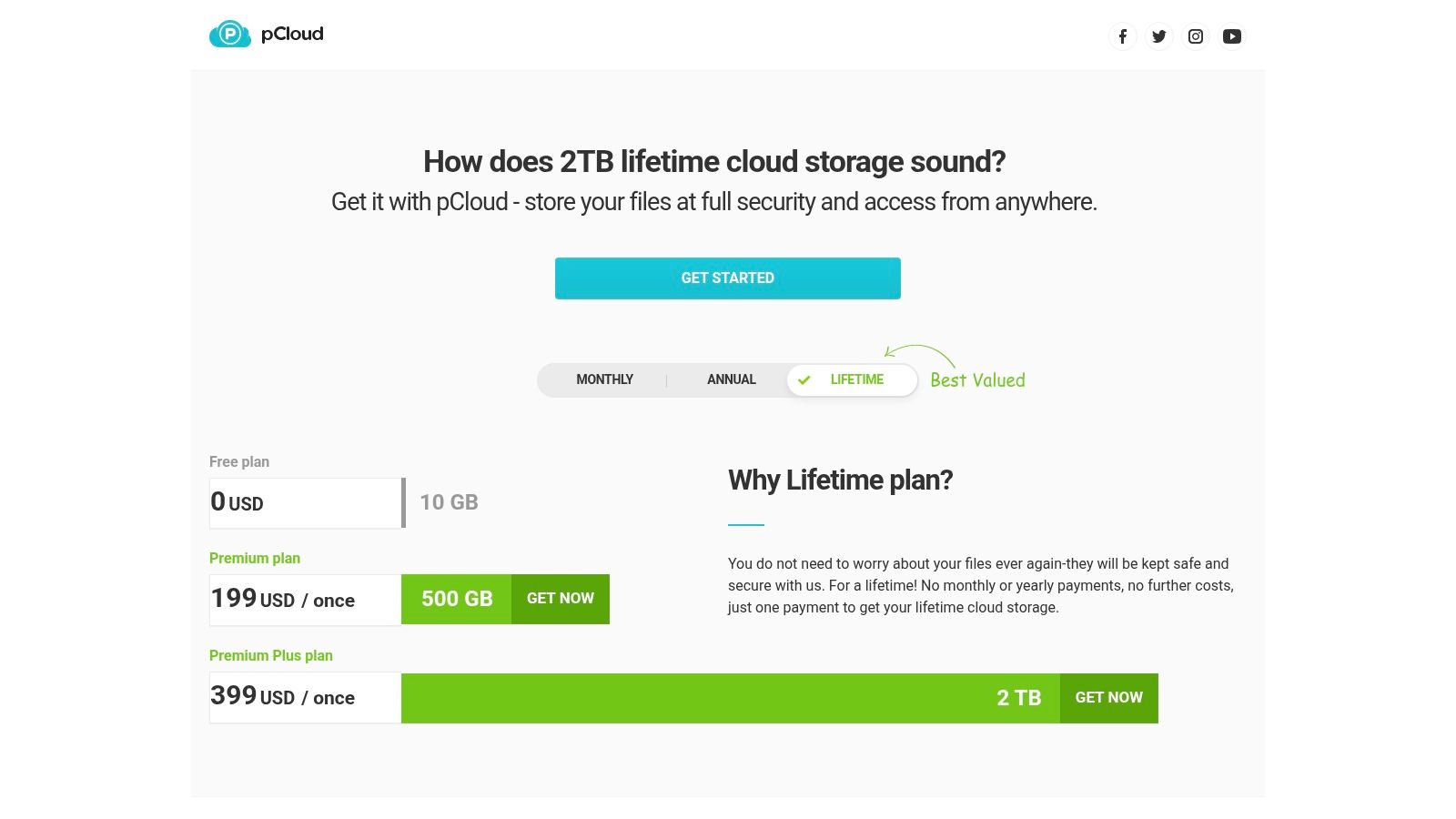
For users looking to escape monthly subscription fees, pCloud offers a compelling proposition with its one-time payment "lifetime" plans. This unique pricing model makes it one of the cheapest cloud storage options over the long term, ideal for those who plan to use a service for several years. The platform also provides a generous 10 GB free tier and standard monthly/annual subscriptions, but its lifetime deals are the main attraction.
The service functions as a robust digital asset management tool, with excellent media streaming capabilities, automatic backups, and simple file-sharing features. Its performance is notably fast, and the user interface across desktop and mobile apps is clean and intuitive, making it accessible for both technical and non-technical users.
Core Features & Pricing
| Plan Tier | Price (Monthly) | Price (Annually) | Lifetime Price (One-Time) |
|---|---|---|---|
| 500 GB | $4.99 | $49.99 | $199 |
| 2 TB | $9.99 | $99.99 | $399 |
| 10 TB | $19.99 | $199.99 | $1190 |
Pricing is approximate, and lifetime plans are frequently on sale.
Practical Considerations
The primary value of pCloud lies in its lifetime plans. While the upfront cost is higher, it can lead to massive savings. For example, the 2 TB lifetime plan at $399 becomes cheaper than Google One's 2 TB plan after just 40 months (about 3.3 years). This makes it an excellent choice for long-term archival of photos, videos, and important documents.
However, a significant drawback is that pCloud Encryption, its zero-knowledge, client-side encryption feature, is a paid add-on. This service costs an additional $150 for a lifetime license. While your files are still encrypted at rest on their servers, users who demand the highest level of privacy must factor in this extra cost.
Website: https://www.pcloud.com/lifetime/
4. Sync.com
For users who prioritize privacy above all else, Sync.com presents one of the cheapest cloud storage options that doesn't compromise on security. Its defining feature is true end-to-end (zero-knowledge) encryption, which is enabled by default on all plans, including its 5 GB free tier. This means not even Sync.com can access your files, offering a level of privacy that mainstream providers often lack.
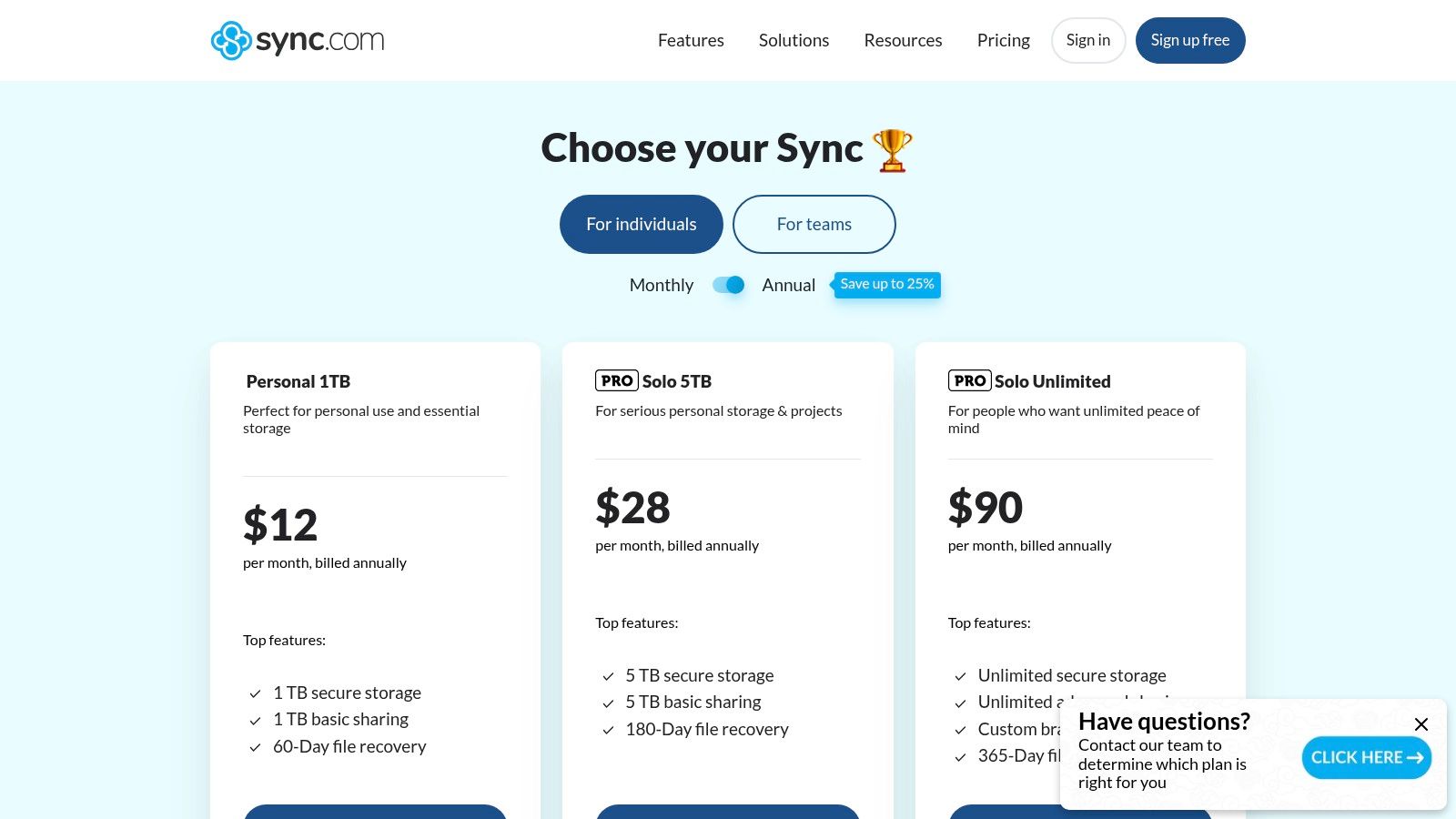
While its free offering is modest, the platform's paid plans deliver exceptional value, particularly at higher storage capacities. Sync.com is ideal for individuals or professionals handling sensitive data who need a secure, long-term archive or a private space for file sharing. The per-terabyte cost on its Pro Solo plans is highly competitive, making robust security surprisingly affordable.
Core Features & Pricing
| Plan Tier | Price (Monthly) | Price (Annually) | Cost per TB (Annual) |
|---|---|---|---|
| Pro Solo 2 TB | $10 | $96 | $48.00 |
| Pro Solo 6 TB | $24 | $240 | $40.00 |
| Pro Teams+ Unltd | $18 | $180 | N/A |
Pricing is per user and may vary. Annual plans offer significant discounts.
Practical Considerations
Sync.com provides strong sharing controls, allowing you to set passwords, download limits, and expiry dates on shared links, even on lower-tier plans. Its "Vault" feature is a secure, cloud-only storage space that doesn't sync to your devices, perfect for freeing up local disk space without deleting files permanently. This makes it an excellent choice for archival purposes.
However, the emphasis on security means it has fewer native productivity integrations compared to giants like Google or Microsoft. Its user interface is functional and clean but simpler than some rivals. For users whose primary need is ironclad security and storage without the frills of a full productivity suite, Sync.com offers an unmatched combination of privacy and value.
Website: https://www.sync.com/pricing-individual/
5. IDrive
IDrive positions itself as a backup-first service rather than a pure cloud drive, but its pricing for large storage capacities makes it one of the cheapest cloud storage options for users with extensive data needs. Its unique selling point is the ability to back up an unlimited number of devices, including PCs, Macs, phones, and tablets, into a single account. This is a significant advantage for individuals or families with multiple gadgets to protect.
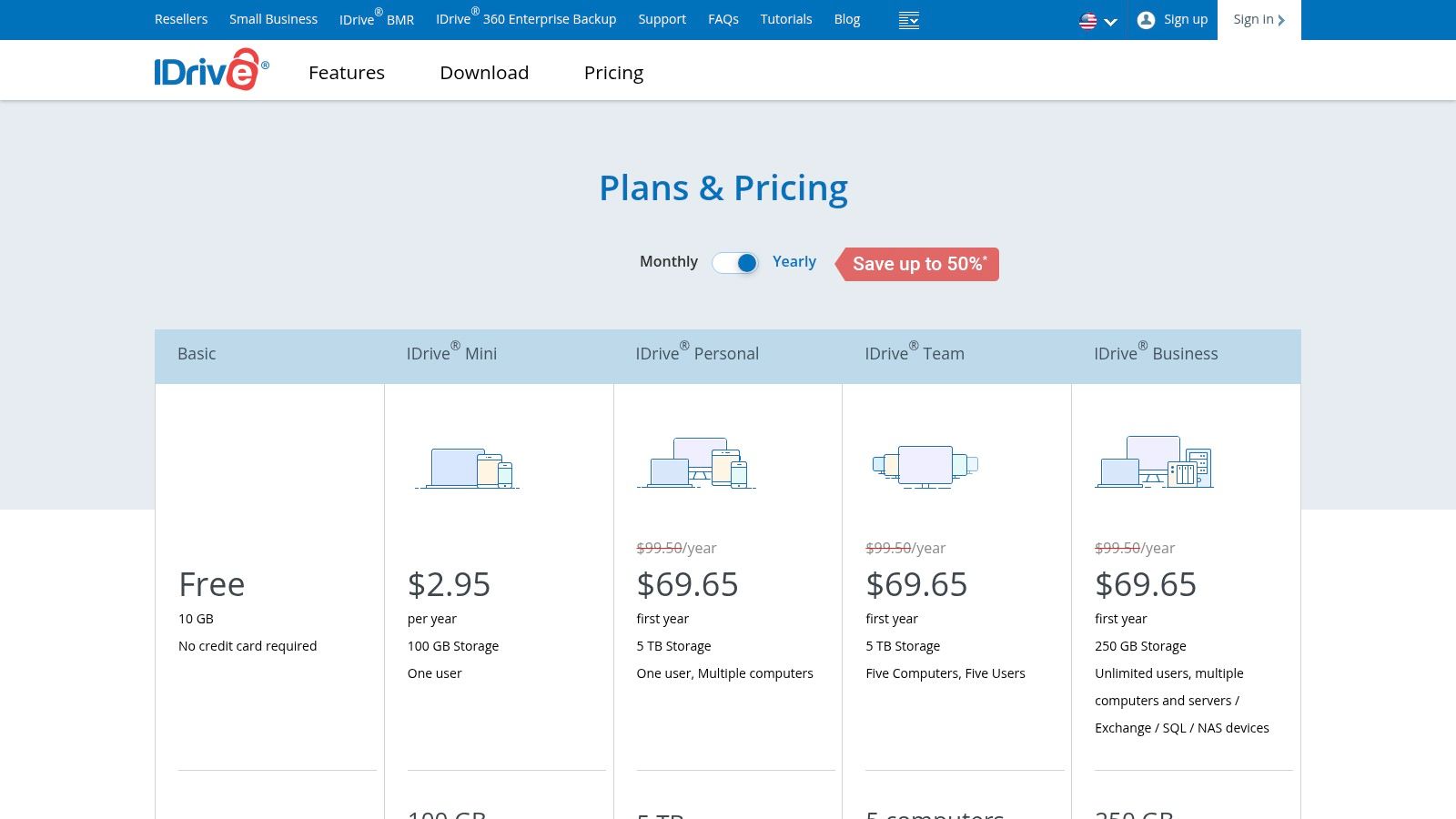
The platform is particularly known for its aggressive first-year promotional discounts, which often bring the cost of multi-terabyte plans well below major competitors. While its primary function is backup, it includes file syncing features across your linked devices, making it a viable, budget-friendly alternative for those who need massive storage over collaborative features.
Core Features & Pricing
| Plan Tier | Price (First Year) | Price (Annually) | Cost per TB (First Year) |
|---|---|---|---|
| 5 TB | $9.95 | $99.50 | ~$1.99 |
| 10 TB | $14.92 | $149.25 | ~$1.49 |
| 20 TB | $29.92 | $299.25 | ~$1.50 |
Pricing is approximate and reflects promotional first-year offers which are subject to change.
Practical Considerations
IDrive's standout feature is its device-unlimited policy. A single 5 TB or 10 TB plan can secure every computer and mobile device in a household, offering incredible value compared to services that charge per device. It also supports network-attached storage (NAS) and server backups on its personal plans, a feature often reserved for more expensive business tiers elsewhere.
However, the user interface can feel less modern compared to slicker cloud drive services like Google Drive or Dropbox. The primary drawback to watch for is the renewal cost, which jumps significantly after the first year. Users should also be mindful of potential overage charges if their backup data exceeds their plan's storage limit.
Website: https://www.idrive.com/pricing
6. Backblaze Personal Backup
For users whose primary goal is to back up an entire computer, Backblaze offers one of the cheapest cloud storage options by completely removing data limits. Instead of selling storage in gigabyte or terabyte chunks, Backblaze provides unlimited backup for a single computer (including attached external drives) for a flat, low annual fee. This "set it and forget it" approach makes it ideal for securing all your files without ever worrying about hitting a storage cap.
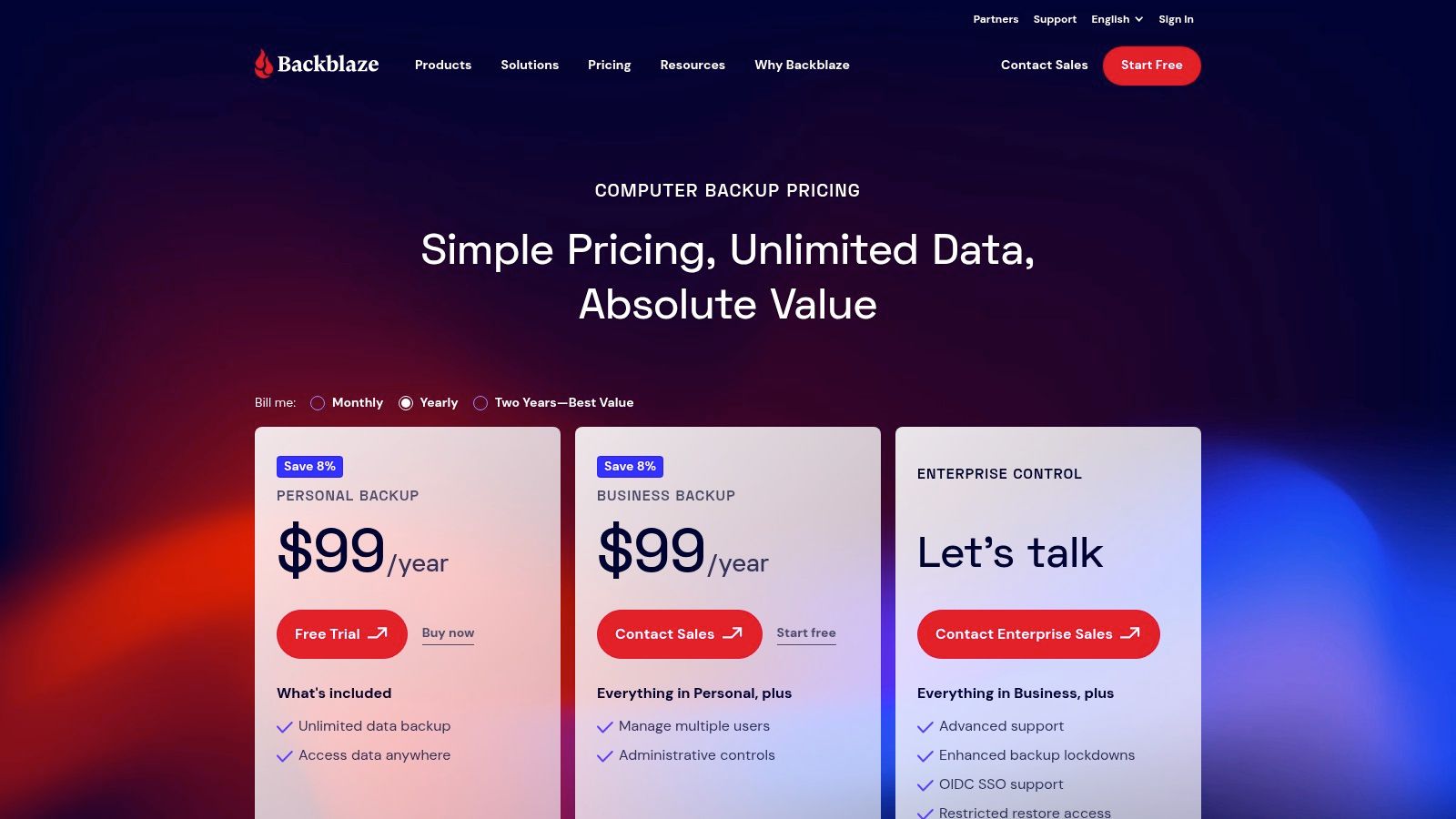
The service is designed purely for disaster recovery. It's not a file-syncing service like Dropbox or a collaborative drive like Google Drive. Its strength lies in its simplicity; you install the client, and it quietly works in the background to back up every file on your machine. This singular focus allows it to offer an unbeatable price for comprehensive data protection.
Core Features & Pricing
| Plan Tier | Price (Monthly) | Price (Annually) | Cost per TB (Annual) |
|---|---|---|---|
| Unlimited (per computer) | $9.00 | $99.00 | Varies (Effectively $0) |
| Unlimited (2-Year Plan) | N/A | $189.00 | Varies (Effectively $0) |
Pricing is approximate and may vary by region.
Practical Considerations
Backblaze's core value proposition is its unlimited storage per machine, making the per-gigabyte cost approach zero as you store more data. It's an excellent value for users with massive photo libraries, video editing projects, or extensive digital archives on a single Mac or PC. The straightforward annual fee simplifies budgeting for complete data security.
However, its primary limitation is its design. The license is strictly per computer, so you cannot pool storage across multiple devices. If you need to back up a laptop and a desktop, you will need two separate licenses. Furthermore, it is a true backup service, not a cloud drive, meaning it's less suited for active file sharing or syncing files between your phone and computer.
Website: https://www.backblaze.com/cloud-backup/pricing
7. Backblaze B2 Cloud Storage
For users with technical know-how or specific backup needs, Backblaze B2 offers one of the absolute cheapest cloud storage options on a per-gigabyte basis. It's not a consumer-facing "drive" like Google Drive; instead, it's S3-compatible object storage. This makes it a perfect, low-cost solution for developers, backing up a NAS (Network Attached Storage) device, or archiving large media libraries using third-party software.
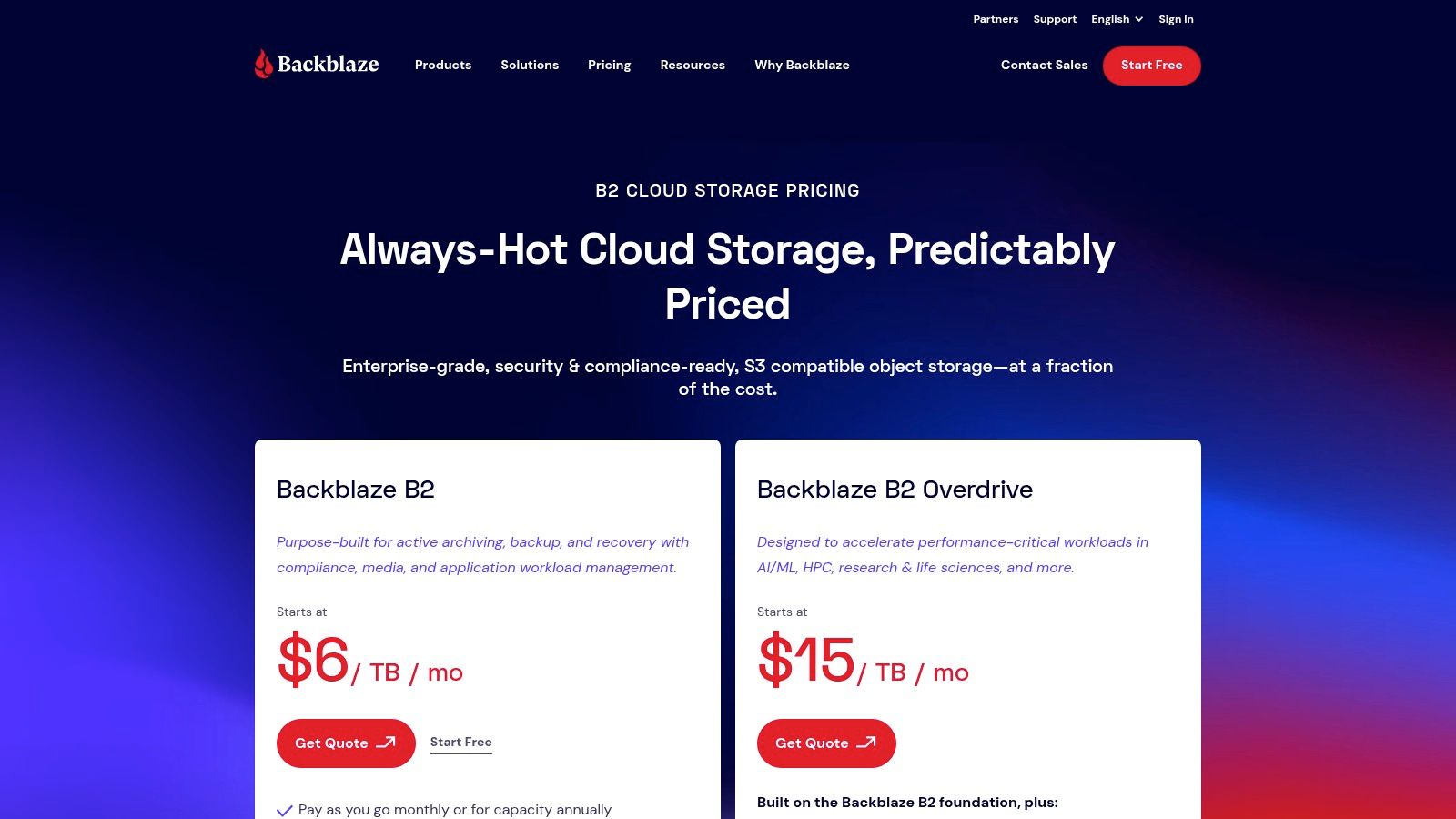
The platform's appeal is its simple, predictable, and incredibly low pay-as-you-go pricing, a stark contrast to the complex pricing tiers of hyperscale providers like AWS S3 or Google Cloud. Backblaze B2's free tier includes 10 GB of storage and a generous free egress (download) allowance, making it free to start and experiment with. It's an excellent choice for anyone who wants raw, bulk storage at a minimal cost and is comfortable with a slightly more hands-on setup.
Core Features & Pricing
| Service | Price (Monthly) | Free Tier | Egress (Download) Cost |
|---|---|---|---|
| Storage | $6 per TB | 10 GB | N/A |
| Downloads | N/A | 1 GB per day | $0.01 per GB (after free allowance) |
Pricing is pay-as-you-go and may vary slightly.
Practical Considerations
The key thing to understand about B2 is that it requires a client application to interact with your storage. You can't just drag and drop files in a web browser. Popular tools like Cyberduck, Duplicati, or Synology's Hyper Backup integrate seamlessly with its S3-compatible API. This technical requirement is also its strength, offering immense flexibility. For businesses looking into these types of solutions, you can explore more options in our guide to the best cloud storage for small businesses.
The main cost variable to watch is egress fees. While the first gigabyte downloaded each day is free, heavy or frequent data retrieval beyond that allowance incurs charges. This makes B2 ideal for "write-once, read-rarely" archival purposes rather than for actively collaborating on files.
Website: https://www.backblaze.com/cloud-storage/pricing
8. Wasabi Hot Cloud Storage
For developers, businesses, or tech-savvy users managing large data volumes, Wasabi Hot Cloud Storage presents a radically different and often cheaper model. Unlike consumer-focused services, Wasabi is an S3-compatible object storage provider that eliminates charges for data egress (downloads) and API requests. This creates predictable, flat-rate pricing that is highly attractive for data-intensive applications like media archives, server backups, or big data analytics.
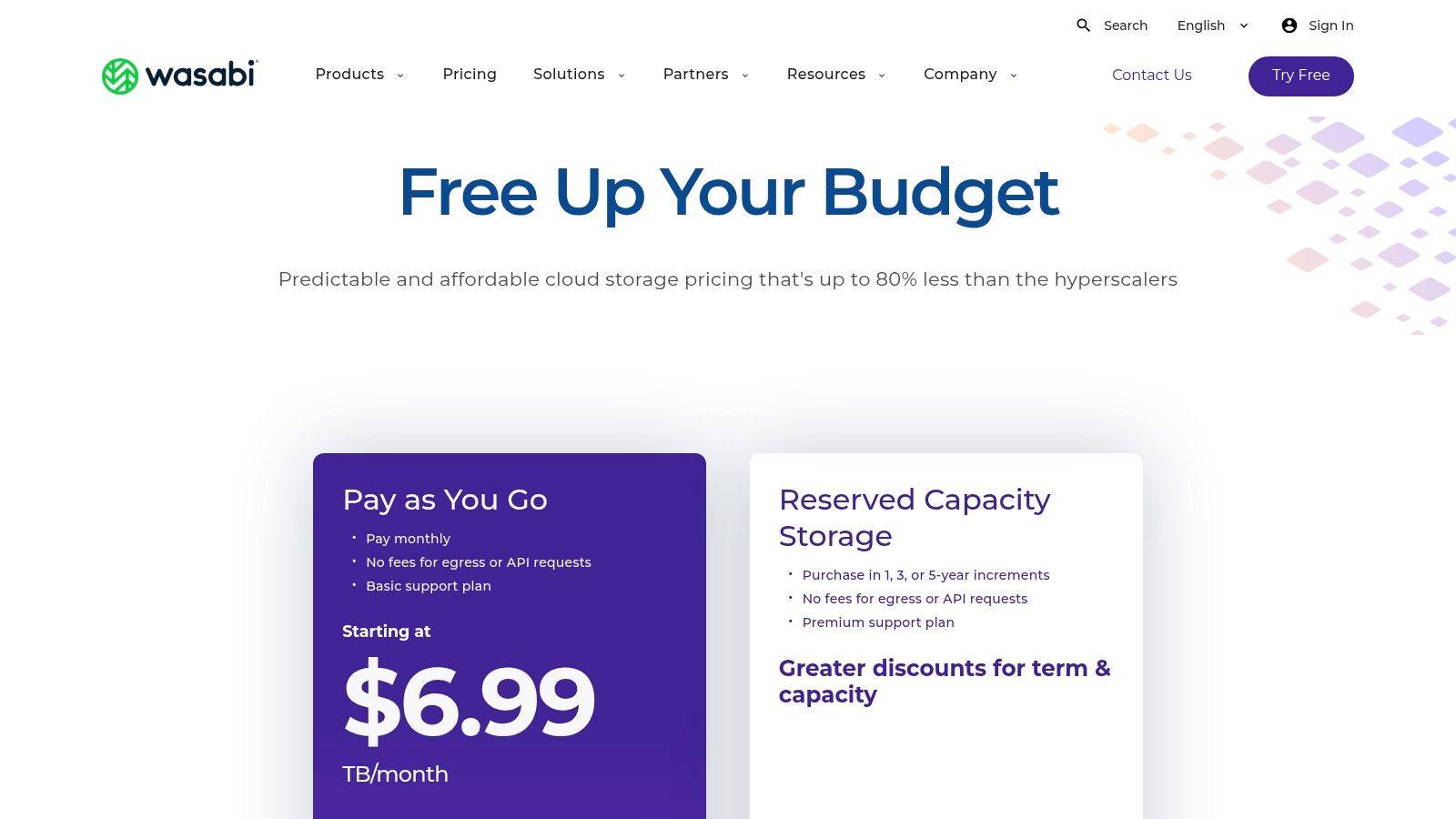
The platform's core advantage is its transparent pricing, which breaks the expensive cycle of egress fees common with hyperscalers like AWS S3 or Google Cloud Storage. If your use case involves frequent data retrieval, Wasabi can offer dramatic cost savings, making it one of the cheapest cloud storage options for "hot" data that needs to be readily accessible without financial penalty.
Core Features & Pricing
| Plan Tier | Price (Monthly) | Price (Annually) | Cost per TB (Annual) |
|---|---|---|---|
| 1 TB | $6.99 | $83.88 | ~$83.88 |
| 10 TB | $69.90 | $838.80 | ~$83.88 |
| 100 TB | $699.00 | $8,388.00 | ~$83.88 |
Pricing is for the U.S. East-1 region. Reserved Capacity pricing offers further discounts.
Practical Considerations
Wasabi's primary strength is its simple, all-inclusive pricing model, but it comes with a few key caveats for individual users. It enforces a 1 TB minimum monthly charge, meaning even if you store only 100 GB, you'll still be billed for a full terabyte. Furthermore, as object storage, it doesn't have a user-friendly drag-and-drop interface like Google Drive. You must use S3-compatible tools and software (like Cyberduck or Duplicati) to interact with your storage buckets.
This makes Wasabi an unsuitable choice for casual users looking to store a few documents. However, for those needing to back up a home server, archive a large video library, or develop applications, its cost-effectiveness at scale is nearly unmatched.
Website: https://wasabi.com/pricing
9. Dropbox
While not always the absolute cheapest on a per-gigabyte basis, Dropbox has earned its place through sheer reliability and a polished user experience. It pioneered file synchronization and remains a benchmark for seamless, cross-platform performance. For users who prioritize effortless syncing and robust sharing tools over rock-bottom pricing, Dropbox presents a compelling value proposition, especially with its feature-rich 2 TB plan. The service starts with a minimal 2 GB free tier, which is more of a trial than a long-term solution.
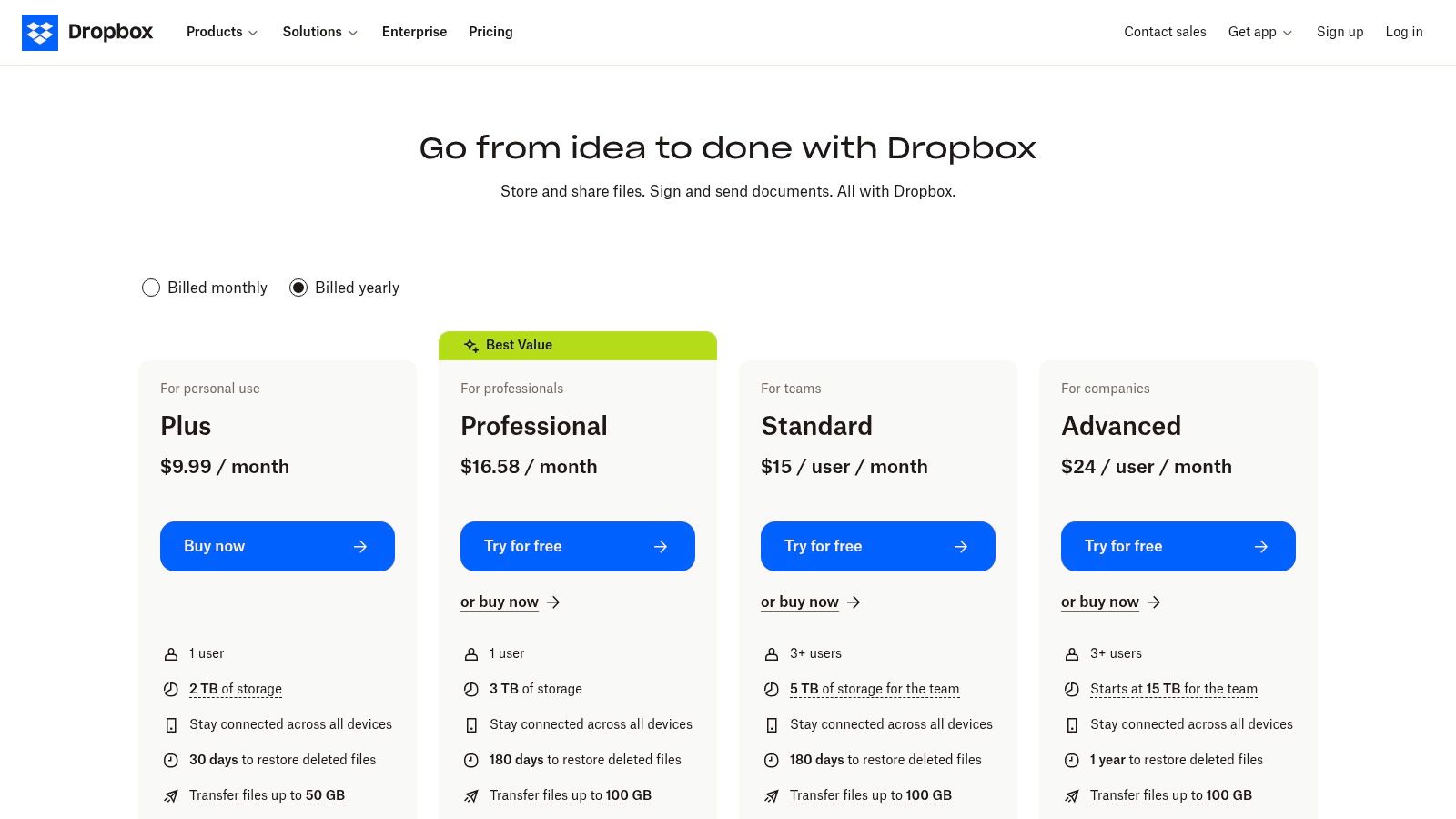
Dropbox shines in collaborative environments, with mature features like file requests, detailed version history, and integrations for e-signatures and PDF editing. Its apps are refined and dependable across Windows, macOS, iOS, and Android, making it a workhorse for professionals and small teams. This focus on a premium, hassle-free experience is why many still consider it a top-tier storage option.
Core Features & Pricing
| Plan Tier | Price (Monthly) | Price (Annually) | Cost per TB (Annual) |
|---|---|---|---|
| Plus (2 TB) | $11.99 | $119.88 | ~$59.94 |
| Essentials (3 TB) | $22.00 | $216.00 | ~$72.00 |
| Family (2 TB) | $19.99 | $203.88 | ~$101.94 |
Pricing is approximate and may vary by region.
Practical Considerations
The Dropbox Family plan allows up to six users to share a 2 TB pool, with each member getting a private account and access to a shared "Family Room" folder. This makes it a solid choice for households that need reliable syncing for documents and photos. Its primary strength is its flawless sync engine; files update almost instantly across all linked devices without user intervention.
However, its pricing for the base 2 TB plan is higher than direct competitors like Google One or pCloud. Furthermore, similar to Google Drive, Dropbox does not offer client-side, zero-knowledge encryption by default, meaning the company has access to your encryption keys. This is a significant factor for users with stringent privacy requirements.
Website: https://www.dropbox.com/plans
10. MEGA
For those prioritizing privacy above all else, MEGA positions itself as a security-first cloud storage provider, built on a foundation of user-controlled, end-to-end encryption. Its key differentiator is that you, not MEGA, hold the encryption keys, meaning the company cannot access or decrypt your files. This makes it a compelling choice for storing sensitive personal or business documents where confidentiality is non-negotiable.
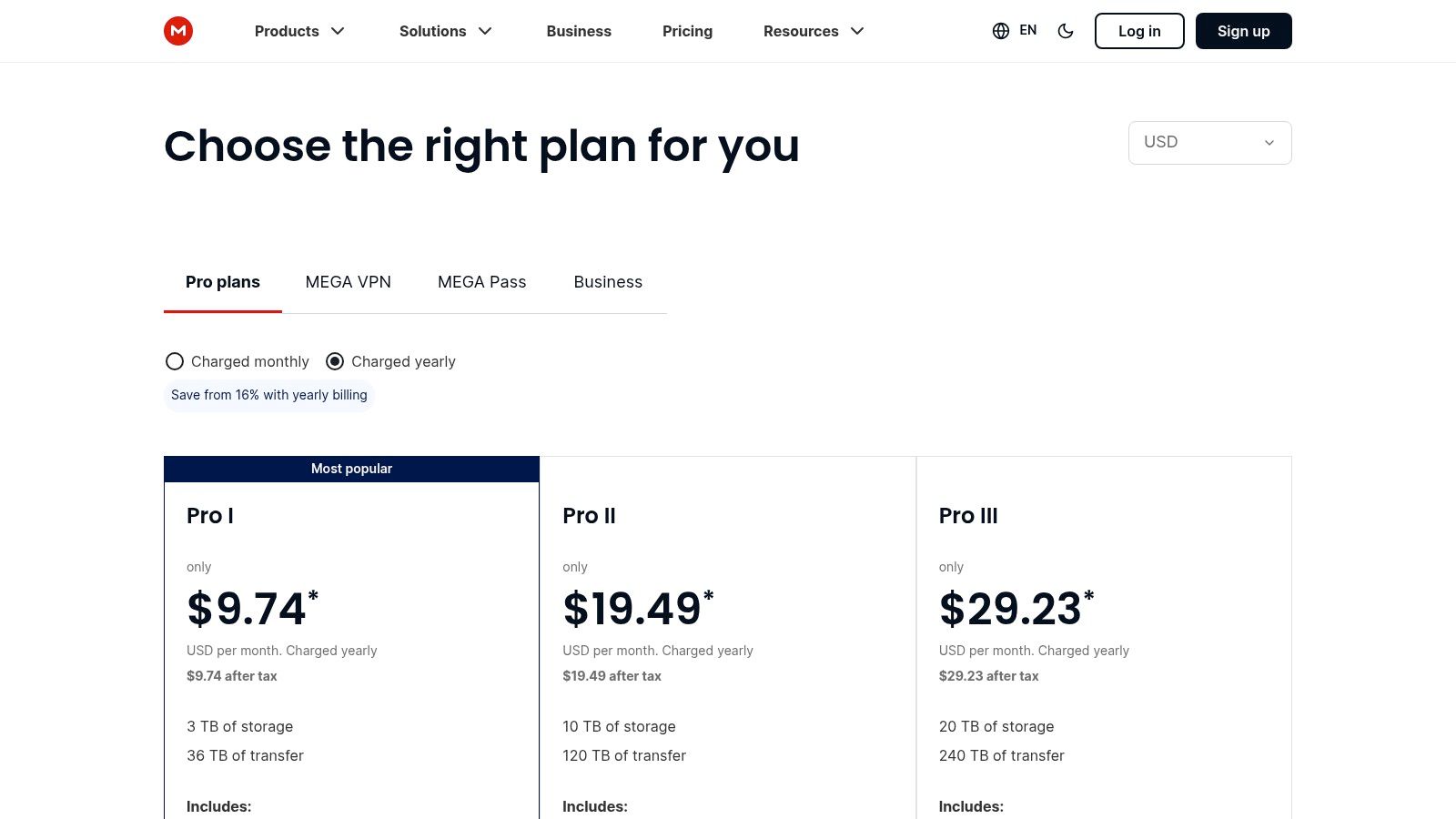
While its per-terabyte pricing for paid plans can be higher than some mainstream competitors, MEGA often provides one of the largest free storage allocations, though this can be tied to completing certain achievements. Its plans are structured around both storage capacity and transfer quotas, a crucial detail for users who frequently move large files. This makes it a unique hybrid, offering some of the cheapest cloud storage for privacy-focused users at its entry levels.
Core Features & Pricing
| Plan Tier | Price (Monthly) | Price (Annually) | Cost per TB (Annual) |
|---|---|---|---|
| Pro I (2 TB) | €9.99 | €99.99 | ~$54.20 |
| Pro II (8 TB) | €19.99 | €199.99 | ~$27.10 |
| Pro III (16 TB) | €29.99 | €299.99 | ~$20.30 |
Pricing is in Euros and may vary based on exchange rates and region.
Practical Considerations
MEGA's biggest strength is its zero-knowledge encryption model. It is ideal for journalists, activists, or anyone handling confidential information. Secure link sharing with password protection and expiry dates further enhances its security credentials. The platform also offers secure chat and meeting features, making it an all-in-one encrypted collaboration tool.
The primary trade-off is the transfer limit, which restricts the amount of data you can download from the service within a given period. This can be a significant drawback for users needing constant, high-volume access to their files. If you lose your password, you lose access to your data due to the client-side encryption, so diligent password management is essential.
Website: https://mega.io/pricing
11. Amazon Photos (for Prime members)
For Amazon Prime subscribers, Amazon Photos presents one of the most cost-effective solutions for managing massive photo libraries. Its standout feature is the unlimited, full-resolution photo storage included with a Prime membership. This makes it an unbeatable value proposition for anyone already paying for Prime, effectively turning a portion of that subscription into one of the cheapest cloud storage options for photographers.
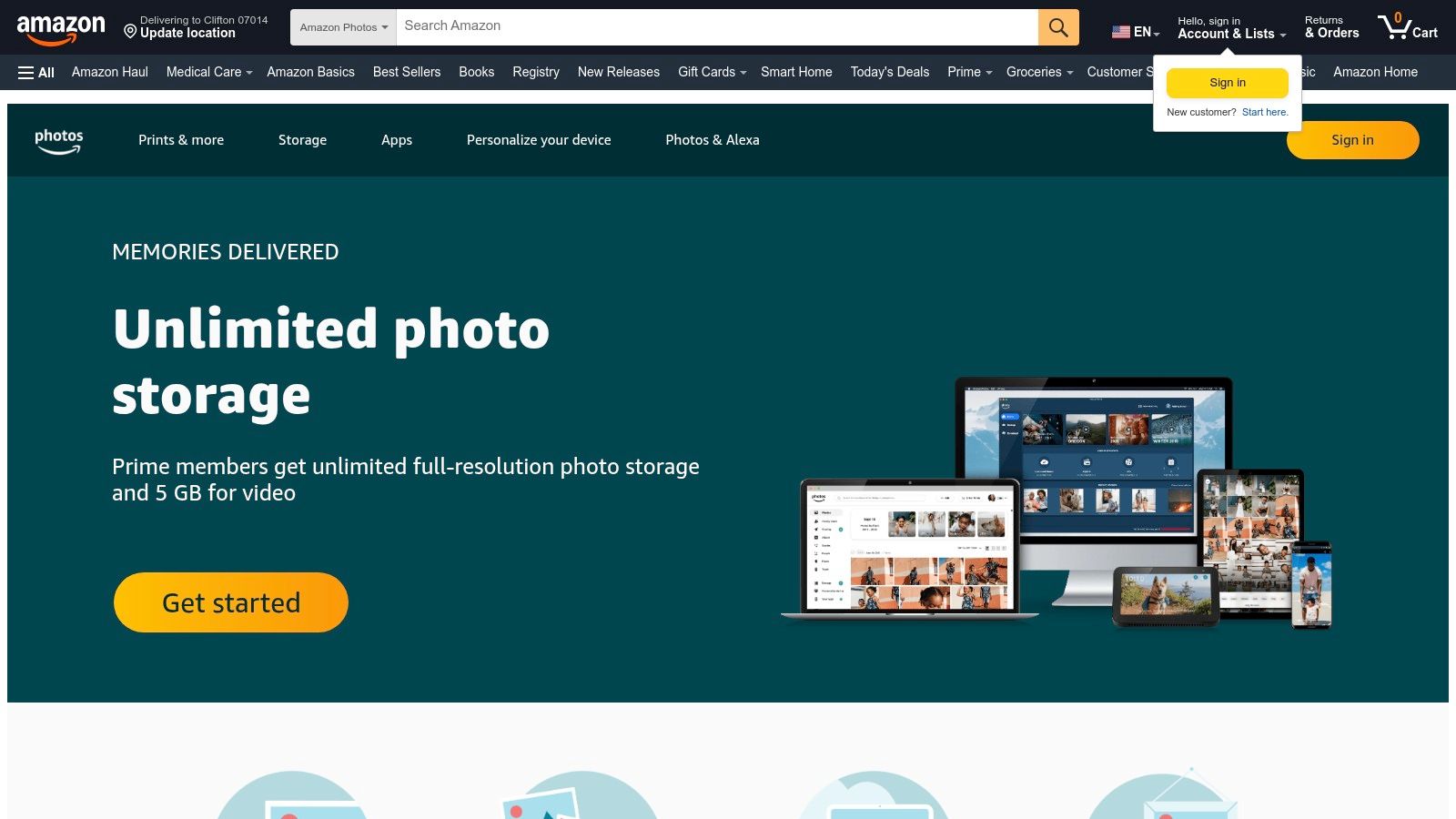
The service provides a seamless way to back up photos from your phone, tablet, and computer. While the unlimited storage is the main draw, it also includes a modest 5 GB of storage for videos. If you need more space for videos or other files, Amazon offers paid upgrades that are reasonably priced, but the core benefit remains the photo storage.
Core Features & Pricing
| Plan Tier (for files/video) | Price (Monthly) | Price (Annually) | Cost per GB (Annual) |
|---|---|---|---|
| 100 GB | $1.99 | $19.99 | ~$0.20 |
| 1 TB | $6.99 | $59.99 | ~$0.06 |
| 2 TB | $11.99 | $119.99 | ~$0.06 |
Pricing requires an active Amazon Prime membership.
Practical Considerations
The biggest advantage of Amazon Photos is its integration with the Prime ecosystem. The Family Vault feature allows you to share your unlimited photo benefits with up to five other family members, who can add their photos to a shared archive. This is excellent for consolidating a household's photo collection without extra cost.
However, the primary limitation is its focus. The unlimited storage applies strictly to photos; videos and other file types are limited to the initial 5 GB or paid plans. It's not designed to be a general-purpose cloud storage drive for documents or backups like Google Drive or OneDrive. It excels as a photo archive, not a complete cloud productivity suite.
Website: https://www.amazon.com/photos
12. TechRadar – Best cloud storage of 2026 (comparison guide)
While not a storage provider itself, TechRadar's annually updated comparison guide is an essential resource for finding the cheapest cloud storage options currently on the market. It functions as an independent, expert-tested roundup that saves you the time of visiting dozens of provider websites. The guide highlights affordability and overall value, making it easy to benchmark deals before committing to a subscription.
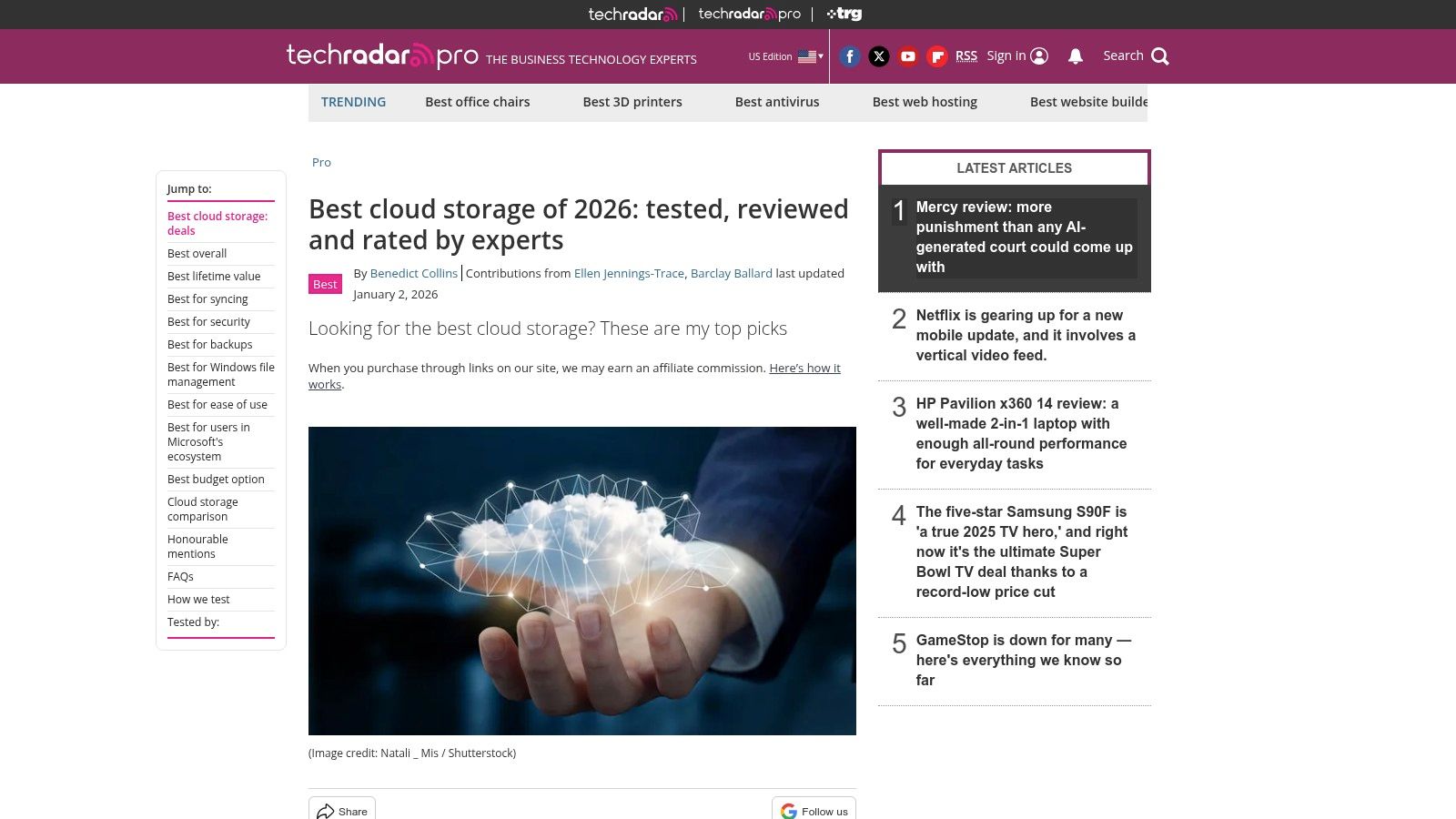
The platform excels at providing context that goes beyond raw price. Its editors compare services based on use cases (like backup vs. synchronization), security features, and overall user experience. This helps you identify which provider offers the best value for your specific needs, not just the lowest cost per gigabyte.
Core Features & Pricing
| Feature | Description |
|---|---|
| Independent Reviews | Expert analysis of top providers, regularly updated. |
| Side-by-Side Comparison | Easy-to-scan tables and summaries of plans and pricing. |
| Use Case Recommendations | Guidance on the best services for backup, collaboration, or archiving. |
| Deal Spotlighting | Notes on current promotions, lifetime deals, and annual discounts. |
Pricing context is provided, but readers must verify final costs on the provider's official website.
Practical Considerations
The primary benefit of using this guide is efficiency; it distills complex market information into a digestible format. It's a great starting point to create a shortlist of potential services. The guide's insights are particularly useful for understanding the nuances between providers, which can be critical for effective cost optimization strategies when choosing a long-term plan.
The main drawback is that the cloud storage market changes rapidly. A promotion highlighted in the guide may have expired, or a provider might have updated its pricing tiers. Always use the guide as a reference and click through to the provider's site to confirm the latest information before making a final decision.
Website: https://www.techradar.com/best/best-cloud-storage
12-Provider Cheapest Cloud Storage Comparison
| Service | Core features | Security & UX (★) | Price & Value (💰) | Target (👥) | Why choose / USP (✨/🏆) |
|---|---|---|---|---|---|
| Google One (Google Drive) | Pooled storage across Drive/Photos/Gmail; family sharing; tiers 15GB → 2TB+ | ★★★★☆ — seamless ecosystem | 💰 Low entry pricing; frequent promos | 👥 General consumers, Android & Google users, families | ✨ Best Google integration; easy family sharing |
| Microsoft OneDrive (Microsoft 365) | Drive with MS 365 bundle; 5GB free; 1TB (Personal) → 6TB (Family) | ★★★★☆ — tight Office/Windows integration | 💰 Excellent $/TB when bundled with 365 | 👥 Office users, Windows households | ✨ Office collaboration; ransomware recovery |
| pCloud | Lifetime plans (500GB/2TB), 10GB free, streaming & backup | ★★★☆☆ — fast apps; optional client‑side add‑on | 💰 Lifetime option = low long‑term cost | 👥 Cost‑conscious buyers, long‑term users | ✨ One‑time "lifetime" plans; media streaming |
| Sync.com | End‑to‑end encryption by default; Pro plans to multi‑TB | ★★★★★ — privacy‑first, strong sharing controls | 💰 Competitive for higher‑capacity plans | 👥 Privacy‑focused consumers & teams | 🏆 Default E2E encryption; secure sharing |
| IDrive | Unlimited devices backup; 5–100 TB plans; versioning | ★★★☆☆ — backup‑focused, dated UI | 💰 Very low first‑year pricing for big capacity | 👥 Multi‑device backup users, SMBs | ✨ Unlimited‑device backup; NAS/server support |
| Backblaze Personal Backup | Unlimited backup per computer; external drives included | ★★★★☆ — simple, reliable client | 💰 Very low cost for unlimited per‑PC | 👥 Home users wanting set‑and‑forget backup | 🏆 True unlimited per‑computer backup |
| Backblaze B2 Cloud Storage | S3‑compatible object storage; pay‑as‑you‑go (~$6/TB/mo) | ★★★☆☆ — straightforward but technical | 💰 Very low raw storage cost; PAYG | 👥 Developers, NAS users, archival projects | ✨ Cheap S3‑compatible object storage |
| Wasabi Hot Cloud Storage | Flat‑rate object storage; no egress/API fees; min 1TB | ★★★☆☆ — predictable but technical | 💰 Transparent flat pricing; 1TB minimum | 👥 Large‑scale hot storage & media users | ✨ No egress/API fees; predictable billing |
| Dropbox | Polished sync & sharing; personal & team plans (2–5TB+) | ★★★★☆ — best‑in‑class sync reliability | 💰 Mid‑range per‑TB; strong collaboration ROI | 👥 Teams, professionals, collaboration users | 🏆 Mature ecosystem & integrations |
| MEGA | Client‑side (E2E) encryption; large free history; S4 object option | ★★★★☆ — strong privacy; some transfer limits | 💰 Privacy premium; per‑TB can be higher | 👥 Privacy‑minded users needing encryption | ✨ Built‑in client‑side E2E encryption |
| Amazon Photos (Prime) | Unlimited full‑res photo storage for Prime; 5GB video | ★★★☆☆ — photo‑centric UX | 💰 Best value for Prime members (photos) | 👥 Prime members with large photo libraries | 🏆 Unlimited full‑res photos included with Prime |
| TechRadar – Best cloud storage (guide) | Independent comparisons, picks by use case, pricing context | ★★★★☆ — expert roundup (varies by provider) | 💰 Free guide to find best current deals | 👥 Buyers researching cloud storage options | ✨ Curated, regularly refreshed comparisons |
How to Choose the Right Plan and Maximize Your Savings
Navigating the landscape of the cheapest cloud storage options can feel overwhelming, but making the right choice boils down to a simple principle: value over price. As we've explored, the provider with the lowest per-terabyte cost isn't always the best fit. Your digital life is unique, and your storage solution should reflect your specific priorities, whether they are ease of use, robust security, or sheer capacity for long-term archiving.
The first step is to honestly assess your primary use case. Are you looking for a simple, set-it-and-forget-it backup solution for your personal computer? In that case, the unlimited storage offered by Backblaze Personal Backup is nearly impossible to beat for its simplicity and affordability. Or do you need a dynamic, collaborative space to share and edit documents with a team or family members? Here, the value-packed suites from Google One and Microsoft 365 shine, bundling storage with powerful productivity apps that justify their cost.
Matching Your Needs to the Right Provider
Choosing the right plan is a strategic decision that goes beyond comparing monthly fees. It requires a clear understanding of your data habits and future needs.
-
For Everyday Use and Collaboration: If your files are in constant rotation, syncing across multiple devices, and being shared with others, providers like Google Drive, Microsoft OneDrive, and Dropbox offer the most seamless experience. Their integration with popular operating systems and office suites makes them the default choice for active, collaborative work.
-
For Uncompromising Privacy: When handling sensitive personal or business documents, security should be your primary concern. Sync.com and pCloud lead the pack with built-in, zero-knowledge, end-to-end encryption. This ensures that no one, not even the provider, can access your files, offering critical peace of mind.
-
For Long-Term Archiving and Lifetime Value: If your goal is to create a digital vault for photos, videos, and important documents that you don't need to access daily, a lifetime plan from pCloud presents an incredible long-term investment. A single upfront payment eliminates recurring subscription fees forever, a compelling proposition in a world of endless monthly bills.
-
For Technical Users and Developers: For those with more advanced needs, like application data storage or large-scale media archives, object storage services like Backblaze B2 and Wasabi offer enterprise-grade infrastructure at a fraction of the cost of larger competitors. Their pay-as-you-go models ensure you only pay for exactly what you use, providing maximum flexibility and cost efficiency.
Actionable Strategies to Reduce Your Costs
Once you've identified the right type of provider, you can implement several strategies to further minimize your expenses and secure the best possible deal.
- Commit to Annual Plans: Nearly every provider offers a significant discount, often between 15-25%, for users who pay for a year upfront. If you are confident in your choice, this is the easiest way to instantly lower your overall cost.
- Leverage Free Tiers Wisely: Don't underestimate the power of free storage. Generous free plans from Google Drive (15 GB) and MEGA (20 GB) can be sufficient for many users. You can even combine free tiers from multiple services to maximize your no-cost storage capacity.
- Think in Terms of Ecosystem Value: Consider the bundled services. If you are already a Microsoft Office user, the 1 TB of storage included with a Microsoft 365 subscription is an unbeatable value. Similarly, Amazon Prime members get unlimited photo storage with Amazon Photos, a benefit that can single-handedly justify the Prime membership for avid photographers.
By moving beyond a simple price-per-gigabyte comparison and instead focusing on your specific use case, security requirements, and long-term needs, you can confidently select one of the cheapest cloud storage options that provides true, lasting value. The goal isn't just to save money today; it's to find a secure, reliable, and affordable home for your digital life for years to come.
Finding the best value often means sharing the cost. If a family or group plan from providers like Google One or Microsoft 365 fits your needs, AccountShare can help you find trusted partners to join your group, securely splitting the subscription fee. Visit AccountShare to see how you can unlock premium storage features for a fraction of the individual price.