

Affordable Video Production: Your Smart Blueprint
A polished video isn't automatically the smart investment. In 2025, 57% of companies increased their video investment, while 38% still named cost as a barrier, and 41% were already using AI in video creation, up from 18% in 2024, according to Wistia's 2025 State of Video report. The winning question isn't “How can I make a cheap video?” It's “How can I create useful video often enough to learn what works?”
That shift changes everything, from your script and gear to your editing subscription and distribution plan. Affordable video production works best as a repeatable creative system, not as a stripped-down imitation of a television commercial.
Why Affordable Video Production Is a Strategy, Not a Compromise
The cheapest video is rarely the one with the smallest invoice. It's the one you can produce again without rebuilding the entire process.
A single polished production can consume your budget, your calendar, and your team's attention. If the message misses, you've bought one expensive opinion. A leaner system gives you more opportunities to test hooks, formats, presenters, calls to action, and distribution channels. You're not lowering the standard. You're creating more chances to reach the right standard.
The market supports this shift. Almost 40% of companies spent under $5,000 on video production in 2025, while 26% spent under $1,000 on a single video and another 22% spent between $1,000 and $5,000, according to Moonb's video production cost benchmark. Video is no longer reserved for brands with agency-sized budgets.
Build around three creative habits
High-volume testing means you stop treating every video as a final exam. Make several variations of the opening, try different presenters, and compare direct demonstrations with narrated explainers. The point isn't to publish clutter. It's to gather enough feedback to make the next production sharper.
Raw authenticity often beats excessive polish on social platforms. A clear presenter in a real workspace can feel more credible than a spotless studio set, especially when the subject requires trust. Good framing, clean audio, and intentional lighting still matter. Manufactured perfection isn't the same as quality.
Rapid iteration keeps your production connected to audience response. If a video loses attention because the first sentence is vague, rewrite the opening. If viewers respond to a customer question, turn that question into the next script. Your archive should function as a library of lessons, not a collection of isolated assets.
Producer's rule: Don't spend more on a video than you're willing to learn from.
Affordable video production also changes how you buy software. A team that creates one asset every few months may need a simple editor and a clean file structure. A team publishing regularly should reduce recurring costs through free tools, carefully chosen subscriptions, or a legitimate group-purchase arrangement. Cost becomes a design constraint that encourages better decisions.
Plan the Script and Shot List Before You Spend a Dollar
Pre-production is where small projects either protect their budget or destroy it. Every unclear sentence becomes extra footage. Every missing shot becomes a reshoot. Every unnecessary angle becomes another file to review.
Start with a script that carries one core message. If the viewer can't summarize the video after watching it, the script is carrying too much. Write the opening first, then the proof, then the next action. Keep voiceover sections tight, and mark every cutaway directly beside the line it supports.
Use a four-part planning discipline
- Write the message. Define the viewer, the problem, the promise, and the action you want them to take. Remove lines that repeat the same idea in different words.
- Sketch the visual sequence. A rough storyboard doesn't need artistic skill. Boxes with notes such as “hands opening package,” “presenter close-up,” or “screen recording” are enough to expose missing transitions.
- Number the shot list. Group shots by location and setup. Capture all desk footage together, then all exterior footage, then every close-up that uses the same lighting arrangement. Add a column for cutaways and another for pickup shots.
- Batch the production. Schedule related videos together so the camera, lights, background, and audio setup stay in place. A production guide from Colossyan's video cost breakdown notes that shared setup costs across 5 to 10 videos can reduce per-video cost by 20% to 30%.
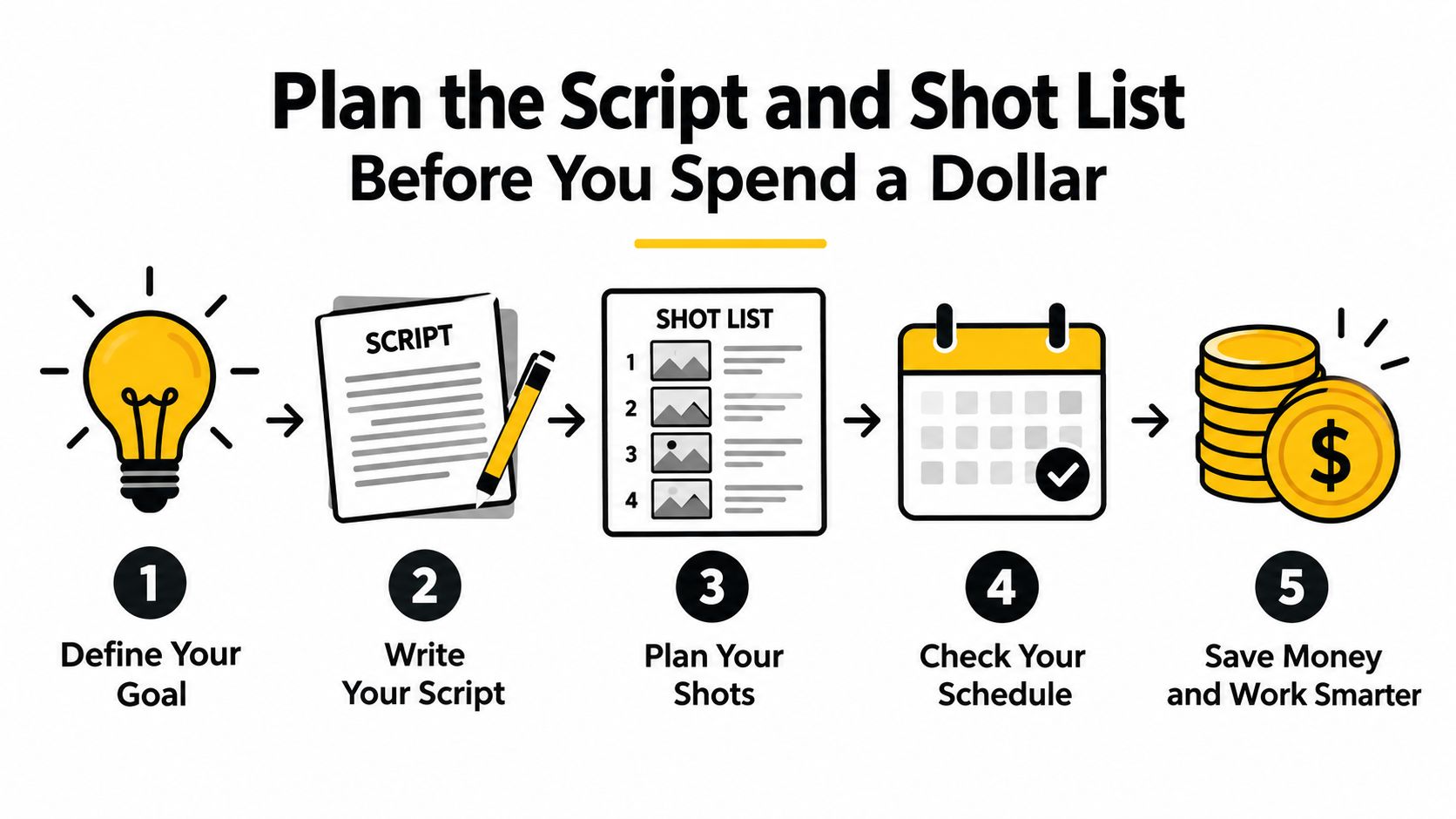
The common mistake is shooting more coverage than you can edit. More footage doesn't automatically create more options. It creates longer ingest times, slower reviews, and more indecision in the timeline. Decide what each shot proves before you record it.
Use a downloadable shot-list template with columns for shot number, location, framing, action, audio, cutaway, and pickup status. When a client requests a change, you'll know whether the material already exists or whether you need a focused reshoot.
Pre-production also reveals where a project needs human help. A complicated product demonstration may justify an experienced director. A direct-to-camera update may only need a strong outline and a controlled room. Spend on uncertainty, not on ceremony.
Build a Realistic Low-Budget Plan That Allocates Every Dollar
A low budget becomes a creative advantage when it funds a repeatable content system instead of one overbuilt shoot. Set a ceiling for each line before buying anything, or small purchases will consume the money meant for planning, production, and editing.
Industry cost guides commonly allocate 15% to 20% for pre-production, 40% to 55% for production, and 25% to 35% for post-production, as summarized by Moonb's production cost guide. Use those ranges as a planning frame, not a rigid formula. A talking-head series and a location-heavy brand film place very different demands on each stage.
For a project below $5,000, protect planning, audio, lighting, and editing before upgrading the camera. A small production team typically costs $2,000 to $5,000, according to Colossyan's production pricing guide, so a creator-led project may need to keep more labor in-house.
| Cost Line | Sub-$5K Budget | Sub-$1K Budget |
|---|---|---|
| Script and storyboard | Paid planning or internal development | Founder or creator-led planning |
| Gear | Rent only what the brief requires | Existing smartphone and basic support |
| Lighting and audio | Prioritize microphones, stands, and controlled light | Buy or borrow the missing item |
| Crew | Small freelance team or specialist day | Solo production or one helper |
| Location and props | Use an owned space whenever possible | Free, controllable location |
| Editing software | Free editor or focused paid subscription | Free editor, trial, or permitted shared subscription |
| Music and graphics | Licensed assets matched to the brief | Simple branded templates and licensed basics |
Assign a limit to every category, especially gear. Renting a camera for one shoot beats buying a kit that sits unused. For music and graphics, price the license before production. Read this Epidemic Sound pricing breakdown to compare per-track licensing with subscription options.
Volume turns affordability into a production strategy. A three-to-five-video package can reduce the cost per video by 20% to 30%, while a 10-plus-video content system can reduce it by 30% to 50%, according to Colossyan's production pricing guide. The savings require a shared visual style, reusable templates, and batch production. In return, you get more chances to test hooks, formats, and messages instead of betting the budget on one polished asset.
Cutting software costs can support that high-volume approach. Use a free editor for straightforward work, or choose a paid plan shared through a subscription arrangement only when the service permits it. Keep project ownership, asset licensing, login security, and account terms clear before sharing access.
Choosing Gear That Punches Above Its Price
Buy for the shoot, not for the specification sheet. A camera with impressive technical features won't rescue hollow audio, harsh overhead light, or a presenter who looks uncomfortable.
The right gear depends on the job. A smartphone can carry a social-first content system. A mirrorless camera gives you more control for client work. A prosumer body makes sense when you need better codecs, interchangeable lenses, or longer production days.
| Tier | Camera | Lens | Audio | Stabilization | Best For |
|---|---|---|---|---|---|
| Smartphone | iPhone 13 or newer, Pixel 7+, Samsung S22+ | Built-in lens or compatible wide lens | Rode VideoMicro II or wireless lav | DJI OM-series gimbal | Social clips and talking heads |
| Mid-range | Sony ZV-E10, Canon R50, Panasonic G7 | 24mm pancake or compact zoom | Small shotgun microphone | Reliable tripod or compact gimbal | YouTube, client work, events |
| Prosumer | Sony FX30, Canon R7, used Blackmagic Pocket 4K | Sigma 18-35 or a fast prime | Wireless lav plus backup recorder | Video tripod and shoulder support | More demanding indie productions |
Spend first on sound and control
Viewers forgive modest resolution. They don't forgive speech they can't understand. For a presenter, use a Rode Wireless GO II or Hollyland Lark M1, and record a backup whenever the project matters. Outdoors, add a deadcat windshield. Indoors, hang moving blankets outside the frame, close the HVAC, and record 30 seconds of room tone for the edit.
Lighting should create shape, not just make the room brighter. A practical two-point setup can use a small LED panel as the key, white foam board as fill, and a lamp in the background. Put the key slightly above eye level and off to one side. Keep the fill weaker so the face retains dimension.
Daylight near a north-facing window with a sheer curtain is a dependable free option. A roll of diffusion paper can soften a harsh clamp light, but keep heat-producing fixtures away from material that can scorch. Test the setup through the camera before the presenter arrives.
Mixing warm and cool sources is the beginner mistake that makes a low-budget image look accidental. Either turn off competing lights or match their color temperature. A consistent imperfect look is better than three different colors fighting across the frame.
For a deeper practical guide to shaping faces, controlling spill, and placing affordable fixtures, review these pro lighting secrets for creators.
Buy support equipment with patience
A stable tripod matters more than a fashionable camera accessory. Choose a video head for deliberate movement, a quick-release plate you can replace, and legs that won't wobble on the actual locations you use. Add ND filters for outdoor shooting so you can control exposure without forcing the lens into an unflattering setting.
The accessory worth spending more on is a dependable V-mount or NP-F battery system. Long shoot days become expensive when the team keeps stopping to charge small batteries. Power should disappear into the background of the workflow.
Rent specialty items for a single production. Buy the tools you'll use on every shoot. That usually means audio, support, simple lighting control, and storage before it means a second camera body.
Editing Software and the Shared-Subscription Shortcut
Most indie projects don't need the most expensive editing environment. DaVinci Resolve's free version handles serious cutting, color, audio, and delivery work. CapCut is practical for short-form social edits, while Kdenlive and Shotcut offer capable open-source alternatives.
Premiere Pro and Final Cut remain sensible choices for teams already working inside those ecosystems. The cost isn't just the subscription. It's the time spent learning a new interface, rebuilding templates, fixing media paths, and moving projects between editors.
Choose the workflow before the tool
Use Resolve when you want one powerful desktop editor and expect to grow into color and audio work. Use CapCut when speed, captions, templates, and mobile-friendly social output matter more than a traditional post-production pipeline. Use Premiere when collaborators, existing project files, or After Effects integration make it the practical choice.
Before paying, create a test project. Import real footage, sync audio, add captions, export the format you need, and reopen the project on another machine. A tool that looks affordable can become costly if it repeatedly breaks your handoff process.
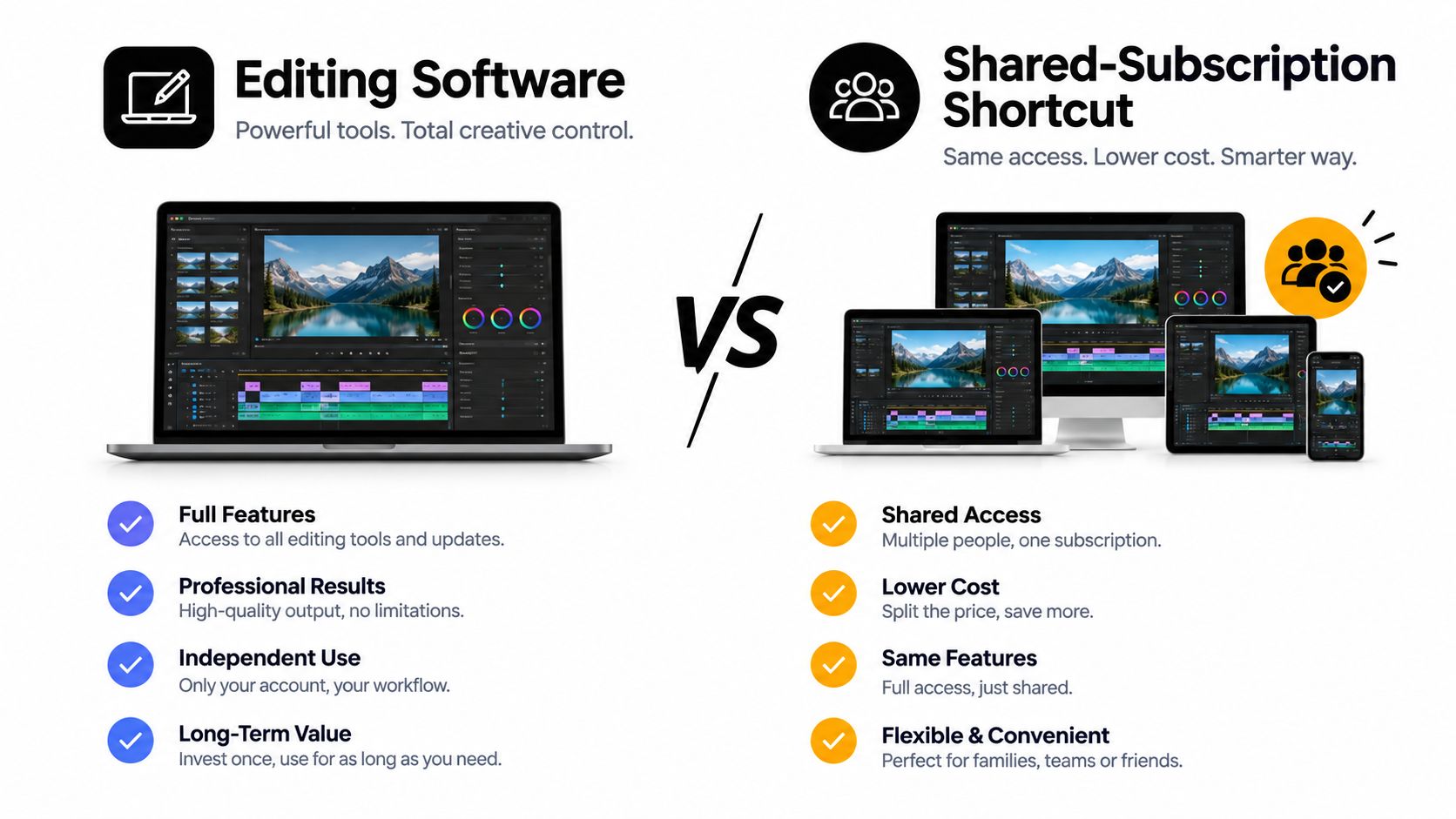
Shared subscriptions can reduce software overhead when a small team needs the same paid tools. A group-purchase platform can let several participants share access to services such as creative software, provided the arrangement follows the service's terms and the team agrees on account ownership, security, and access.
The practical model is simple:
- Assign one owner: One person manages billing and recovery details.
- Protect credentials: Use a shared password manager rather than sending passwords through chat.
- Define access: Agree on who can use the account and how project files are stored.
- Document the arrangement: Keep billing, renewal, and cancellation details visible to the group.
- Check the terms: Don't assume every subscription permits shared use.
Review cheaper video editing software options before committing to a full professional plan. The money you don't spend on redundant software can fund another shoot, a better microphone, or a specialist edit.
Hiring Freelancers Smartly or Going Fully DIY
There are three useful production models: solo DIY, hybrid production, and a fully staffed freelance crew. Pick based on the skill gap, not on the prestige of the setup.
Solo DIY works for explainers, updates, tutorials, and social content where the presenter can carry the story. Hybrid production is usually the strongest middle ground. You handle the brief and footage, then hire an editor, sound designer, colorist, or motion specialist for the part that slows you down.
A full freelance crew makes sense when the project has multiple locations, several presenters, complex lighting, or a brand risk you can't afford to manage alone. Don't hire five people to solve a problem that one experienced operator can handle.
Vet the work, not the profile
Review a freelancer's showreel for pacing, sound decisions, and consistency, not just flashy transitions. Ask for a relevant raw project sample or a short paid test cut. A small test reveals whether the editor can follow a brief, organize files, take notes, and make restrained decisions.
Use Upwork or Fiverr as sourcing channels, not as substitutes for management. Before work begins, sign a scope of work that defines deliverables, revisions, turnaround, project files, music licensing, captions, and ownership.
Ask this before hiring: “Show me how you'd turn this raw clip into a finished opening, and explain what you'd remove.”
Negotiate package pricing when you can guarantee several related videos. The freelancer saves repeated onboarding time, and you get a more consistent visual language. Keep the editor's workflow efficient by delivering labeled footage, a locked script, reference examples, and one consolidated feedback document.
| Model | Labor Cost per Video | Skill Required | Turnaround | Best Use Case |
|---|---|---|---|---|
| Solo DIY | Minimal cash cost, higher internal time | Broad basic skills | Depends on your schedule | Updates, tutorials, social posts |
| Hybrid | Focused specialist spend | Strong brief and review skills | Predictable once handoffs work | Regular brand content |
| Freelance crew | Highest external labor commitment | Production management | Fast when booked well | Complex shoots and campaign assets |
Use shared access to required tools only when the arrangement is secure and permitted. Keep the production files in your team's controlled storage so the account holder never becomes the single point of failure.
Distributing, Measuring, and Repurposing on a Budget
A finished video has no commercial value until the right people can find, watch, and act on it. Distribution belongs in the brief before the camera starts recording.
Prepare platform-specific titles, descriptions, captions, and thumbnails. Cut the master into vertical clips, pull useful statements into graphic posts, embed the video in a relevant article, and turn the main lesson into an email. One recording can support several formats without requiring another production day.
Use a simple distribution checklist
- Prepare the packaging: Write several titles, create thumbnail variations, and adapt the opening for each platform.
- Publish natively: Upload the correct format directly to each destination instead of relying on a shared link.
- Schedule the follow-up: Give the video supporting posts that answer objections, show a detail, or invite a response.
- Track the source: Use UTM-tagged links and record results in a simple spreadsheet.
- Review audience behavior: Watch retention, comments, clicks, leads, and qualified conversations.
- Feed the next script: Keep the strongest questions and objections in a running idea bank.
Choose repurposing formats that fit the original material. A product demonstration can become a short feature clip, a comparison graphic, a help-center embed, and a sales follow-up. A founder interview may produce several opinion-led clips, a quote card, and a longer educational edit.
For campaign planning, compare practical creator campaign formats that convert and select the formats your team can repeat without creating a new production burden.
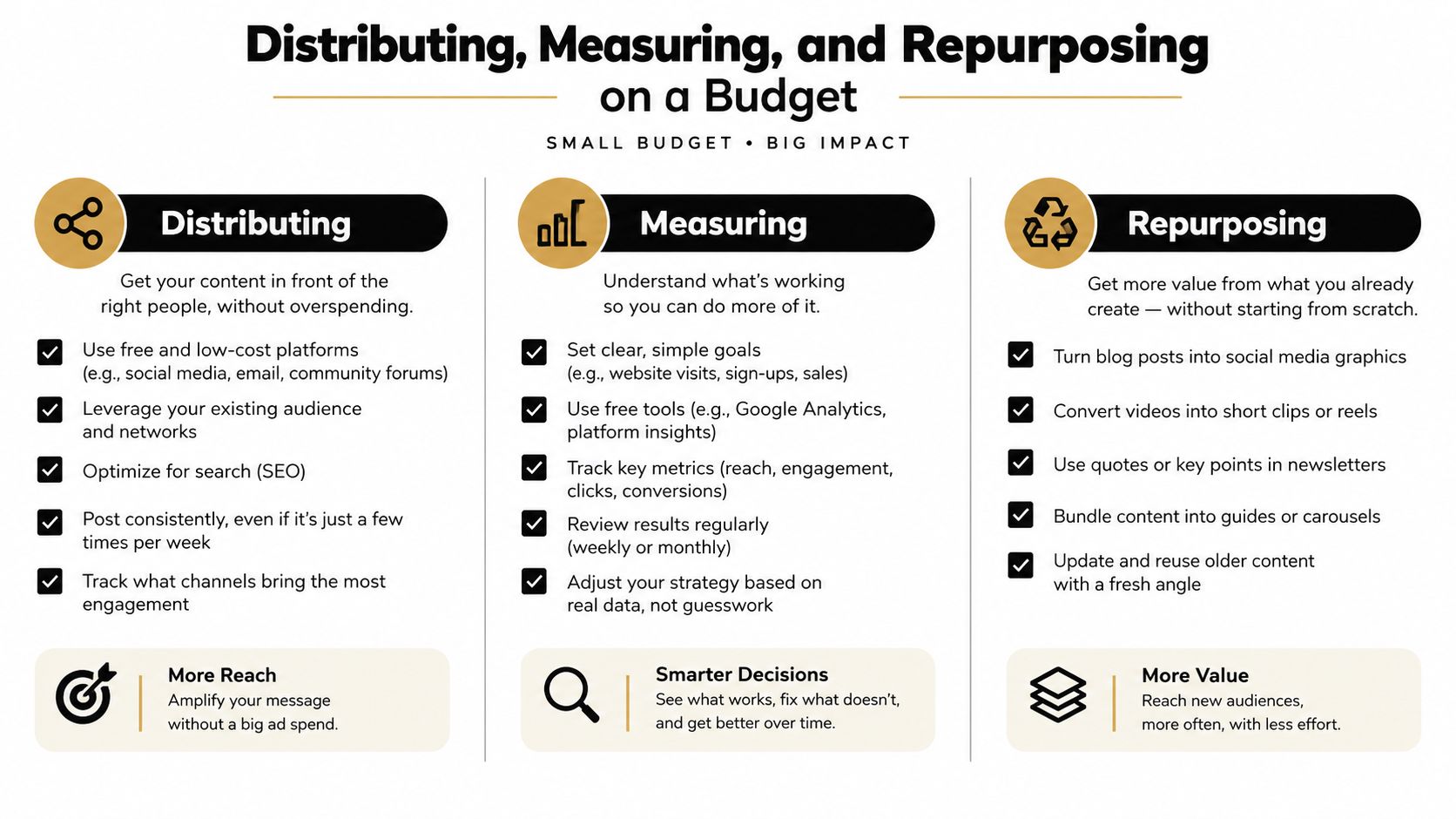
Don't judge a video by views alone. A smaller audience that watches, clicks, replies, or requests a demo can be more valuable than a large passive audience. Record production time and distribution effort alongside performance so you know which formats deserve another round.
Keep the files, captions, thumbnails, licenses, and final exports organized in one controlled system. These digital asset management best practices help prevent the common budget leak of recreating work that already exists.
AccountShare gives teams a way to access selected premium subscriptions through group purchasing, which can help lower the software overhead behind affordable video production. Review the available options, match them to your editing and design workflow, and visit AccountShare to choose a practical setup for your next batch of videos.