

Midjourney AI Pricing: midjourney ai pricing Guide to Plans and GPU Time
Midjourney's pricing starts at just $10 per month for its entry-level Basic Plan, climbing up to $120 per month for the all-you-can-create Mega Plan. If you know you're in it for the long haul, opting for an annual subscription is a smart move—it knocks a clean 20% off the total cost.
Understanding Midjourney Subscription Tiers
Picking the right Midjourney plan is a lot like choosing a data plan for your phone. It all comes down to your usage. A casual hobbyist who just wants to dabble has entirely different needs than a creative agency that needs to pump out hundreds of images every single day.
Midjourney’s pricing is built to handle this exact range of users, offering four distinct tiers that scale up in speed, features, and raw creative power. This tiered model has been a core part of its strategy since the public beta launched on July 12, 2022.
The Basic plan gets you in the door for just $10 a month (or $96 annually), giving you 3.3 hours of "Fast GPU time." For more serious creators, the Standard plan at $30 per month (or $288 annually) offers 15 hours of fast time and, most importantly, unlocks unlimited "Relax Mode." Power users and professionals often jump to the Pro plan at $60 per month (or $576 annually) for 30 fast GPU hours and Stealth Mode, while the top-tier Mega plan delivers a massive 60 fast GPU hours for $120 per month. You can see how these plans stack up against other tools on platforms like SaaSPricePulse.com.
Breaking Down the Plans
So, what does all that actually mean for you? The main thing to wrap your head around is Fast GPU hours. Think of this as your monthly allowance of high-speed image generation. It's the "currency" you spend to create images quickly. On the lower-tier plans, once you've used up your fast hours, you have to wait for your next billing cycle to continue.
- Basic Plan: Perfect for beginners. It's just enough time to experiment, learn the ropes, and figure out if Midjourney is the right tool for you without a big commitment.
- Standard Plan: This is the most popular option for a good reason. It gives you a solid chunk of fast hours, plus the safety net of unlimited Relax Mode. In Relax Mode, your generations are slower, but they don't eat into your monthly allowance.
- Pro & Mega Plans: These are built for professionals and businesses. You get a ton more fast hours, but the killer feature here is Stealth Mode. This keeps your prompts and generations private and out of the public Midjourney gallery—a non-negotiable for any commercial work.
This visual gives you a quick snapshot of how the main plans compare, highlighting the cost and the key features that set them apart.
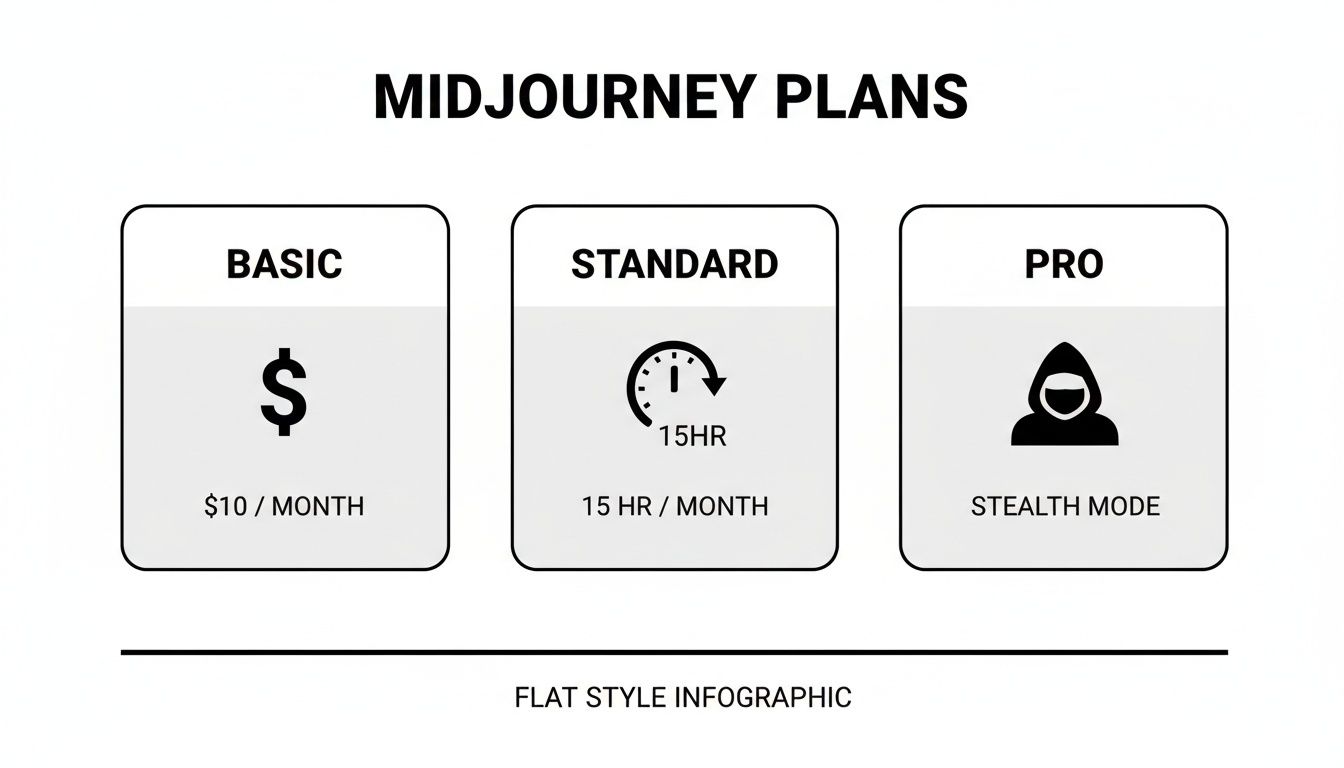
As you can see, each plan is designed with a specific type of user in mind, from the approachable entry point of the Basic plan to the feature-packed Pro option for serious creators.
Midjourney Subscription Plans at a Glance
To make the decision even clearer, here's a detailed, side-by-side comparison of what you get with each subscription. Use this table to match the features directly to your creative workflow and budget.
| Feature | Basic Plan | Standard Plan | Pro Plan | Mega Plan |
|---|---|---|---|---|
| Monthly Cost | $10 | $30 | $60 | $120 |
| Annual Cost | $96 | $288 | $576 | $1152 |
| Fast GPU Hours/Month | ~3.3 hours | 15 hours | 30 hours | 60 hours |
| Relax Mode Access | No | Yes (Unlimited) | Yes (Unlimited) | Yes (Unlimited) |
| Concurrent Jobs | 3 Fast Jobs | 3 Fast Jobs | 12 Fast Jobs | 12 Fast Jobs |
| Stealth Mode | No | No | Yes | Yes |
This breakdown shows that the "best" plan isn't just about the price tag; it's about the value you get. For example, that jump from Basic to Standard unlocks literally unlimited creative potential with Relax Mode. Meanwhile, the value of the Pro plan lies in its privacy controls and the ability to run many more jobs at once, which is a huge time-saver for commercial projects.
Making Sense of GPU Time and How It Works
To really get a handle on Midjourney's pricing, the first thing you need to wrap your head around is GPU time. Think of it as the currency you spend to create images. Every time you type /imagine, you're asking powerful servers to do some heavy lifting, and the time they spend on your request is measured in GPU minutes or hours.
This system is pretty fair—it ties your cost directly to how much processing power you actually use. But it can be a bit confusing at first. The main takeaway is that more complicated commands or higher-quality images will burn through your GPU time faster.
Midjourney gives you two ways to spend this currency: Fast Mode and Relax Mode. Knowing the difference is the secret to managing your plan and making your subscription last.
Fast Mode: The Express Lane for Your Ideas
Fast Mode is exactly what it sounds like: a direct, high-priority pass to Midjourney's GPUs. When you submit a prompt this way, you’re basically cutting to the front of the line. Your images start generating almost instantly, usually popping up in about a minute.
It’s like hailing a private cab instead of waiting for the bus. You get where you’re going (your finished image) right away, but it comes at a premium—it actively eats into your monthly GPU time. Every paid plan includes a specific amount of Fast GPU hours, which is the main resource you’ll be keeping an eye on.
Relax Mode: The Scenic Route for Unlimited Creativity
Relax Mode, which you unlock with the Standard plan or higher, is the laid-back alternative. Instead of getting priority access, your request is placed into a shared queue. Your job gets done when a server becomes free, which could take anywhere from a few minutes to a bit longer if a lot of people are creating at once.
If Fast Mode is a private cab, Relax Mode is the city bus. It’s way more economical (it costs zero of your precious Fast GPU hours), and you'll still get to your destination, but the timing is less predictable. For many users, this is the key to truly unlimited image generation.
How Much GPU Time Do You Actually Use?
So, what’s the real-world cost of a single image? On average, generating a standard four-image grid takes about one GPU minute. This means if you're on the Basic plan, your 3.3 hours (or 200 minutes) of Fast GPU time will get you roughly 200 image grids each month.
But that’s just a baseline. A few other actions can affect how quickly you burn through your allowance:
- Upscaling: Making an image larger and more detailed uses up more GPU time.
- Aspect Ratios: Requesting non-square images can sometimes require a little extra processing.
- Model Versions: Using older Midjourney models might change the GPU cost per job slightly.
The core principle is simple: every action that requires the AI to think—from the first grid to variations and upscales—dips into your GPU time. Getting the most out of your plan means being mindful of every click.
If you’re curious about the hardware that powers all this and how companies price it, checking out the best GPU server rental options offers a peek behind the curtain. And if you’re working with a team, managing this resource becomes even more critical. Pooling your GPU time can be a game-changer for your budget. We dive deeper into that strategy right here: https://accountshare.ai/blogs/new/what-is-resource-pooling.
Using Your Midjourney Images for Commercial Projects
So, you’ve generated some incredible images with Midjourney. Now for the big question: can you actually make money with them? For many creators and businesses, this is where the real value lies, and thankfully, Midjourney’s rules are pretty clear. It all boils down to whether or not you’re a paying customer.
Put simply, if you pay for a subscription, you own the assets you create. That’s the magic key. This ownership gives you the freedom to use your images for just about any commercial purpose you can think of—selling them, using them in ads, or slapping them on a t-shirt. It’s one of the biggest reasons professionals find the subscription fee well worth the cost.
But there's a catch for anyone just testing the waters. If you're using a free trial, you don't get those commercial rights. All images made on a free plan fall under a Creative Commons Noncommercial license, which means you can’t use them to turn a profit.
Who Owns the Images You Create?
This split between paid and free users is the most important rule to understand in Midjourney's terms. As soon as you become a paying member, Midjourney hands you the ownership of the images you generate. This gives designers, marketers, and entrepreneurs the green light to go wild with their AI-generated art without wading through legal grey areas.
"Subject to the licenses granted to Midjourney... You own all Assets You create with the Services, provided they were created in accordance with this Agreement." - Midjourney Terms of Service
What does this mean in practice? You can confidently build a business around your creations. Whether you’re designing book covers, building a brand from scratch, or creating digital ads, your paid plan is your license to operate commercially.
Here's a look at the official Terms of Service, which lays all of this out.
The main takeaway here is that your subscription buys you powerful rights. Just remember that this freedom comes with the responsibility to ensure your prompts don’t infringe on anyone else’s copyright.
Scenarios for Commercial Use
Let's look at how this plays out in the real world. Once you're on a paid plan, the possibilities really open up.
- Marketing Campaigns: A small business owner with a Standard Plan can churn out a constant stream of unique visuals for their social media, newsletters, and website. They can build a compelling brand aesthetic without the expense of a full-time designer.
- Freelance Design Work: A graphic designer on the Pro Plan can create custom illustrations for clients and deliver them as part of a branding package or logo design. Plus, with Stealth Mode, they can keep that work completely private.
- Selling Physical Products: An Etsy seller can use their Midjourney images to design and sell art prints, stickers, mugs, or custom clothing. Because they own the assets, they can monetize them directly without any issue.
When you're ready to use your Midjourney images for commercial projects, it's smart to brush up on practical licensing and AI content tips. This helps you stay on the right side of Midjourney's rules and protects your work down the road. Ultimately, a paid subscription isn’t just about getting more GPU time; it’s your ticket to unlocking the full commercial power of your imagination.
Smart Strategies to Lower Your Midjourney Bill

Midjourney is an incredible creative tool, but let's be honest—it can get expensive, especially if you find yourself generating images constantly. The good news is you don't have to just accept a high bill. With a few tweaks to your workflow, you can stretch those precious GPU hours and get a lot more bang for your buck.
Think of your Fast GPU time like a currency. Every single command you run spends a little bit of it. The trick is to be more intentional with your prompts and smarter with your settings. That way, you cut down on waste and produce more amazing images for every dollar you spend.
Master Your Prompts to Reduce Rerolls
One of the fastest ways to burn through your GPU time is getting stuck in the endless cycle of generating, disliking, and rerolling. Each time you hit that little blue button, you’re spending more GPU minutes. The best way to break this habit is to get your prompts right before you ever hit enter.
A specific, well-crafted prompt is infinitely more likely to give you what you envision on the first try. Instead of something vague like "a knight in a forest," try getting descriptive: "fantasy oil painting of a knight in silver filigree armor, standing in a sun-dappled redwood forest, cinematic lighting, hyper-detailed, --ar 16:9."
- Be Specific: Add details about style ("impressionist painting," "8-bit pixel art"), lighting ("cinematic lighting," "golden hour"), and composition.
-
Use Negative Prompts: The
--noparameter is your best friend for excluding things you don't want. Something like--no peopleor--no textcan prevent an otherwise perfect image from being ruined by a stray element. -
Set an Aspect Ratio: Using
--ar(like--ar 3:2) tells Midjourney the exact shape you need from the very beginning. No more wasting generations on images that don't fit your project.
This simple shift from reactive rerolling to proactive prompting can honestly save you hours of GPU time every month.
Use Parameters to Preview and Save Time
Midjourney has some powerful built-in tools that can help you pump the brakes on your GPU consumption. Two of the absolute best for saving money are --stop and --tile.
The --stop parameter is a fantastic way to peek at a concept without paying for a full render. For instance, using --stop 50 will halt the generation process halfway through. The image will be blurry, but it’s usually clear enough to see if the composition and colors are on the right track. If they aren't, you've only spent a fraction of the GPU time.
Think of the
--stopparameter as a rough sketch. It lets you check the basic layout of your idea before you invest the time and resources into creating a final masterpiece.
Likewise, the --tile parameter is a lifesaver for anyone creating seamless patterns. It's specifically designed to generate images that repeat perfectly, which is ideal for website backgrounds, textures, or fabric designs. It's a specialized tool that gets the job done efficiently, saving you the headache of trying to manually create a tileable image through trial and error.
Embrace Collaborative Savings and Group Plans
For many freelancers, students, or small teams, the monthly cost of a Pro or Mega plan can feel steep. This is where sharing the load becomes a brilliant strategy. By splitting the cost of a higher-tier subscription, everyone gets access to premium features like Stealth Mode and a much larger pool of Fast GPU hours for a fraction of the individual price.
Platforms like AccountShare are making this even easier by facilitating group buys that can slash these costs dramatically. Imagine splitting a Pro plan with a few others and paying under $10 each a month while still getting all the priority features. This approach makes top-tier creative tools accessible to almost anyone. If you're exploring this route but want to see what else is out there, you might find our guide on Midjourney alternatives helpful.
When It’s Time to Upgrade Your Midjourney Plan
Knowing when to jump to the next tier is all about making sure the tool works for you, not against you. Sticking with a plan that's too small is like trying to edit a feature film on a laptop from 2010—you can do it, but it’s going to be painful and slow. The right time to upgrade is simply when you feel your creative flow constantly hitting a wall.
The most common sign? You're always running out of Fast GPU hours. If you find yourself topping up your hours every month just to get your projects done, that’s your cue. The Basic plan's 3.3 hours is perfect for dipping your toes in, but for any kind of consistent work, it disappears in a flash. Moving up to the Standard or Pro plan is almost always cheaper than buying extra hours a la carte.
Turning a Hobby into a Business
Another big reason to upgrade is when your weekend passion project starts to look more like a real business. The second you start creating images for a paying client, the Pro Plan is no longer a luxury—it’s a necessity. The main reason is Stealth Mode, which keeps your generations private and out of the public Midjourney gallery. That's a must-have for any kind of confidential commercial work.
Think about it: you just landed your first big design client. With a Basic or Standard plan, the concepts you're developing for them are out in the open for anyone to see. Upgrading to Pro isn't just about features; it’s about professionalism and protecting your client's intellectual property.
When You Need More Speed and Volume
As your ambitions grow, you’ll quickly notice the bottleneck of running jobs one by one. The Basic and Standard plans let you run three jobs at the same time, which is fine when you're just exploring ideas. But when a deadline is looming, waiting for one set of images to finish before you can start the next can be a real drag on productivity.
This is where the Pro and Mega plans change the game, letting you run up to 12 concurrent Fast jobs. For a busy freelancer or a small creative team, that’s a massive boost. You can test out a dozen different prompts and variations simultaneously, which dramatically speeds up the entire creative process from initial concept to final delivery.
This smart, tiered system is really the engine behind Midjourney's explosive growth. It lets the platform scale right alongside its users, turning curious hobbyists into subscribers and serious professionals into power users.
This pricing structure is a huge part of the company's success story. By May 2024, Midjourney had hit $200 million in annual recurring revenue—all without taking a dime of outside funding and with a tiny team. It shows how the Midjourney AI pricing model works, capturing value from the $10/month entry point all the way to the top-tier plans. To dig deeper into their business model, you can find some great insights on Midjourney's buyer guide.
At the end of the day, upgrading isn't just another expense. It's an investment in your own creative potential.
Your Guide to Managing Billing and Subscriptions
Managing your Midjourney subscription is refreshingly simple. Everything happens right where you create: inside Discord. You won't have to hunt for a separate website or wrestle with a clunky dashboard. Upgrading, downgrading, or canceling your plan is just a command away.
The master key to your account settings is the /subscribe command. Simply type that into your direct message with the Midjourney Bot. It will instantly generate a unique, secure link that acts as your personal portal to your Stripe billing page. From there, you can see your current plan, swap tiers, or switch between monthly and annual payments.
How to Change or Cancel Your Plan
Need to make a change? It’s a quick and painless process. Once you use the /subscribe command and open your personal billing portal, you’re in control.
- Upgrading Your Plan: When you move up a tier, Midjourney gives you a choice. You can have the upgrade take effect immediately or wait until your current billing cycle ends. If you go for the immediate option, it calculates the price difference and you just pay a prorated amount for the rest of the month.
- Downgrading Your Plan: Downgrades are always scheduled for the end of your billing period. This is great because it lets you keep using the features you’ve already paid for until your plan officially renews at the lower tier.
- Canceling Your Plan: You can cancel at any time. Don’t worry, your subscription benefits will stay active until the end of the current billing cycle, so you won't lose out on any time you've already purchased.
Here’s a look at the official plans page, which gives a great overview of the features you’ll be managing in your subscription settings.
This page clearly breaks down what each tier offers, making it easier to decide if an upgrade or downgrade is the right move for you.
Common Billing Questions Answered
Even with a straightforward system, questions pop up. What happens if you burn through all your Fast GPU hours?
If you're on the Standard plan or higher, it's no big deal—your creative flow doesn't have to stop. You can just switch over to Relax Mode and keep generating images. For those on the Basic plan (or anyone needing more speed), you can buy extra Fast GPU hours for $4 per hour right from your account page.
Here's something crucial to remember: unused Fast GPU hours do not roll over to the next month. Your allowance resets at the start of each billing cycle. To get the most bang for your buck, try to pick a plan that aligns with how much you actually create.
Thinking about going all in with an annual plan? Committing to a full year bags you a significant 20% discount compared to paying month-to-month. If you know you'll be a consistent Midjourney user, this is hands-down the best way to lower your overall cost. For more tips on getting the most out of all your services, check out our guide on how to manage online subscriptions effectively.
Common Questions About Midjourney's Pricing
Diving into any new subscription service always brings up a few questions. When it comes to Midjourney, most people are curious about the same handful of things, especially around costs and how their usage is measured. Let's clear up some of the most common points so you can pick the right plan and manage your account like a pro.
Can I Still Use Midjourney for Free?
In the early days, Midjourney had a pretty generous free trial that let anyone experiment with a few dozen images. But due to explosive popularity, the free trial is almost always suspended now. While they sometimes bring it back for very brief periods, you shouldn't count on it being available.
When the trial is active, you typically get about 25 free "jobs"—a job being anything from generating an image grid to upscaling one. It’s a great way to get a feel for the tool, but be aware: any images you create during a free trial are licensed under Creative Commons Noncommercial, so you can't use them for any business-related projects.
What Is the Difference Between Monthly and Annual Billing?
The biggest difference is the discount. If you commit to a full year upfront, Midjourney knocks 20% off the total price. For anyone who knows they'll be using the tool regularly, this is a no-brainer.
Let’s break it down with the Standard Plan. Month-to-month, it’s $30. But if you pay annually, the cost averages out to just $24 per month. That's a savings of $72 over the year, which is a pretty nice chunk of change. If Midjourney is part of your daily or weekly workflow, the annual plan is easily the smartest financial move.
Think of it this way: choosing an annual plan is like paying for ten months and getting two months completely free. It’s a simple, effective strategy to maximize your budget.
Do Unused GPU Hours Roll Over?
This is a big one, and the answer is a firm no. Your Fast GPU hours do not roll over to the next month. At the start of your billing cycle, your allowance resets completely, whether you used all of your hours or none of them.
This "use it or lose it" system means it’s really important to pick a plan that matches your actual usage. If you find yourself with tons of hours left over each month, you're probably paying too much and should consider downgrading. On the flip side, if you're constantly running out and buying extra GPU time, upgrading to the next tier will almost always save you money in the long run. The goal is to find that perfect balance.
Ready to unlock premium AI tools without the premium price tag? At AccountShare, we make it easy to join group subscriptions securely and affordably. Start saving today at AccountShare