

Animation Software Comparison: Top Tools (animation software comparison)
Picking the right animation software is probably the single most important choice you'll make as an animator. It dictates everything—your workflow, your budget, and ultimately, what you can create. This guide is designed to cut through the noise, comparing the key differences between 2D and 3D tools, weighing free software against the big industry players, and helping you land on the perfect tool for your goals.
Decoding the Animation Software Market

The world of animation is always in motion, with tools and techniques evolving faster than ever. The sheer volume of options can be paralyzing, but once you understand how the market is structured, making a choice becomes much easier. This growth is driven by an insatiable appetite for slick visual content in everything from movies and games to advertising and education.
The numbers back this up. The global animation software market is currently valued at an estimated USD 576.7 million, marking a healthy 10.2% jump from the previous year. It's not slowing down, either; projections see the market ballooning to over USD 1.5 billion by 2035. If you're curious about the nitty-gritty, you can dig into the numbers in this detailed industry report.
Key Software Categories to Understand
Before we start throwing around brand names, let’s get the lay of the land. Animation software isn't a one-size-fits-all deal. Each category is built for a specific purpose, catering to different artistic styles and technical pipelines.
- 2D Animation Software: This is all about creating movement in a two-dimensional plane. Think traditional hand-drawn styles (frame-by-frame), modern cut-out characters with digital rigs, and sleek vector-based motion graphics.
- 3D Animation Software: Here, you’re working in a three-dimensional digital space. The process is more involved, usually flowing from modeling and texturing to rigging, animating, and final rendering.
- Stop Motion Software: These are specialized tools for a very hands-on approach. They help you capture individual photos of physical objects—like clay figures or puppets—and stitch them together into a seamless animation.
- VFX and Compositing Software: This is the magic that blends animation with the real world. These programs are used to integrate CGI into live-action footage, create mind-bending special effects, and layer all the visual elements into a polished final shot.
The Bottom Line: Your choice isn't just about cool features. It's about matching the software's fundamental purpose to your project. A tool built for 2D cartoons has a completely different DNA than one designed for 3D architectural fly-throughs.
To make this animation software comparison easier to digest, we’ve broken down our analysis by the most popular and influential tools out there. This table gives you a quick snapshot of the main software types and where they shine.
| Software Category | Primary Use Case | Common Examples |
|---|---|---|
| 3D Animation | Film, VFX, Video Games, Character Animation | Autodesk Maya, Blender, Cinema 4D |
| 2D Animation | TV Shows, Web Cartoons, Motion Graphics | Toon Boom Harmony, Adobe Animate |
| Stop Motion | Claymation, Puppet Films, Creative Shorts | Dragonframe, HUE Animation Studio |
| VFX/Compositing | Film Post-Production, Motion Graphics | Adobe After Effects, Nuke |
Figuring Out What Really Matters to You
Jumping into the world of animation software without a clear idea of what you need is a recipe for disaster. It's easy to get distracted by flashy features and marketing hype. Before we get into a head-to-head comparison of specific tools, let's lay some groundwork.
Think of this as your personal checklist. What works for a massive animation studio won't necessarily be the right fit for a solo indie developer or a student just starting out. Your budget, your current skill level, the kinds of projects you want to create, and even the computer you're using will all play a huge role in this decision.
Core Features and How They Fit Your Workflow
Every animation package has a list of features as long as your arm. But a long list doesn't mean it's the right tool. The real question is: how well do those features work together? A program might have amazing 3D sculpting tools, but if the rigging system is a nightmare to use, you'll spend more time fighting the software than actually animating.
We're going to zero in on the things that make or break a workflow:
- Modeling and Sculpting: How easy is it to build your characters and environments from scratch?
- Rigging and Animation: Are the tools for creating skeletons and moving your characters intuitive and powerful?
- Rendering Engine: How good does the final product look, and how long does it take to render?
- Compositing and VFX: Can you add effects and polish your final shots without needing to jump to another program?
The best software isn't the one with the most buttons. It's the one where everything just flows, letting you get from idea to finished product with the least amount of friction. A truly integrated pipeline saves you headaches, time, and money on extra plugins.
Platform Support and Performance Demands
First things first: what operating system are you running? Most big names play nice with Windows and macOS, but if you're a Linux user, your options can get a bit more limited. This is a simple but critical starting point.
Beyond that, you have to consider performance. 3D animation can bring even powerful computers to their knees. Some lighter tools will run just fine on a decent laptop, but the professional-grade software often demands a beast of a machine with a top-tier GPU and a ton of RAM. We’ll look at the hardware specs for each tool so you don’t end up with software your computer can't handle.
To help you organize these thoughts, here's a quick breakdown of what to consider.
Key Animation Software Evaluation Criteria
| Evaluation Criterion | Why It Matters for Your Workflow | Real-World Impact Example |
|---|---|---|
| Feature Set & Pipeline | The tools must support your entire creative process, from concept to final render, without creating bottlenecks. | A clumsy rigging system in an otherwise great 3D package can double the time it takes to animate a single character. |
| System Performance | Your hardware must meet or exceed the software's demands to avoid lag, slow renders, and crashes. | Trying to run a professional studio suite on an underpowered laptop will result in constant frustration and lost work. |
| Learning Curve | The time it takes to become proficient directly impacts how quickly you can complete projects and see a return on your investment. | An intuitive UI might let you start creating in days, while a complex one could take months of dedicated study. |
| Cost Model | The pricing structure—subscription vs. one-time purchase—affects both your initial outlay and your long-term operational costs. | A $50/month subscription feels manageable, but that's $600 a year that you need to budget for indefinitely. |
| Community & Support | An active user community provides a lifeline of tutorials, forums, and shared assets when you're stuck. | When you hit a technical snag, a massive user forum is often faster and more helpful than official support channels. |
Thinking through these criteria will give you a solid foundation for making an informed choice, rather than just picking the tool with the most buzz.
The Learning Curve and Community Help
How much time are you willing to spend learning? A really steep learning curve can stall your projects for months, while a more intuitive program lets you hit the ground running. This is where a strong community can make all the difference.
An active community means you'll find tons of tutorials on YouTube, helpful threads on forums, and free assets to get you started. For independent artists, this kind of grassroots support can be even more valuable than the official user manual. For another look at how usability and community play a role in choosing creative tools, check out our photo editing software comparison.
Pricing Models: Perpetual vs. Subscription
And finally, we have to talk about money. The animation industry has mostly moved to a Subscription-as-a-Service (SaaS) model. You pay a monthly or yearly fee for access and get all the latest updates as they come out. It’s a predictable operating cost, but it's also a permanent one.
The alternative is the perpetual license, where you pay a large, one-time fee to own a specific version of the software forever. This model is becoming rarer, but it's still out there. We’ll break down what each model really costs you in the long run so you can find something that actually fits your budget.
Comparing the Titans of 3D Animation
When you get into the world of professional 3D animation, a few names pop up again and again. These are the industry heavyweights, the software that powers everything from blockbuster movies to blockbuster games. We’re going to take a close look at Autodesk Maya, Blender, and Cinema 4D, digging deeper than just a feature list to see where each one truly shines.
The hunger for 3D content is undeniable, and it’s fueling some serious market growth. In fact, projections show the 3D animation sector is on track to grab about 42% of the entire animation software market by 2035. This boom is all about creating incredibly realistic visuals, with the standalone 3D market expected to rocket to $52.38 billion by 2032. You can dive into the numbers yourself in this in-depth market analysis on researchnester.com.
Figuring out which of these powerhouses is right for you means knowing what to look for. This infographic nails down the core decision points: features, price, and the skill required to master them.
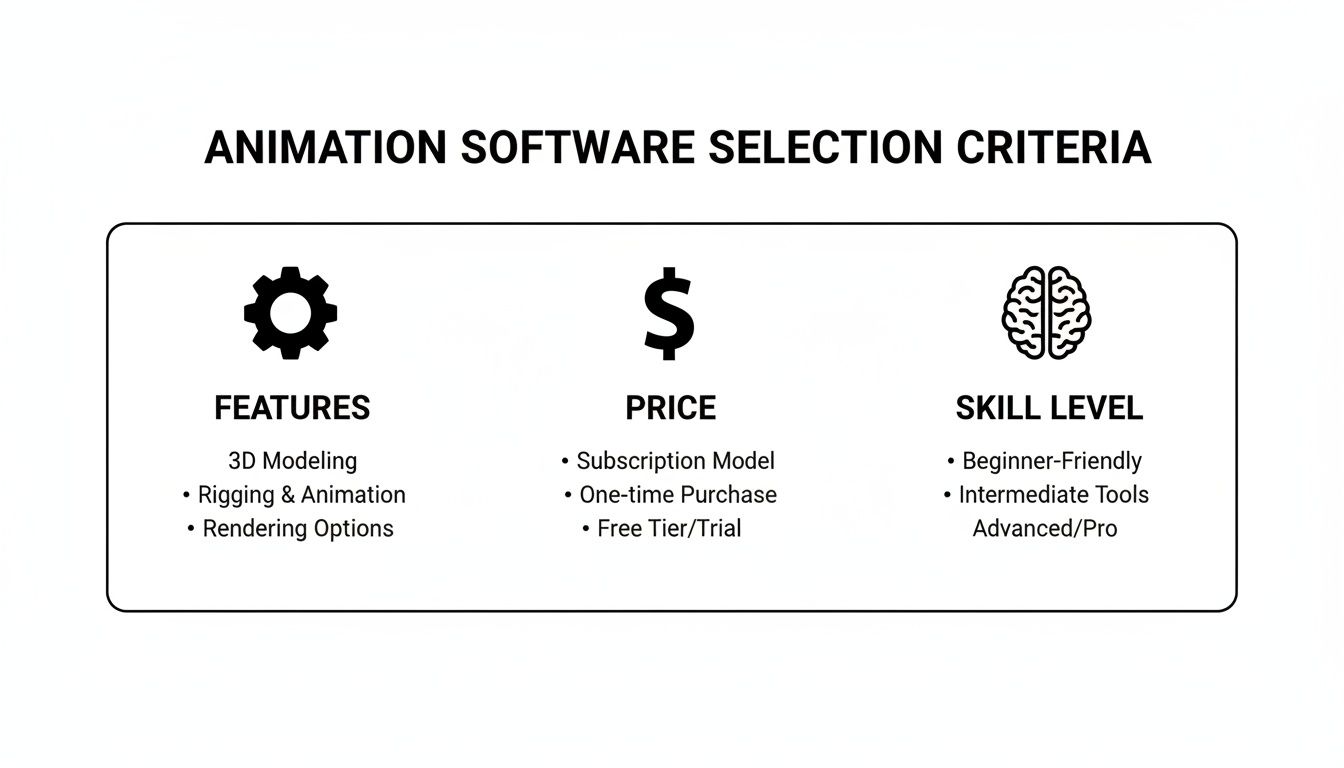
It’s a classic balancing act. The most powerful tools often come with the biggest price tags and the steepest learning curves, so you have to choose what makes the most sense for your goals and budget.
Autodesk Maya: The Hollywood Standard
For decades, Autodesk Maya has been the go-to for character animation in high-end VFX and feature films. It's the engine behind the magic at studios like Pixar and Industrial Light & Magic, who have built their entire pipelines around its incredibly deep and customizable toolset.
Maya's superpower is its rigging and animation capabilities. The level of control you get for building complex character skeletons and crafting subtle, believable performances is second to none. Plus, its powerful scripting languages, MEL and Python, let big studios build their own custom tools and automate tedious tasks, making it the perfect foundation for massive productions.
All that power isn’t cheap, though. Maya demands a hefty subscription fee and has a famously steep learning curve. This isn't a tool you just pick up for a weekend project; it's a professional suite built for specialists working in a team.
Key Differentiator: Maya's biggest advantage is its specialization in complex character work and how it can be extended to fit a studio's needs. If your goal is professional-grade character animation for film or AAA games, Maya is still the industry benchmark.
Blender: The Open-Source Powerhouse
Blender has pulled off an incredible comeback story, evolving from a quirky open-source project into a true industry contender. It's a full 3D creation suite—modeling, sculpting, animating, rendering, compositing, and even video editing are all packed in, and it's 100% free.
What really draws indie developers and freelancers to Blender is its unified workflow. You can take an idea from a rough sketch all the way to a final render without ever having to switch programs. Its built-in rendering engines, Cycles and Eevee, are fantastic. Eevee, in particular, is a game-changer with its real-time feedback, making the process of dialing in the look of your scene so much faster.
One of Blender’s greatest strengths isn't even in the software itself—it's the community. You'll find a bottomless well of tutorials, add-ons, and helpful forums, making it one of the most accessible and well-supported 3D tools out there.
Cinema 4D: The Motion Graphics Champion
While Maya owns character work and Blender is the indie darling, Cinema 4D has carved out its kingdom in the world of motion graphics and visualization. Its reputation is built on being stable, easy to use, and integrating beautifully with Adobe Creative Cloud, especially After Effects.
Motion designers swear by C4D’s procedural tools, particularly the legendary MoGraph toolset. It makes creating complex, dynamic animations that would take ages in other programs feel almost effortless. For artists on tight deadlines in broadcast or advertising, that efficiency is everything.
Situational Recommendation: If your daily bread is broadcast graphics, product visualization, or abstract motion design, Cinema 4D is a no-brainer. Its intuitive workflow and seamless Adobe integration make it the most logical and efficient tool for the job.
The right choice between these three titans really boils down to what you do. They're all incredibly capable, but they were built to solve different problems for different kinds of artists.
3D Animation Software Use Case Matrix
To make the choice clearer, here’s a breakdown of where each program truly excels. This matrix highlights the core strengths and ideal scenarios for each of these industry-leading 3D tools.
| Feature/Aspect | Autodesk Maya | Blender | Cinema 4D |
|---|---|---|---|
| Primary Strength | High-end character rigging and animation for film/VFX. | All-in-one pipeline, from sculpting to final render. | Motion graphics, procedural animation, and visualization. |
| Ideal User | Professional animators in large studio environments. | Indie developers, freelancers, and generalists. | Motion graphics artists and designers. |
| Learning Curve | Very steep, requires significant dedicated study. | Moderate, with a massive amount of community support. | Gentle, considered one of the easiest 3D suites to learn. |
| Cost Model | Expensive annual subscription. | Completely free and open-source. | High-value annual subscription. |
| Key Integration | Custom studio pipelines via Python/MEL scripting. | Self-contained; strong import/export capabilities. | Unmatched integration with Adobe After Effects. |
Ultimately, there's no single "best" software—only the best software for your specific needs, projects, and career goals.
A Look at the 2D Animation Landscape
While 3D animation gets a lot of the spotlight, 2D animation is still the backbone of so much of what we watch. It’s everywhere, from hit TV shows to the slick interactive ads on your phone. The tools of the trade here are specialized, built for workflows that are fundamentally different from their 3D cousins. This space is really dominated by a handful of heavy hitters, each designed for a specific kind of artist and production pipeline.
So, let's dive into the 2D world. We’re going to put three major players under the microscope: the studio powerhouse Toon Boom Harmony, the web-focused Adobe Animate, and the surprisingly powerful open-source tool, OpenToonz. The real question isn’t which one is "best," but which one is the right fit for your project.
Toon Boom Harmony: The Studio Standard
If you're watching a 2D animated series or a feature film from a major studio, chances are you're looking at work done in Toon Boom Harmony. It’s the engine behind massive productions from studios like Disney, Fox, and Dreamworks, making it the undisputed gold standard for professional 2D work.
Harmony’s real magic is in its incredibly sophisticated rigging and compositing systems. The bone and deformer tools are second to none, letting artists build complex puppets that move with the fluidity of hand-drawn animation but with the efficiency of cut-out techniques. For studios churning out high-quality episodes on a TV schedule, this hybrid approach is an absolute lifesaver.
Here’s a glimpse of Harmony’s interface. You can immediately see it’s built for serious production work.
That screenshot tells a story. It’s a dense, feature-packed workspace designed for animators who demand granular control over every single frame.
On top of that, Harmony bundles in a powerful suite of compositing and effects tools. This means animators can manage complex lighting, shadows, and particle effects right inside the software instead of round-tripping to another program. In a professional pipeline, that integration saves a staggering amount of time.
Key Insight: Toon Boom Harmony is more than just an animation program; it's a complete production ecosystem. Its focus on advanced rigging, built-in compositing, and collaborative tools makes it the only real choice for studios where quality and efficiency are non-negotiable.
Adobe Animate: For Web and Interactive Content
Where Harmony dominates broadcast and film, Adobe Animate has completely cornered the market for web and interactive content. As the successor to the legendary Flash, Animate is built from the ground up for vector graphics. This keeps file sizes small and scalable—an absolute necessity for websites, banner ads, and simple games.
Its killer feature is its deep integration with the Adobe Creative Cloud. An artist can whip up assets in Illustrator, polish audio in Audition, and assemble it all in Animate before sending it to After Effects for final touches. For motion designers and digital marketers already living in the Adobe world, this seamless workflow is a massive advantage.
While you can certainly do traditional frame-by-frame animation in Animate, its toolset is far more approachable than Harmony’s. That gentler learning curve makes it a fantastic starting point for beginners or for designers who just need to get a slick animation done quickly without becoming a full-time animator.
OpenToonz: The Customizable Free Alternative
OpenToonz is proof that open-source software can compete with the big dogs. This is a seriously powerful, and completely free, 2D animation tool. But what really makes OpenToonz special is its pedigree: it was the customized in-house tool for the legendary Studio Ghibli on films like Princess Mononoke before being released to the public.
You can see that history in its professional feature set. It has fantastic tools for scanning and cleaning up paper drawings, a flexible node-based system for effects, and even scripting capabilities. This makes OpenToonz incredibly adaptable, allowing indie artists and small studios to build a custom workflow that fits their exact needs—all without spending a dime.
The trade-off? The user interface can feel a bit clunky and less intuitive compared to its polished commercial rivals. But for solo creators, students, or boutique studios on a shoestring budget, OpenToonz delivers a professional-grade toolkit that is simply untouchable in the free software space. It’s a powerful reminder that you don't need a massive budget to make world-class animation.
Matching Animation Software to Your Project
While a side-by-side comparison of features is a great starting point, the real decision comes down to you. The "best" tool is simply the one that fits your projects, your career goals, and your wallet. Let's break down these software choices into practical recommendations for different kinds of creators.
The Indie Game Developer
As an indie dev, every dollar and every minute counts. You need a single piece of software that can take you all the way from modeling and sculpting to rigging and rendering, without juggling a dozen expensive subscriptions. An all-in-one package isn't a luxury; it's a necessity for a lean workflow.
- Primary Pick: Blender. It’s the undisputed king for indie developers for a reason. Its feature set is massive, completely free, and its real-time Eevee renderer is a godsend for quickly visualizing game assets. Plus, the massive community means you're never more than a search away from a tutorial.
- Secondary Option: Autodesk Maya. If you can swing an indie license or find it in the budget, Maya’s specialized animation and rigging tools can give your characters a level of polish that's tough to achieve elsewhere.
The Aspiring VFX Artist
If you're aiming for a career in visual effects, your software choice is also a career choice. You need to get your hands on the tools used in major studio pipelines. It's not just about what the software can do, but about learning the specific workflows and techniques that hiring managers are looking for.
- Primary Pick: Autodesk Maya. It continues to be the heavyweight champion in high-end VFX and feature film animation. Getting good at Maya is practically a rite of passage for landing a job at a top-tier studio. Its deep toolset for complex character work and effects is second to none.
- Secondary Option: Blender. Don't sleep on Blender for VFX. Its capabilities, especially for things like fluid and smoke simulations, have gotten seriously impressive. It's a fantastic—and free—way to build a killer demo reel that shows off your raw talent.
The animation industry has its hotspots. North America is expected to grab over 47% of the global market by 2035, and within that, the U.S. accounts for a massive 64.41% of the revenue. If you're job hunting, it pays to know which tools are dominant in these key markets. You can find more animation industry statistics at motionplaystudio.com.
The Professional Motion Graphics Designer
For motion graphics artists, the clock is always ticking. You need tools built for speed, efficiency, and—most importantly—integration. Your work constantly blends 2D and 3D, so frictionlessly moving assets between programs is a must. Your software should be a partner, not a bottleneck.
- Primary Pick: Cinema 4D. Its reputation for being intuitive and stable is well-earned. The legendary MoGraph toolset makes it one of the fastest ways to build complex procedural animations. But its real secret weapon is its near-perfect integration with Adobe After Effects, which has cemented it as the industry standard.
- Secondary Option: Adobe After Effects with Blender. This is a powerful and budget-friendly duo. By handling your 2D and compositing in After Effects and your 3D work in Blender, you can create incredible motion graphics without the C4D price tag.
The Solo Content Creator
If you're flying solo and making content for YouTube or social media, you need to be fast and self-sufficient. The ideal software has a gentle learning curve that lets you produce great-looking animations without getting bogged down in technical details. Often, you'll be mixing animation with live-action footage, so a few basic video editing features can be a lifesaver.
For those focused on the editing side of things, check out our guide to video editing software for beginners.
- Primary Pick: Adobe Animate. Its vector-based workflow and friendly interface are perfect for creating slick 2D animations for the web. If you're already in the Adobe ecosystem, you'll feel right at home.
- Secondary Option: Toon Boom Harmony Essentials. This is the entry-level version of an animation powerhouse. It gives you access to some seriously powerful rigging and drawing tools at a much more creator-friendly price, making it a great step up.
Smart Ways to Get Your Hands on Premium Tools
Let's be honest: professional animation software can be seriously expensive. But a high price tag shouldn't be a roadblock to your creativity. A smart animation software comparison isn't just about features—it's also about figuring out the most budget-friendly way to get access. Thankfully, there are several clever and completely legitimate ways to manage software costs without sacrificing power.
By exploring these options, you can get the best tools for your projects and keep your budget happy. From student discounts to shared licensing, you've got options.
Tap into Educational and Indie Licenses
Most big-name software companies have a soft spot for students and educators. If you're studying or teaching at an accredited school, you can often get your hands on premium tools like Autodesk Maya or Toon Boom Harmony for free or at a massive discount. This is, without a doubt, the best way for up-and-coming animators to learn on the software the pros use.
Many developers also offer "indie" or "lite" versions of their main software. These are usually the full-featured editions but sold at a lower price for individuals or small studios making under a certain amount of money. It’s a fantastic way to legally use professional tools as you build your creative business.
Key Takeaway: Before you ever pull out your credit card, dig around the software company's website for an "Education" or "Indie" page. The savings can be huge—often 80-90% or more off the commercial price—giving you the same powerful features to hone your skills and build a killer portfolio.
Think Annually and Consider Group Buys
If you know you'll be using a specific tool for the long haul, paying for an annual subscription is almost always cheaper than going month-to-month. Companies like to reward that commitment with discounts that often work out to getting one or two months free each year. The upfront cost is higher, but the savings really add up for dedicated creators.
For small teams or groups of freelancers working together, team-based licenses can unlock even more savings and handy collaboration features. The tricky part is managing access, as sharing a standard single-user license is usually against the terms of service and can get your account shut down.
This is where group purchasing platforms come in. By pooling resources with other users, you can legally and safely share the cost of a team or multi-seat license. If you want to learn more about how this works, check out this guide to the best group buy websites, which breaks down how to access tools affordably while staying within the rules. A well-run group buy spreads the cost fairly and ensures everyone follows the licensing agreement, making top-tier software accessible to more people.
Got Questions About Animation Software? We Have Answers.
Diving into the world of animation software can bring up a lot of questions. Let's tackle some of the most common ones that pop up when you're trying to pick the right tool for the job.
What’s the Best Software if I’m a Total Beginner?
If you're just starting your journey into 3D animation, Blender is hands-down the best place to begin. It costs nothing to use, is supported by a massive and incredibly helpful community, and has an endless supply of tutorials. You can get a solid grasp of modeling, rigging, and rendering without spending a dime.
For those drawn to 2D, Adobe Animate is much more approachable. Its learning curve is gentler, particularly if you've ever used Photoshop or Illustrator. The vector-based workflow feels intuitive, letting you jump right into creating clean, simple animations almost immediately.
Can I Actually Use Free Software for Professional Work?
Yes, you absolutely can. The old notion that free tools are just for hobbyists is long gone. Today, open-source software is powerful enough to handle high-stakes, professional projects—and there's proof.
You might be surprised to learn that Blender was used for visual effects work on the major blockbuster Spider-Man 2 and to create entire animated shorts like Netflix's Sprite Fright. And let's not forget that OpenToonz has a legendary pedigree, having been used by the one and only Studio Ghibli. It goes to show that your talent and skill are what truly matter, not the software's price tag.
How Beefy Does My Computer Need to Be?
The kind of hardware you need really depends on the kind of animation you're doing. 2D animation, especially with vectors, is pretty forgiving and will run just fine on most modern computers.
3D is a different beast entirely. The rendering process, in particular, can bring even powerful machines to their knees. For any serious 3D work, you'll want a setup that meets these specs at a minimum:
- CPU: A modern multi-core processor is a must (think Intel i7/i9 or AMD Ryzen 7/9).
- GPU: You'll need a dedicated graphics card with at least 8GB of VRAM, like something from the NVIDIA RTX series.
- RAM: 16GB is the bare minimum to avoid constant frustration, but 32GB or more is highly recommended for handling complex scenes and big textures without a hitch.
Spending a bit more on your hardware upfront will save you countless hours of staring at render progress bars and dealing with crashes. It's an investment in your own sanity and productivity.
Ready to get your hands on premium animation software without paying the full price? At AccountShare, we organize secure and affordable group buys so you can access the best tools on a budget. Don't let high subscription costs get in your way. Find your perfect software share on AccountShare and join a community of savvy creators today.