

What Are the Best AI Tools? 10 Practical Picks
What are the best AI tools if the most popular option isn't the right one for your actual work? The answer depends less on brand recognition than on the task, your existing software ecosystem, collaboration requirements, workload intensity, and acceptable cost. A general assistant may be ideal for drafting, but a research tool can be safer for source discovery, while a specialized coding, design, video, or workspace product may create less friction inside the tools you already use.
This list organizes ten leading options by practical use case, not by a single overall winner. It covers general assistants, research, coding, visual creation, and workspace productivity, with each review focused on useful capabilities, meaningful limitations, plan and credit considerations, best-fit users, implementation friction, and responsible ways to reduce shared subscription costs. That approach matters as AI adoption moves into mainstream use. Stanford HAI reports that generative AI reached 53% population adoption within three years, faster than the personal computer or internet, while enterprise buyers increasingly judge tools by workflow fit, security, and measurable utility rather than novelty (Stanford HAI's 2026 AI Index).
1. OpenAI ChatGPT
ChatGPT remains the broadest starting point for people who want one assistant across writing, coding, research, data analysis, file work, image generation, and everyday problem-solving. Its advantage isn't that every specialist task is handled best in one interface. Its advantage is that users can move between task types without adopting a separate product for each one.
The interface accepts natural-language instructions, vision inputs, files, and images. Large context windows support longer conversations and document work, while mobile and desktop apps make the assistant available across devices. Shareable chats, workspace controls, administrative features, and an API extend the product from individual use into education, development, and business workflows. Its large integration ecosystem also makes it easier to connect AI with existing processes.
Where ChatGPT fits best
ChatGPT is a strong choice for mixed knowledge work. A marketer can use it to turn a brief into campaign variations, a student can ask for explanations of difficult material, and a developer can move from requirements to code review in the same workspace. That versatility makes it useful when workloads change frequently.
The trade-off is predictability. Peak-time limits and access to advanced features vary by plan, so a casual user and a team with sustained demand may have very different experiences. Enterprise and token-based API billing can also make forecasting harder, particularly when usage grows across many projects.
Practical rule: Choose ChatGPT as a primary assistant when you need breadth. Don't choose it simply because you haven't identified the specialist tool your workflow actually requires.
For buyers comparing access options, this ChatGPT trial guide can help frame the difference between testing the product and committing to a recurring plan. Organizations should also review the OpenAI profile from Credit for Startups before evaluating startup-related access or support.
2. Anthropic Claude
Claude is best understood as a careful assistant for long-form reasoning, document analysis, writing, and coding. Its long-context handling is particularly useful when the answer depends on relationships spread across a large policy, contract, research document, or technical specification. Instead of forcing users to split material into small prompts, Claude is designed for more continuous document-based work.
Anthropic's safety-forward positioning also matters for teams that need clear operating expectations around responsible use. The product is available through a web app and API, and its model documentation and pricing structure are comparatively transparent for developers evaluating model selection and consumption. Enterprise controls make it a plausible fit for knowledge workers operating in compliance-sensitive environments, although governance still depends on the organization's own review process.
Strengths and constraints
Claude's strongest use case is analysis where coherence, restraint, and context retention matter more than a large catalog of integrations. It can help summarize internal material, compare clauses, refine a report, or reason through a codebase while preserving the larger purpose of the task.
Its limitations appear when a team expects every convenience to be available in one place. Some integrations and add-ons lag competing assistants, and model access and quotas differ by plan and region. That means buyers should test the precise model, workspace, and geography they intend to use rather than assuming the public product experience is identical everywhere.
Claude is a better pick than a general-purpose alternative when the work centers on substantial documents or careful reasoning. It may be a weaker choice when the organization depends heavily on another vendor's native office suite or requires a broad plug-in ecosystem. The best plan is the one that matches recurring document volume, not the one with the most impressive feature description.
3. Google Gemini
Google Gemini makes the most sense for users whose work already lives in Gmail, Docs, Sheets, Drive, Chrome, and Android. Its value comes from reducing the distance between an assistant and the documents, messages, and browser activities that people handle every day. Drafting an email, revising a document, or working with spreadsheet content becomes part of an existing Google workflow rather than a separate copy-and-paste exercise.
The product also includes notebook and analysis capabilities, code assistance, mobile applications, and Chrome integration. Higher limits and premium features are available through Google AI Pro, but buyers need to examine which Google One tier, account type, device, and region provides a particular function. A benefit attached to the account owner may not automatically translate into an equivalent team-wide experience.
The ecosystem decision
Gemini is a practical choice when the cost of switching between tools is the main problem. A Google Workspace user can keep research notes, drafts, messages, and source files close to the assistant, which can simplify routine productivity work. Search-infused tasks are another natural fit, especially when the user wants help turning information into a draft or summary.
The main risk is assuming that “Google integration” means every feature is universally available. Plans and devices affect quotas and functionality, and an individual account arrangement may not satisfy a business's administrative or privacy requirements. Teams should test access using representative Workspace files and confirm how permissions apply before rolling Gemini into shared processes.
For individual users, Gemini often wins through convenience. For organizations, the decision should include account ownership, document permissions, data handling, and administrative control, not just response quality. If the team doesn't use Google's ecosystem heavily, the integration advantage becomes much less important.
4. Microsoft Copilot
Microsoft Copilot is the strongest practical candidate for people who spend much of their day in Word, Excel, PowerPoint, Outlook, and Teams. Its value comes from grounding assistance in the Microsoft 365 environment, where documents, mail, meetings, and presentations already form the working record. A user can move from an email thread to a presentation or spreadsheet without rebuilding the context manually.
Copilot also spans the web through Bing and Copilot, Windows experiences, and mobile and desktop applications. Consumer and business offerings serve different needs, while Copilot Pro and Microsoft 365 business options provide different levels of model access and integration. Organizations can use administrative, security, and compliance controls, but those controls don't remove the need for careful permissions design.
Avoiding licensing confusion
Microsoft's licensing structure creates more procurement friction than the product's interface suggests. Personal and Family arrangements differ from Microsoft 365 business licensing, and a business Copilot add-on is separate from the underlying Microsoft 365 licenses. Buyers should map the exact user population, existing licenses, and required applications before comparing costs.
Copilot is a particularly good fit for an organization that already manages Microsoft identities, files, and collaboration through Microsoft 365. The assistant becomes less compelling when users work across several unrelated ecosystems or mainly need open-ended creative generation. Its best use isn't “AI for everything.” It's AI embedded where the work already happens.
The right Copilot purchase starts with an inventory of Microsoft 365 licenses and permissions, not with a model demonstration.
For heavy Microsoft users, the productivity gain comes from fewer context switches. For administrators, the evaluation is whether grounding, access controls, and audit expectations are clear enough for the intended departments. A plan with priority model access may help frequent users, but it won't fix poor file organization or excessive permissions.
5. Perplexity
Perplexity is built for people who need to find, compare, and verify information quickly. Its conversational search experience combines web retrieval with language-model answers and places inline citations close to the claims they support. That makes it more useful for exploratory research than a general assistant that may require a separate search and verification process.
Projects, file uploads, and image generation extend the product beyond a simple search box. Premium models and advanced plans serve more demanding individual users, while enterprise capabilities include controls such as SSO. The practical advantage is speed during the early stages of research, when a user needs a map of the topic, useful links, and competing perspectives before drafting a conclusion.
Source-aware doesn't mean source-proof
Citations reduce research friction, but they don't eliminate judgment. A cited page may be outdated, interpret a subject differently, or fail to support the exact wording of the generated answer. Researchers should open important sources, inspect the relevant passage, and distinguish primary evidence from commentary.
Perplexity fits students, analysts, journalists, and knowledge workers who regularly gather source material. Its Pro plan can be attractive for individual research, but higher-end Max and enterprise tiers may be difficult to justify for occasional users. Usage limits and features also vary by platform and plan, so teams should test their actual research pattern before purchasing for everyone.
The tool's central trade-off is specialization. It may be more efficient than a general assistant for web discovery, but it isn't automatically the best place to write final copy, manage internal projects, or generate production code. Buy it when source gathering is the bottleneck, not because every AI workflow needs another subscription.
6. GitHub Copilot
GitHub Copilot targets developers who want assistance inside familiar environments such as VS Code and JetBrains IDEs. Code completions, inline chat, multi-file reasoning, pull request support, and test generation keep the assistant close to the repository and the developer's normal review cycle. That location matters more than a standalone chatbot interface for many engineering tasks.
GitHub Copilot also provides organizational administration and policy controls. Teams can manage access and governance while developers use the assistant across a broad set of languages and runtimes. The product's strength is workflow integration, not the ability to produce code in response to a prompt.
Usage-based planning changes the calculation
Credits-based usage across plans means buyers should treat Copilot as a workload decision. A developer who uses occasional completions has a different cost profile from a team that relies on multi-file reasoning, pull request generation, and repeated test creation. Heavy usage can increase consumption, so procurement should monitor actual demand rather than assuming a flat subscription will behave predictably.
Quality also varies with the codebase, repository context, model choice, and review discipline. Copilot can accelerate implementation, but developers still need tests, dependency checks, security review, and human ownership of the resulting code. Generated code that compiles isn't automatically correct, maintainable, or appropriate for the project.
GitHub Copilot is the clearest choice for professional development teams already committed to GitHub and supported IDEs. It is less suitable for a nontechnical user seeking general writing or research help. Its value rises when the organization can connect AI assistance to existing code review and governance practices.
7. Midjourney
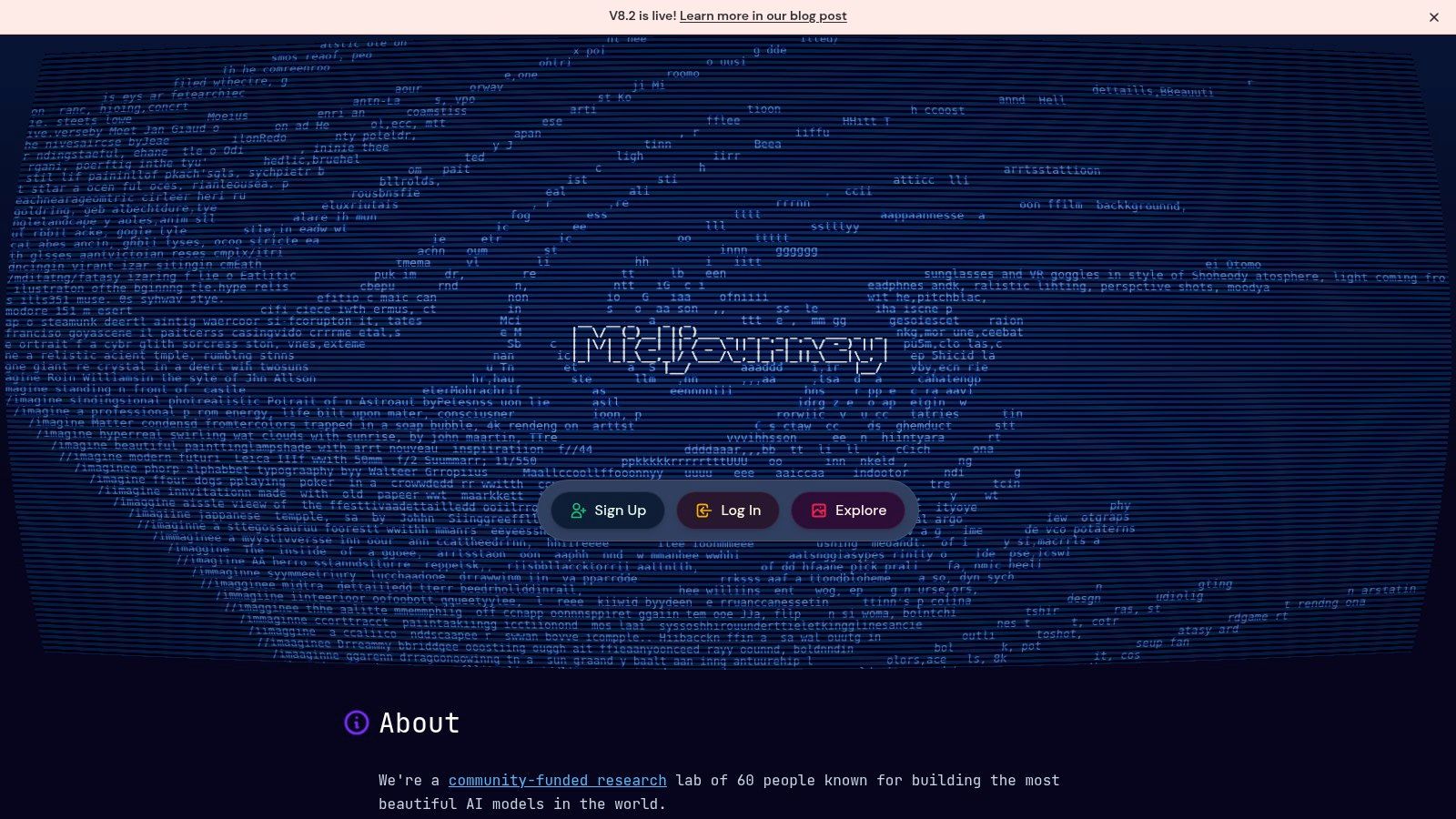
Midjourney is a visual creation platform for photorealistic, stylized, and concept-driven image generation. It works through the web and Discord, and its upscaling, variation, model, and version controls give creators room to explore a visual direction rather than accepting a single result. The large community also provides tutorials, prompt examples, and reference material that can shorten the learning curve.
Midjourney doesn't offer a true free tier, so the first purchasing decision is whether the user expects enough recurring visual work to justify a subscription. Plans distinguish fast and relaxed generation modes, which makes throughput a central concern. Higher workloads need a tier that can support the desired speed and volume, particularly for marketing teams or designers iterating across many concepts.
Creative quality versus production control
Midjourney's strength is visual exploration and distinctive style. Its weakness is the learning curve around prompting and the need to manage consistency, revisions, and production requirements carefully. A concept image that looks excellent in isolation may still need substantial work before it fits a brand system, product layout, or repeatable campaign.
Subscribers receive commercial-use terms, but teams should read the current terms and confirm that they match the intended project. A shared subscription can reduce individual expense only when the provider permits the arrangement and users can keep private prompts, assets, and account activity separate. For readers comparing other options, this guide to free Midjourney alternatives is useful when a paid visual workflow isn't justified.
Midjourney is the best fit for creators who prioritize image quality, style range, and ideation speed. It isn't the obvious winner for teams whose main requirement is tightly governed brand production inside an existing design suite.
8. Adobe Firefly
Adobe Firefly is designed for creators who already use Photoshop, Illustrator, Express, or broader Creative Cloud workflows. Its image, vector, and text-effect capabilities appear inside the applications where designers already edit assets, which is often more valuable than having another standalone generator. Generative Fill and Expand, vector recoloring, and text effects support practical production tasks rather than only concept generation.
Adobe also emphasizes commercial-use considerations and content credentials, with enterprise governance for organizations. Generative credits affect how users access faster processing, so buyers need to understand the relationship between the Firefly product, individual applications, and broader Creative Cloud plans. The strongest value generally appears when the user already pays for or relies on Adobe tools.
Why specialized integration can win
Firefly is a good example of why the “best AI tool” isn't always the most capable general assistant. A designer can generate or modify an asset and continue editing it in a familiar Adobe workflow. That reduces export, import, and handoff friction, while governance features help larger teams define how generated content enters commercial production.
The trade-off is plan complexity. New users may find the credit system difficult to interpret, and a narrow Firefly use case may not justify a broader Creative Cloud commitment. Teams should estimate the type of generation they expect, determine which applications need access, and clarify how credits are allocated across users.
Firefly is a strong pick for Adobe-centered design teams, brand departments, and commercial creative workflows. It is less compelling for someone who wants unrestricted visual experimentation without a broader editing environment. The decision should turn on integration and governance, not only on a side-by-side image comparison.
9. Runway
Runway is a video-first platform for creators, marketers, and small studios that need to generate and edit moving images. Text-to-video and image-to-video tools sit alongside video editing, motion brush, asset upscaling, background removal, and style controls. That combination makes Runway more useful than a narrowly focused generator when a project requires both creation and finishing work.
Team workspaces, role management, and an API support collaborative and programmatic workflows. The API matters for organizations that want to incorporate image or video generation into a larger application or production pipeline rather than keeping every task in a browser. Users should still expect iteration, review, and editorial work. Generated footage rarely removes the need for creative direction.
Credits are the workload constraint
Runway's clear plan tiers and credit top-ups make purchasing easier to understand than some AI products, but they also make consumption visible. High-quality video can use credits quickly, and heavier throughput may require Max or Team plans. A casual creator can start with a lower commitment, while a studio should model the cost of repeated generations, failed attempts, revisions, and exports.
Runway is a strong fit when video generation is a recurring part of the workflow. It may be excessive for occasional social clips, especially if a conventional editor already handles the work. Conversely, a team that needs generative concepts, image-to-video experimentation, and collaborative roles may value the integrated environment more than a cheaper single-purpose product.
Budget test: Estimate the cost of failed generations and revisions, not only the output you hope to keep.
The most sensible choice is based on throughput and production stage. If the bottleneck is ideation, a lighter tier may work. If the team is producing video continuously, access, credit volume, and collaboration controls deserve more weight than headline model quality.
10. Notion AI
Notion AI is the practical choice for teams that already use Notion as a home for notes, documents, tasks, databases, and project knowledge. Its inline composition and summarization tools operate inside the workspace, while database questions and task support connect AI assistance to information the team has already organized. That embedded experience can be more valuable than a standalone assistant for meeting notes, requirements, project updates, and internal documentation.
Workspace-level administration and privacy settings give organizations a way to manage adoption. Notion states that data isn't used to train models unless the user opts in, but teams should still review current settings and provider terms against their own policies. Permission structure remains critical. An assistant operating over an untidy or overexposed workspace can surface information more efficiently without making that information appropriate for every user.
A workspace tool, not a universal replacement
Notion AI works best when the source of truth is already in Notion. It is less compelling if key information lives in Microsoft 365, Google Workspace, GitHub, or specialized systems that aren't connected to the team's operating model. The product's AI credits model and optional premium models can also confuse buyers, so administrators should understand which actions consume credits and which features depend on plan toggles.
The product scales from solo knowledge management to small and midsize teams, but adoption depends on information hygiene. Clear databases, consistent naming, useful page structure, and sensible permissions improve the practical value of AI more than adding another premium model.
For smaller organizations comparing embedded tools, this guide to AI tools for small businesses offers a broader cost and workflow perspective. Notion AI is the strongest pick here when the team wants assistance inside its existing knowledge base, not when it needs a general assistant to cover every task.
Top 10 AI Tools: Side-by-Side Comparison
| Product | Core features (✨) | Quality (★) | Value / Pricing (💰) | Best for (👥) | Unique strengths (🏆) |
|---|---|---|---|---|---|
| OpenAI ChatGPT | ✨ Multimodal chat, large context, plugins, API, apps | ★★★★★ | 💰 Premium tiers; usage-based API | 👥 Consumers, businesses, developers | 🏆 Broad integrations & rapid feature cadence |
| Anthropic Claude | ✨ Very long-context docs, strong reasoning, API/web app | ★★★★ | 💰 Transparent model pricing; enterprise plans | 👥 Knowledge teams, compliance-sensitive | 🏆 Safety-forward, reliable summarization |
| Google Gemini | ✨ Multimodal + deep Workspace (Docs/Sheets/Gmail) & Chrome | ★★★★ | 💰 Tied to Google accounts; AI Pro for higher limits | 👥 Google Workspace users | 🏆 Seamless Workspace/search integration |
| Microsoft Copilot | ✨ M365 app integration, file grounding, admin controls | ★★★★ | 💰 Add-on pricing for Pro/M365; enterprise SKUs | 👥 Heavy Microsoft 365 users & orgs | 🏆 Deep Office integration & enterprise security |
| Perplexity | ✨ Conversational search with citations, projects & uploads | ★★★★ | 💰 Pro/Max tiers; Pro is generous for individuals | 👥 Students, analysts, researchers | 🏆 Source-aware answers & fast exploration |
| GitHub Copilot | ✨ IDE completions, inline chat, PR/test generation | ★★★★ | 💰 Credits/usage-based; can spike for heavy use | 👥 Professional developers & teams | 🏆 Deep IDE integration & team governance |
| Midjourney | ✨ Photoreal/stylized image gen, up/variation tools | ★★★★ | 💰 Subscription tiers; no true free tier | 👥 Designers, artists, marketers | 🏆 Consistent image quality & large community |
| Adobe Firefly | ✨ Generative fill/vectors/text effects inside CC apps | ★★★★ | 💰 Credit system; best value with Creative Cloud | 👥 Creative teams & enterprises | 🏆 Commercial-ready outputs & CC integration |
| Runway | ✨ Text/image-to-video, editing, upscaling, API, teams | ★★★★ | 💰 Credit-based; clear team tiers | 👥 Creators, small studios, marketers | 🏆 Mature video-first generation & workflows |
| Notion AI | ✨ Inline compose, summarize, DB Q&A, workspace controls | ★★★☆ | 💰 Credits model; included in some plans | 👥 Personal KM, teams, SMBs | 🏆 Embedded AI inside docs & databases; privacy opt-out |
Choose by Workflow and Control Cost
The answer to “what are the best AI tools” becomes clearer when you remove the idea that one product should win every category. Start with the core job. If you need varied writing, coding, analysis, and image work, ChatGPT is a sensible general assistant. If long documents and careful reasoning dominate, Claude may fit better. If your research process depends on web sources, Perplexity is more appropriate. Developers should start with GitHub Copilot, Microsoft 365 users with Copilot, Google Workspace users with Gemini, and Adobe-centered creative teams with Firefly.
The second step is ecosystem fit. Native integration often beats a marginal difference in model output because people spend less time moving files, reconstructing context, and checking permissions. Notion AI is useful when the workspace already contains the team's knowledge. Runway and Midjourney suit visual production, but they solve different problems. Runway is oriented toward video workflows and throughput, while Midjourney is stronger for image exploration and style development.
Next, estimate usage intensity before selecting a plan. Ask how often people will use the product, whether they need advanced models, how many files or generations they process, and whether credits, tokens, or quota limits could change the monthly cost. The market is increasingly measuring AI by operational value. McKinsey reports that 44% of organizations say AI is scaling across the enterprise, up from 38% a year earlier, and that chatbots are the most widely scaled AI tool for 47% of organizations (McKinsey's State of AI report). Those figures point to a practical conclusion: adoption is moving toward repeatable workflows, so sustained usage matters more than an impressive trial response.
Then compare security and procurement friction. Buyer research reports that 94% of B2B buyers fact-check AI outputs, 63% used AI during their purchase journey, and IT security review causes delays for 39% overall and 50% of enterprise buyers (TrustRadius' 2026 B2B Buying Disconnect report). These findings change the buying question. The best tool may be the one that provides sufficient quality, clear controls, understandable billing, and an approval path your organization can complete.
Avoid paying for overlapping assistants unless each one serves a distinct workflow. Match premium tiers to sustained workloads, not occasional curiosity. If several people need access, investigate legitimate group-purchase or shared-subscription arrangements only where the provider permits them. Any shared setup should use authorized access, separate permissions, strong unique credentials, secure password-sharing options, and a clear offboarding process. Members shouldn't expose private files, API keys, payment information, confidential prompts, or sensitive customer data. Verify every provider's current terms before sharing access, because a cheaper arrangement isn't useful if it violates the service rules or weakens account security.
AccountShare is relevant for readers exploring group purchasing and shared-account management for premium digital services. Its model can help users examine whether collective access makes sense, but the final choice should still follow each provider's terms, privacy requirements, plan limits, and security controls. For broader discovery across professional use cases, this mock interview software list can also help identify specialized tools that don't belong in a general-purpose AI stack.
Test the finalists on representative work before committing. Use the same document, coding task, research question, design brief, or video concept across the tools you're considering. Record output quality, revision time, access limits, credit consumption, administrative effort, and the amount of human review required. The tool that produces the best demo isn't necessarily the tool that delivers the best total result after procurement, collaboration, verification, and daily use.
AccountShare offers group-purchasing access and shared-account management for selected premium services, including AI subscriptions, with security options and customizable permissions. Visit AccountShare to explore whether a managed shared setup can reduce subscription costs while fitting your chosen AI workflow.