

A Guide to Sharing Games on PS4 with a Friend
Sharing your digital PS4 games really boils down to one simple trick: setting a friend's console as your account's 'Primary PS4'. That's the secret sauce. This one setting gives every user on that PS4 full access to your entire library of purchased games. It’s an incredibly effective way to instantly double someone's game collection.
How Sharing Games on PS4 Actually Works
At its core, sharing games on the PS4 is a built-in feature. Sony originally designed it for families with multiple people using the same console, but it works just as well between friends. It all comes down to how game licenses work.
When you buy a digital game from the PlayStation Store, that license gets tied directly to your PlayStation Network (PSN) account. By activating a specific PS4 as your "Primary" console, you're essentially telling Sony, "Hey, anyone who uses this machine can play my games, even if I'm not logged in." This is the key that unlocks your library for your friend.
This setup creates two very clear roles, each with its own perks:
- The Game Owner: This is you. You'll log into your friend's PS4 with your account, designate it as your primary system, and then you can log right back out. Your job is done.
- The Friend: This is the lucky person you're sharing with. They can now head to their game library and see all of your digital games, ready to download and play on their own PSN account.
This clever use of Sony's account system is wildly popular. The PlayStation Network is a massive ecosystem; its network services revenue recently hit an astonishing $4.5 billion in a single fiscal year, with players logging over 61 billion gaming hours. The sheer scale of this community shows just how many people are taking advantage of features like game sharing. For more on PlayStation's incredible growth, check out the stats on coopboardgames.com.
Understanding the Roles and Benefits
It's a win-win situation, for the most part. As the game owner, you only have one minor catch: you'll need to be connected to the internet to play your own digital games on your console (which is now considered your 'secondary' system).
For your friend, though, the upside is massive. They get access to potentially hundreds of games without spending a cent.
To really get a handle on the fundamentals, you might find it helpful to read our complete digital gaming guide, which explains what game sharing is in much more detail.
Here’s a quick breakdown of how the roles and benefits shake out.
PS4 Game Sharing Roles At a Glance
| Role | Your Console Status | Friend's Console Status | Key Benefit |
|---|---|---|---|
| Game Owner | Secondary PS4 | Your Primary PS4 | You retain ownership and can still play all your games (while online). |
| Friend | Their Primary PS4 | N/A | They get full access to your entire digital game library on their own account. |
Essentially, the "Primary PS4" designation is what makes the magic happen, turning one person's library into a shared resource.
This screenshot from PlayStation's official support page shows you exactly where to find the "Console Sharing and Offline Play" setting. This is the menu you'll be using.
Think of this menu as the master switch for game sharing. It’s where you can enable or disable access on any given console with just a few clicks.
The Primary PS4 Setup Walkthrough
Alright, let's get down to the nuts and bolts of it. This whole process lives and dies by one crucial step: you’ll be activating your friend’s console as your account's primary system. It sounds a little counterintuitive, I know, but trust me, this is the magic key to making PS4 game sharing work.
First things first, the person who owns the games needs to log into their PlayStation Network (PSN) account on their friend's PS4. This is just a one-time thing for the initial setup. Obviously, this requires a huge amount of trust, since you're punching in your password on someone else's machine.
Once you’re logged in on their console, the rest is pretty simple. Just head into the settings from the main menu.
- Go to Settings.
- Select Account Management.
- Choose Activate as Your Primary PS4.
You’ll see a big "Activate" button. Hitting that tells Sony that this specific PS4 is now the main console for all of your digital game licenses. From that moment on, anyone who uses that PS4 can play your games.
This quick diagram shows you just how this works—your account becomes the bridge to a shared library on your friend's console.
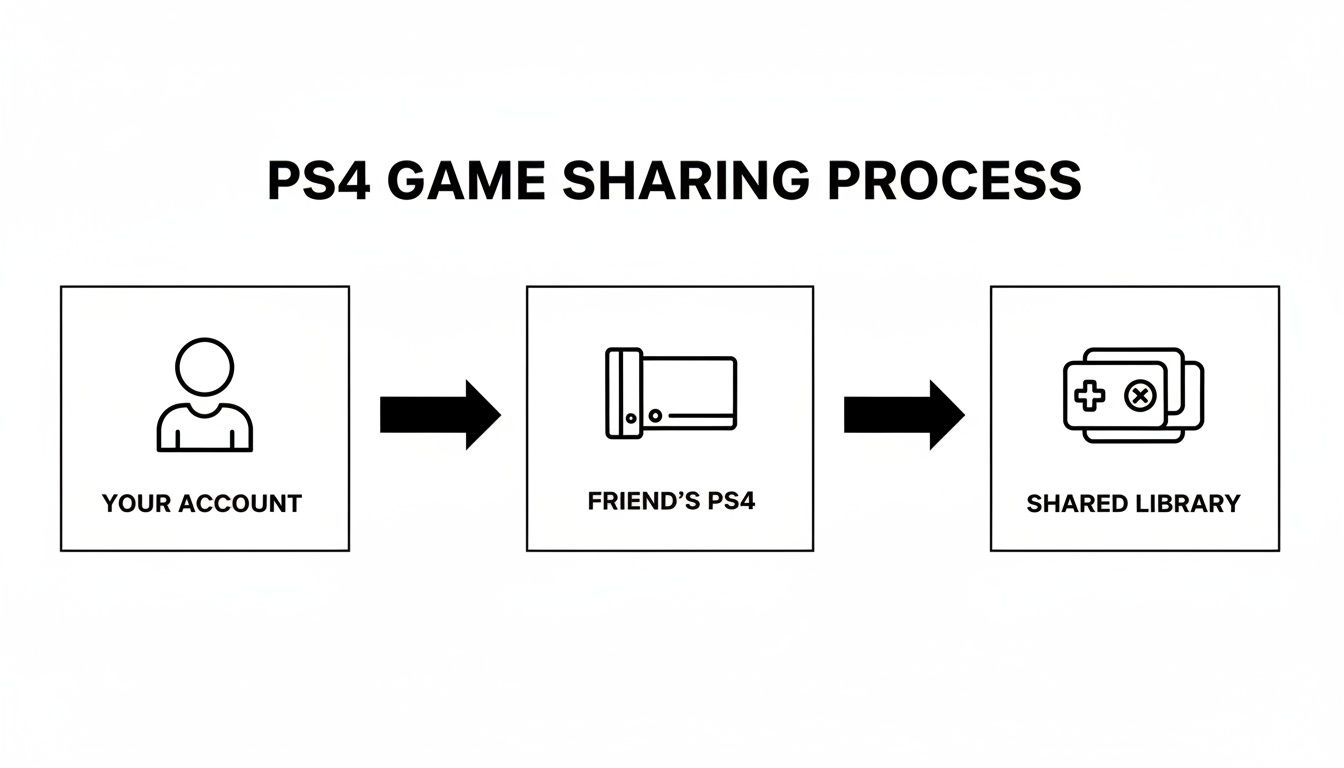
As you can see, it’s a straightforward path from your account to their console, creating a pool of games you both can enjoy.
The Game Owner’s New Reality
With the setup done, the game owner should immediately log out of their account on their friend's PS4. For peace of mind, I’d highly recommend setting up 2-Step Verification on your account if you haven't already—it’s just smart security.
Now, your friend can log back into their own PSN account. When they head over to their "Library" tab, they’ll see your entire digital game collection sitting there, ready to be downloaded and played.
This is where the big trade-off for the game owner kicks in. Your own PS4 is now technically your "secondary" console. You can still play all your games, but there’s a new string attached.
Crucial Requirement: The game owner must have an active internet connection to play their own digital games on their own (now secondary) console. The PS4 will need to phone home to verify you own the license every single time you launch a game.
There's no getting around this license check. If your internet drops, you’re locked out of your digital library until it's back. Your friend, on the other hand, can play all of your games offline without a problem because their PS4 is the "primary" one holding all the license keys. It’s the compromise that makes this whole system possible.
Downloading and Playing Shared Games
With the primary PS4 activation sorted, your friend is all set. This is where the fun really begins. The next time they log into their own PSN account, they’ll discover a much bigger game library waiting for them.
All of your digitally purchased titles will now show up in your friend's library, right alongside their own games. There are no extra hoops to jump through. It's the magic of the primary console system, turning your collection into a shared hub of entertainment. By setting their console as your primary, you’ve essentially given it a master key to your digital licenses, allowing anyone on that machine to play your games.
Accessing the Shared Library
So, how does your friend start playing? It's incredibly simple.
From the main PS4 menu, they just need to scroll all the way to the right and select the "Library" icon. Once inside, they’ll see a tab labeled "Purchased". This section is the gold mine—it shows every single game tied to all accounts on that console, which now includes your entire digital collection.
Let’s say you have a massive RPG library and you’re sharing with a roommate who’s more into action games but has always been curious about your collection. Now, they can:
- Hop into their own profile and browse the full "Purchased" list.
- Spot a game they've wanted to try, like The Witcher 3.
- Hit the "Download" button and install it straight to the console.
After it’s downloaded, the game pops up on their home screen just like any other. They can launch it from their own account, earn their own trophies, and their save files are kept completely separate from yours.
Managing Updates and DLC
What about expansions and updates? That’s a common question, and the good news is that the system handles this beautifully. Any downloadable content (DLC) you buy is also available to your friend on the primary console.
Pro Tip: Make sure your friend enables automatic downloads for game updates on their PS4. This is a lifesaver. It prevents that annoying moment when you’re ready to jump into an online match together, only to be stopped by a massive update they need to download first.
If you grab the latest expansion for a game like Destiny 2, your friend can just head to the PlayStation Store page for that DLC and will see the option to download it for free. Your primary account's license covers them completely. This seamless sharing of DLC is honestly one of the best perks of the whole setup.
Sharing PlayStation Plus Perks and Limitations
One of the best parts about game sharing is that it’s not just about the games. If the person whose account is set as primary has PlayStation Plus, many of the best perks carry over to every other user on that console. It’s a huge bonus.
The most significant benefit here is shared online multiplayer access. This means your friend or family member can jump into online matches on their own PSN account, even if they don't personally subscribe to PS Plus. It's a game-changer, letting you squad up in games like Call of Duty or explore worlds like Elden Ring together while only one of you pays for the subscription.
On top of that, any of the free monthly games the PS Plus subscriber has claimed and downloaded become part of the shared library. As long as the console stays activated as the primary PS4 and the subscription is active, those games are fair game for everyone.
Understanding the Boundaries
Now, it's not a complete free-for-all. Sony is smart about this and keeps some of the more personal benefits tied directly to the paying subscriber’s account. Knowing where the line is drawn will save you from some confusion later on.
To make it crystal clear, here’s a quick comparison of what you get versus what stays with the original account owner.
Shared vs. Personal PlayStation Plus Benefits
This table breaks down exactly which PlayStation Plus benefits transfer over to other accounts on the primary PS4 and which ones are exclusive to the subscriber.
| PS Plus Feature | Can Be Shared? | Important Notes |
|---|---|---|
| Online Multiplayer | Yes | The biggest win. Anyone on the primary PS4 can play online with their own account. |
| Downloaded PS Plus Games | Yes | Your friend can play any monthly games you've already claimed and installed. |
| Cloud Storage for Saves | No | This is a personal perk tied directly to the subscriber's account. |
| Exclusive Discounts | No | Only the subscriber's account will see and be able to use the special PS Store deals. |
| Game Trials | No | Access to exclusive game trials is for the paying member only. |
Essentially, your friend gets the core gameplay benefits—playing online and accessing a bigger library—while you, the subscriber, keep the account management perks like cloud saves and special pricing. The whole digital subscription model is a fascinating and complex space, and if you're curious about the business side, you can learn about the regulations impacting video game merchants to get a sense of the bigger picture.
Generational Shifts in PlayStation Plus
Keep in mind that the PS Plus service itself is always evolving. A while back, Sony made a major shift by phasing out free PS4 games from the monthly lineup to focus entirely on PS5 titles. This was a clear signal of their push toward the new generation, and it directly affects the long-term value of game sharing on older hardware.
Knowing which perks transfer and which don't is the key to getting the most out of a single PlayStation Plus subscription. You can share the thrill of online gaming and a massive library of titles, all while staying within the lines Sony has drawn for personal account benefits.
Staying Safe with Account Sharing
Let's be real: handing over your PSN login details is a huge leap of faith. Before you even think about it, you need to internalize the golden rule of game sharing: only share with someone you know and trust completely. I'm talking about a lifelong best friend or your sibling, not some random person from a Discord server.
You’re essentially giving someone the keys to your entire digital kingdom. The horror stories are out there. People share with a stranger, who then immediately changes the password and email, effectively stealing hundreds or even thousands of dollars worth of games. It’s not just about losing your library, either. They could rack up charges on your saved payment method or get your account permanently banned from PlayStation Network.
Fortifying Your Account Defenses
Your absolute best defense is enabling 2-Step Verification (2SV). Honestly, this isn't just a suggestion—it's mandatory if you're going to share your account. With 2SV active, even if someone has your password, they can't access your account on a new PS4 without a one-time code sent directly to your phone.
Getting it set up is straightforward:
- On your PS4, navigate to Settings.
- Go into Account Management, then Account Information.
- Find the Security tab and select 2-Step Verification.
- From there, just follow the prompts to connect your mobile number.
This one action is the single most effective way to prevent your account from being hijacked. If you want to get more serious about protecting your digital life, check out our guide on how to find a secure way to share passwords, which has tips that go way beyond just gaming.
Keep in mind, your friend will need you to send them the 2SV code when they first log in on their console. It's a one-time thing for their machine, but it highlights why you need to be on good terms and able to communicate easily.
Understanding the Terms of Service
It’s also important to know where this practice stands with Sony. While everyone does it, game sharing technically operates in a bit of a gray area. The "Primary PS4" feature was designed for families within a single household.
Sony generally looks the other way when it comes to sharing between friends in different homes, but it's not an officially supported feature. This means if a deal goes sour and your friend locks you out, PlayStation Support likely won't step in to help you reclaim your account. It all circles back to trust. Your account's security is entirely in your hands, so make sure it's a top priority.
Common Questions About Sharing Games on PS4
Once you've got everything set up, a few practical questions almost always pop up. It's a great system, but let's be honest, it has its quirks. I've been doing this for years, so I've gathered some of the most common things people ask to clear up any lingering confusion.
Can We Both Play the Same Game at the Same Time?
Yes, you absolutely can! This is probably the best part of the whole deal.
The person who actually owns the game just needs to play on their non-primary console. Meanwhile, their friend can log into their own PSN account on the primary console and play the exact same game.
This even works for online multiplayer. You can both hop into a game like Apex Legends or Overwatch 2 and actually team up in the same match. You're effectively getting two copies for the price of one.
What Happens If My Internet Goes Down?
This is where things get a little tricky, and that primary vs. non-primary console distinction becomes super important.
- The Primary PS4: Your friend’s console will be just fine. It can play all the shared digital games completely offline because the licenses are saved directly to that machine.
- The Non-Primary PS4: Your console (as the game owner) has to be online. Every time you launch a game, it does a quick check with PlayStation's servers to make sure you own it.
An internet outage for the game owner means you're temporarily locked out of your own digital library. It’s the single biggest trade-off for sharing games on PS4.
How Many People Can I Share My Games With?
You can only have one console activated as your primary PS4 at a time. That's the hard limit.
This means you can really only share your full digital library with one other person or household. Sure, you can change which console is set as your primary, but swapping it around too often is a pain and can sometimes even get you a temporary cooldown from Sony.
My advice? Find one person you trust and stick with them for a long-term sharing setup. The system is built for a steady partnership, not for bouncing between different friends. The process is very similar for the PS5, and you can see how it works on the newer console in our detailed guide on sharing PS5 games.
Will I Lose My Games If My Friend Deactivates My Account?
Nope, not a chance. You will never lose ownership of the games you bought.
Your games are tied to your PlayStation account forever, not to any piece of hardware. If your friend deactivates your account as primary on their console, they just lose access to your library. That's it.
All your purchased content stays safe and sound with you. You can immediately set your own console back as your primary PS4, and everything will go back to normal, including your ability to play offline. If hardware problems are getting in the way, finding some reliable PlayStation repair services can get your console—and your game sharing—back up and running.
Managing shared accounts can be a headache, but AccountShare makes it simple. Our platform provides a secure and organized way to manage group subscriptions, from gaming to streaming, ensuring everyone gets fair access without the hassle. Find out how you can save money and streamline your digital life at https://accountshare.ai.