

How to Implement Zero Trust Security a Modern Guide
To truly implement Zero Trust, you have to start with a fundamental change in thinking. It’s about ditching the old "castle-and-moat" security model for good and embracing a "never trust, always verify" philosophy for every single access request. You have to work from the assumption that a breach isn’t just possible—it’s probable. This means treating every user, device, and network as a potential threat until proven otherwise.
Shifting Your Mindset from Perimeter to Identity

Before you even think about new tools or policies, the real work starts with this philosophical shift. For decades, we relied on building a strong network perimeter, a digital wall to keep bad actors out. The problem? This model inherently trusted anyone or anything that made it inside, leaving a soft, vulnerable interior for attackers to exploit.
That perimeter has all but vanished. With remote work, cloud apps, and a sea of connected devices, your data is everywhere, accessed from anywhere. The network location is no longer a reliable security boundary. Identity is the new perimeter.
The Core Principles of Zero Trust
This entire model is built on a few straightforward but powerful ideas. Getting these concepts down is crucial before you start implementing anything. If you're just getting started, taking a moment to understand What is Zero Trust Security is the best first step.
- Verify Explicitly: Don't trust anyone by default. Always authenticate and authorize based on every data point you have—user identity, location, device health, the service being accessed, and data classification.
- Use Least-Privilege Access: Give users the bare minimum access they need to do their job, and only for as long as they need it. This is often called just-in-time (JIT) and just-enough-access (JEA). It dramatically shrinks the blast radius if an account is compromised.
- Assume Breach: Build your defenses as if an attacker is already on your network. This mindset forces you to segment networks and prevent lateral movement, effectively trapping threats before they can spread.
Adopting Zero Trust means you stop asking "Is this user on our network?" and start asking "Is this specific user, on this specific device, authorized to access this specific resource right now?"
This isn’t just a technical tweak; it's a strategic necessity. The industry gets it, but putting it into practice has been slow. A recent report found that a staggering 82% of organizations believe Universal Zero Trust Network Access (ZTNA) is crucial, yet only 17% have actually implemented it. That's a huge gap between knowing and doing—one that solutions like AccountShare are designed to close, especially for securing shared accounts.
By internalizing this philosophy first, you’re laying the groundwork for a security model that's more resilient, flexible, and capable of protecting all your resources against modern threats.
Establishing Strong Identity and Device Controls
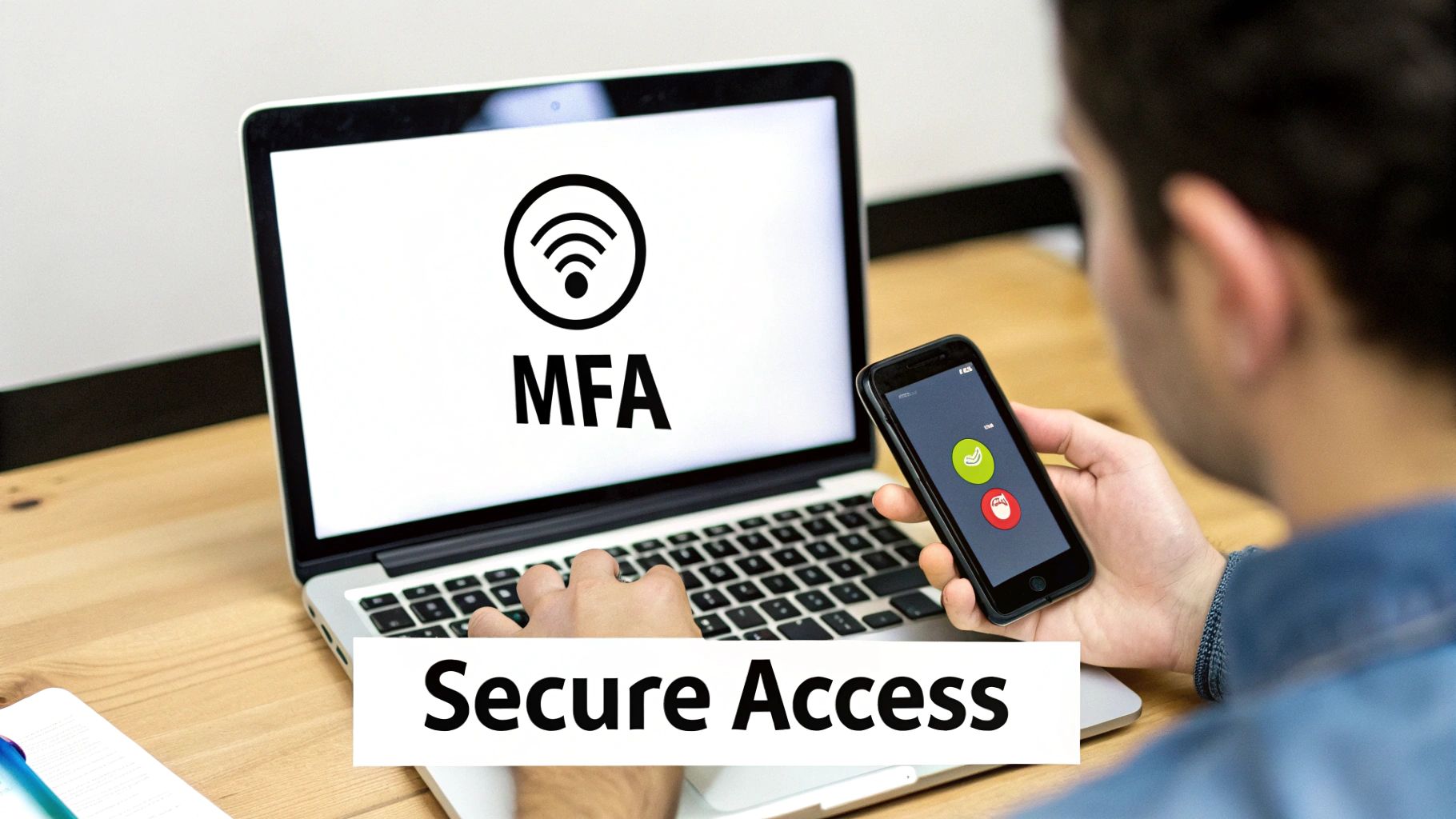
This is where the rubber meets the road. Your Zero Trust journey really kicks off the moment you start asking—and verifying—the fundamental questions: who and what is trying to access your resources? It's here that the core "never trust, always verify" principle becomes a practical reality.
In this model, identity isn't just a username and password anymore. It's a living, breathing profile built from a collection of real-time signals. At the same time, we have to stop assuming devices are safe just because we recognize them. Every single endpoint, whether it’s a company laptop or a personal smartphone, is a potential doorway for an attack. Getting identity and device posture right is the foundation for everything else you'll build.
Building Identity-First Security
First things first: we need to be certain about the user. Let's be blunt—a password alone is not enough to protect anything of value. This makes Multi-Factor Authentication (MFA) the absolute, non-negotiable starting point.
But not all MFA is created equal. It's time to move beyond flimsy SMS codes and embrace stronger methods like authenticator apps, hardware keys, or biometrics. These raise the bar for attackers considerably. Your initial goal should be enforcing strong MFA across every user account, especially for admins and anyone with access to sensitive systems.
Since so many identity breaches start with a simple trick, user education is also key. Teaching your team how to identify phishing emails is an essential, often overlooked, part of a solid identity strategy. A savvy user can be your best line of defense.
Zero Trust Identity vs Traditional Access
The shift from a "trust but verify" mindset to "never trust, always verify" completely changes the game. Here's a quick look at how Zero Trust redefines identity and access compared to the old castle-and-moat approach.
| Feature | Traditional Security (Castle-and-Moat) | Zero Trust Security (Never Trust, Always Verify) |
|---|---|---|
| Trust Model | Trust is assumed once inside the network perimeter. | No implicit trust; verification is required for every access request. |
| Authentication | Primarily relies on username and password; MFA is often optional. | Strong, multi-factor authentication is mandatory and continuous. |
| Access Logic | Access is broad and based on network location (e.g., "on-prem"). | Access is granular, context-aware, and enforced per-session. |
| Device Role | Device health is often not a factor in the access decision. | Device posture and compliance are critical signals for granting access. |
| Verification | One-time verification at the perimeter. | Continuous verification based on identity, device, location, and risk. |
This table highlights the fundamental move away from a static, location-based security model to a dynamic, identity-centric one that adapts to risk in real time.
The Power of Conditional Access Policies
Once you've nailed strong authentication, you need to add context. This is where Conditional Access policies come in—they act as the intelligent gatekeepers of your environment. These rules evaluate a whole host of signals in real time to make smarter, risk-based access decisions.
Think of it less like a simple "on/off" switch and more like a sliding scale of trust. For instance, an employee signing in from a known, company-managed device during normal work hours? That's low-risk, so their access is seamless. But if that same person tries to log in from an unfamiliar country at 3 AM, the policy will kick in, either demanding more verification steps or blocking the attempt outright.
Key signals these policies use include:
- User and Group Roles: What team is the user on? Do they need this access?
- IP Geolocation: Is this request coming from a trusted corporate network or a high-risk location?
- Device Compliance: Does the device meet your minimum security standards?
- Application Sensitivity: Access to financial data should be guarded more heavily than the company intranet.
- Real-Time Risk: Is the sign-in behavior anomalous or showing signs of compromise?
Zero Trust doesn’t just ask, "Who are you?" It asks, "Who are you, what device are you on, where are you, what are you trying to access, and should you be doing that right now?"
Ensuring Device Health and Compliance
The second pillar of this foundation is the device itself. A perfectly verified user on a malware-ridden laptop is still a huge security hole. This is why device posture assessment is so critical—it ensures that any endpoint connecting to your resources meets a minimum security baseline before it's granted any access.
What are we checking for? The basics include:
- Up-to-Date OS: Is the device running a current, patched operating system?
- Endpoint Protection: Is antivirus or an EDR solution installed, running, and updated?
- Disk Encryption: Is the hard drive encrypted to protect data if the device is lost or stolen?
- Managed Status: Is the device enrolled in your company's mobile device management (MDM) platform?
By weaving these device health checks directly into your conditional access policies, you can automatically stop non-compliant or unhealthy devices from connecting. This is how you build an ecosystem where you can trust both the user and the device. To get a better handle on the tools involved, our guide on modern identity management solutions can help connect these concepts.
This kind of continuous verification is especially crucial in high-stakes industries. Take the financial sector, for example, which held a dominant 25.11% global market share for Zero Trust adoption. For them, continuous identity and device validation isn't a "nice-to-have"—it's essential for protecting sensitive financial data.
Applying Least Privilege and Network Microsegmentation
Once you’ve confirmed who someone is and that their device is secure, the Zero Trust journey shifts to a simple but profound question: What should they be allowed to do?
The answer, in a nutshell, is the Principle of Least Privilege (PoLP). It means giving users, devices, and applications the absolute minimum level of access they need to do their job, and nothing more. This isn't about slowing people down; it's about surgically removing risk.
Getting Granular with Access Controls
Forget the old ways of assigning broad, generic roles like "admin" or "editor." Real least privilege demands a much deeper look at the specific actions a person needs to take.
Think about a shared project management tool. A team member obviously needs to create and update their tasks. But do they really need the ability to change billing information or delete the entire account? Of course not.
Here’s how this looks in practice:
- Action-Based Permissions: Instead of giving someone access to the whole "Settings" page, you grant specific permissions like "can_edit_tasks" but deny "can_change_user_roles."
- Contextual Restrictions: Access is always context-aware. A user might be able to view financial reports from their managed corporate laptop but be blocked from downloading them onto a personal phone.
- Just-in-Time (JIT) Access: For the most sensitive actions, permissions should be temporary. An IT admin might get access to a production server for a 30-minute maintenance window, after which their access vanishes automatically.
The real goal of least privilege is to make every account a dead end for an attacker. If a compromised account has no standing permissions to valuable data, the attacker has nowhere to go.
If you want to dig deeper into the different strategies for setting up these policies, our guide on modern access control methods is a great place to start.
Containing Threats with Microsegmentation
Now, let's take that same principle and apply it to the network itself. This is where microsegmentation becomes your best friend.
If a traditional network is like a big open-plan office where anyone can wander around, a microsegmented network is like a high-security building with locked-down, badge-access-only rooms. You're essentially breaking the network into tiny, isolated zones—sometimes as small as a single application or workload.
Software-defined policies then act as the digital bouncers, strictly controlling who and what can move between these zones.
Let's imagine a common nightmare scenario: an employee's laptop gets hit with ransomware.
- Without Microsegmentation: The ransomware spreads like wildfire across the flat network, encrypting file shares, databases, and critical servers. The business grinds to a halt.
- With Microsegmentation: The compromised laptop is trapped in its small "end-user device" segment. Security policies block it from ever talking to the "critical database" segment. The breach is contained, and the damage is limited to just one machine.
This strategy radically shrinks your attack surface. It turns your network from a wide-open field into a series of defensible chokepoints, making an attacker's job incredibly difficult. It’s a foundational tactic for implementing Zero Trust security the right way.
This move toward granular, identity-first security isn't just a trend; it's rapidly becoming the standard. In fact, Gartner predicts that 70% of enterprises worldwide will adopt Zero Trust by the end of 2026, a huge jump from less than 20% in 2021. As you can see from this Zero Trust adoption timeline on nostra.ie, that "no compromise" deadline is approaching fast. For platforms like AccountShare that enable secure group access to AI tools and subscriptions, this isn't just a best practice—it's the future.
Building a Phased Implementation Roadmap
Trying to flip a switch and go "full Zero Trust" overnight is a surefire way to cause chaos. I've seen it happen. This isn't just another security tool you deploy; it's a fundamental shift in strategy. A successful transition is a journey, not a sprint, and it requires a well-thought-out plan that won't bring business to a standstill.
The trick is to start small, score some quick wins, and build from there. Don't try to secure everything at once. Your first move is to pinpoint your most valuable assets—what we often call the "crown jewels." These are the critical applications, data repositories, and services that would cause the most damage if they were ever breached.
First, Define Your Protect Surface
Before you can draw a roadmap, you need a map. This isn’t about cataloging every last laptop and server in the company. It’s about clearly defining your protect surface—the combination of data, applications, assets, and services (DAAS) that are absolutely essential to your operations.
Once you know what you’re protecting, you need to understand how it's accessed. Who needs to get to this data? From what locations? Which applications talk to each other? Mapping these transaction flows is crucial because it shows you exactly where you can insert security checkpoints and start enforcing Zero Trust policies. This laser focus ensures your time, budget, and effort go where they’ll make the biggest difference right away.
A Zero Trust implementation is a marathon. By focusing on your most critical assets first, you demonstrate immediate value and build the momentum needed for the long haul.
Then, Get Real with a Posture Assessment
With your protect surface mapped out, it’s time for an honest look in the mirror. A posture assessment is your reality check, helping you see where you stand today and where your biggest gaps are. This isn't just about running a vulnerability scan; it’s a holistic review of your defenses.
Here’s what to dig into:
- Identity Management: How solid is your authentication? Is Multi-Factor Authentication (MFA) truly everywhere, or just in a few places? Do you have a single, authoritative identity provider?
- Device Health: Do you actually know what devices are connecting to your network? Can you verify that they're running up-to-date software and endpoint protection before granting access?
- Network Controls: Is your network wide open, allowing an attacker to move laterally with ease? Or have you started carving it up with basic segmentation?
- Application Access: Are permissions granular and role-based, or does everyone have more access than they really need?
The weaknesses you uncover here become the building blocks for your roadmap. For example, if you find that only 10% of your admins are using MFA, that immediately becomes a top priority for your first phase. If your critical finance application sits on a flat network, introducing microsegmentation around it becomes a clear goal for phase two. This pragmatic approach ensures you're tackling your biggest risks first.
This simple diagram breaks down the core logic of the Zero Trust process: always verify the user, limit their access to only what's necessary, and isolate systems to contain potential threats.
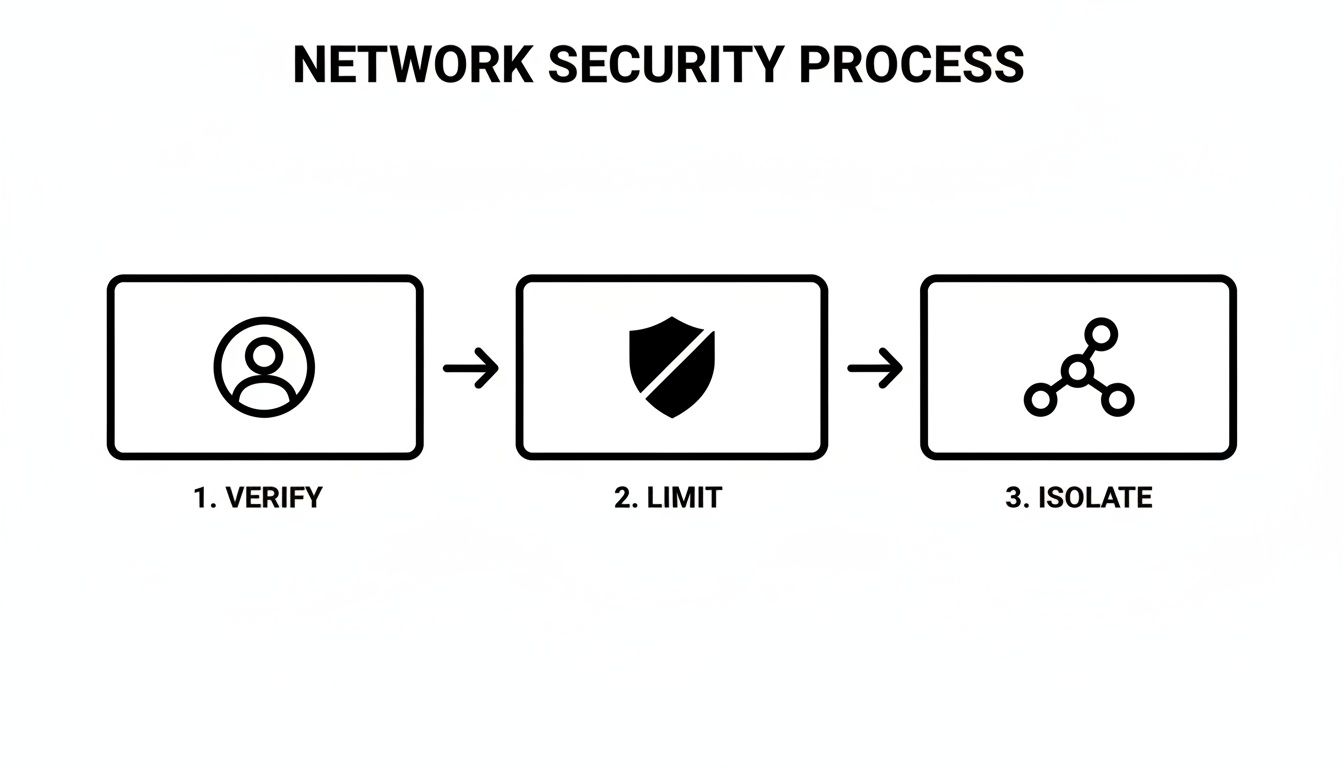
This powerful "Verify, Limit, Isolate" model should be the guiding principle behind every step in your roadmap.
Construct Your Phased Migration Plan
Now you're ready to lay out the actual plan. A smart roadmap builds from foundational controls toward more sophisticated capabilities over time. Every organization’s journey will be a little different, but most successful ones follow a similar pattern.
Phase 1: Foundational Controls (Months 1-6)
- Goal: Get the basics right. Focus on achieving solid visibility and control over who is accessing your systems.
- Actions: Enforce strong MFA for all users, starting with administrators and privileged accounts. Centralize identity with a modern Identity and Access Management (IAM) solution. Start using endpoint management tools to see the security posture of connecting devices.
Phase 2: Granular Policies (Months 7-18)
- Goal: Move beyond simple authentication to enforce least-privilege access and begin isolating critical workloads.
- Actions: Create conditional access policies that factor in the user, their device health, and location. Begin to microsegment the network around your "crown jewel" applications to stop lateral movement. Start a project to review and revoke excessive user and service permissions.
Phase 3: Advanced Security and Automation (Months 19+)
- Goal: Mature your program by automating responses and gaining deeper analytical insights.
- Actions: Integrate threat intelligence feeds into your access policies. Automate security workflows, like automatically quarantining a non-compliant device. Deploy advanced analytics and User and Entity Behavior Analytics (UEBA) tools to continuously monitor for anomalous activity.
Breaking the project down this way makes the massive undertaking of Zero Trust feel achievable. It allows your team to learn as they go, delivering steady, measurable improvements to your security posture without burning everyone out.
You're Not Done Yet: Mastering Continuous Monitoring and Automation

Think of a Zero Trust rollout like launching a rocket—getting it off the ground is one thing, but keeping it on course is the real mission. You've built your policies for identities, devices, and networks, but the job isn't over. In fact, the most critical part is just beginning. This is where you bring your security posture to life with continuous monitoring and automation.
Without a constant feedback loop, you’re flying blind. You have no way of knowing if your policies are actually working, if new threats are slipping through the cracks, or if user behavior is creating new risks. You need to create a system that constantly watches, learns, and adapts.
Getting a Single Pane of Glass
The first challenge is usually breaking down the data silos. A good Zero Trust model throws off a ton of useful signals from every corner of your tech stack, but they’re useless if they stay isolated. You have to bring them together.
- Identity Systems: Logs from your IAM and MFA tools tell you who is logging in, from where, and at what time.
- Endpoints: Telemetry from devices gives you the ground truth on their health, compliance status, and any sketchy processes.
- Network Gear: Analyzing traffic flow helps you spot weird communication patterns, especially between your microsegments.
- Applications: Usage logs can be a goldmine for spotting anomalous behavior, like an engineer suddenly trying to access finance reports.
Pulling all this into a central platform, like a SIEM, lets you finally connect the dots. You can trace the full story of an access request from start to finish, something that’s impossible when every tool is on its own island.
Turning Noise Into Actionable Signals
Just collecting logs isn't the goal. You need to turn that raw data into real intelligence. That starts with establishing a baseline of what "normal" looks like in your environment. Once you know what’s normal, the anomalies that signal a potential threat start to stand out.
Your system should be smart enough to flag red flags on its own, like:
- An account authenticating from New York and then from Tokyo 10 minutes later.
- A device that suddenly fails a compliance check after months of being perfectly healthy.
- A web server in your DMZ trying to initiate a connection with a critical database it has no reason to talk to.
The whole point of Zero Trust is to continuously verify. This doesn't just happen at the front door during login; it happens with every single interaction. Monitoring is what provides the real-time data to make those ongoing checks meaningful.
This is where tools with User and Entity Behavior Analytics (UEBA) capabilities really shine. They can automatically profile user and device activity, flagging deviations far faster and more accurately than a human team ever could. To see what this looks like in practice, our post on application usage tracking dives into how you can monitor user activity within specific services.
Automating Your Defenses
When you can reliably spot a threat, the next move is to automate your response. In a security incident, speed is everything, and waiting for a human to intervene is a recipe for disaster. Automation lets you contain threats in seconds, not hours.
This is where your security tools start acting like a team. An automated workflow could look something like this:
- Detect: Your SIEM spots a user logging in from a known malicious IP address.
- Trigger: It automatically kicks off a playbook in your SOAR (Security Orchestration, Automation, and Response) platform.
- Respond: The playbook instantly tells your IAM system to revoke the user’s session tokens and force a password reset with phishing-resistant MFA.
- Contain: At the same time, it instructs your endpoint manager to quarantine the device from the network until an analyst can investigate.
This entire chain reaction can happen automatically, shutting down a potential breach before it gains a foothold. This is what separates a truly mature Zero Trust practice from a basic one.
Measuring What Actually Matters
Finally, you can’t improve what you don’t measure. To prove the value of your Zero Trust program and guide your efforts, you need to track the right metrics. Don't just track activity; track outcomes.
- Mean Time to Detect (MTTD): How quickly are you spotting these anomalies? You want this number to constantly be getting smaller.
- Mean Time to Respond (MTTR): How fast are you neutralizing threats? Automation should be pushing this number way down.
- Excessive Permissions Revoked: How many over-privileged accounts did you find and fix this quarter?
- Policy Exception Requests: A sudden spike in requests could mean your policies are too tight and are getting in the way of real work.
These numbers give you a clear, data-driven story to tell. They show you where you’re winning and where you need to adjust your strategy, ensuring your Zero Trust journey is one of constant improvement.
Common Questions About Implementing Zero Trust
Even with the best roadmap, making the leap to Zero Trust brings up a lot of practical "what ifs." This is a big shift, so it’s completely normal to have questions about what this all means for your team, your budget, and your day-to-day operations.
Let's cut through the noise and tackle some of the most frequent concerns we hear from organizations on the front lines of this journey.
Isn't Zero Trust Just for Huge Corporations?
Absolutely not. This is probably the biggest misconception out there. While a Fortune 500 company might have a sprawling, complex tech stack, the core ideas of Zero Trust scale down perfectly. "Never trust, always verify" isn't about buying expensive tools; it's a security philosophy.
For a smaller business, getting started can be surprisingly straightforward and budget-friendly. You can make a huge impact by focusing on the fundamentals:
- Turn on MFA everywhere. It's often built right into the services you already pay for.
- Use a cloud identity provider for single sign-on (SSO). This gives you a central command center for user access.
- Be strict with permissions. No one should be a default admin. Grant access based on what people actually need to do their jobs.
These steps alone represent a massive security upgrade. You can always build on this foundation as your company grows and your needs evolve.
So, How Long Does This Actually Take?
That’s a bit like asking, "How long does it take to get in shape?" You can see real results quickly, but it’s a continuous effort, not a project with a finish line. Zero Trust is a journey, a new way of operating, not something you simply "complete."
You can hit major milestones surprisingly fast. Getting foundational controls like MFA and basic identity policies in place can often be done in a matter of weeks or a few months. But reaching a high level of maturity across all the pillars—identity, devices, networks, apps, and data—is a longer-term commitment, often spanning a couple of years.
The real win isn't flipping a final switch to say you're 'done.' Success is measured by consistently driving down risk, month after month.
What's the Single Biggest Challenge We'll Face?
From my experience, the toughest hurdles are almost always cultural, not technical. For decades, we were taught that security was a wall around the office. Getting an entire organization to flip that thinking and start verifying everything, all the time, takes a lot of work.
You need buy-in from the top down, especially from end-users who might just see new security prompts as an annoyance.
The key is communication. You have to explain the why—that this protects the company and, more importantly, protects them. It also helps immensely if you make security as painless as possible. Introducing slick, passwordless MFA options like biometrics can actually make logging in easier for people while making your defenses dramatically stronger.
Technically speaking, the biggest headaches usually involve stitching together various security tools and trying to apply modern Zero Trust rules to old, legacy systems that were built in a different era.
Will This Wreck the User Experience?
If you do it wrong, yes, it absolutely can. But a well-designed Zero Trust architecture should do the opposite—it should make the user experience feel almost invisible.
Modern security is adaptive. It understands context.
Think of it like this:
- A Low-Risk Scenario: Your marketing manager, on her company-issued laptop that’s fully patched, logs into the social media scheduler from the office network. The system sees no red flags and grants access instantly, no fuss.
- A High-Risk Scenario: That same manager tries to access the corporate finance system from a personal tablet on a public Wi-Fi network while traveling. The system recognizes the increased risk and automatically steps up the verification, maybe asking for a biometric scan or a security key.
This intelligent, context-aware approach means security only steps in when it's truly needed. By getting rid of outdated VPNs and the endless cycle of password resets, you can build a system that is both far more secure and a whole lot less frustrating for everyone.
Ready to secure your shared accounts with Zero Trust principles? AccountShare provides a platform for group purchasing of premium tools with customizable permissions and enhanced security, making it simple to apply least-privilege access to your shared subscriptions. Learn how AccountShare can secure your digital life.