

Best Accounting Software for Startups: 2026 Picks
The popular advice is to choose the cheapest accounting app you can tolerate and upgrade when the company gets bigger. That's backwards. The right question is whether your financial system can survive the next funding round, a shift from cash-basis to accrual accounting, deferred revenue, new entities, and investor scrutiny without forcing your team to rebuild the books.
The global accounting software category is already substantial. One industry estimate valued it at USD 19.38 billion in 2024 and projected USD 31.25 billion by 2030, with an 8.4% projected CAGR from 2025 to 2030 (Dataintelo's small-business accounting software market analysis). Another estimate placed the market at USD 7.4 billion in 2025 and projected USD 49.94 billion by 2034, a difference that reflects varying market definitions rather than a contradiction about the direction of travel.
For most founders, QuickBooks Online is the safest general-purpose recommendation, Xero is stronger for international operations, and modern finance systems deserve serious attention when subscription billing, multiple entities, or investor reporting are already complicated. Free tools can be sensible at the beginning, but only if you establish clean accounting discipline from the first transaction.
The Hidden Cost of Choosing the Wrong Accounting Tool
The cheapest accounting tool often becomes the most expensive one. You save money on the subscription, then pay for cleanup, historical reconstruction, consultant time, and management distraction when the business needs reports the original system can't produce cleanly.
That moment usually arrives when outside capital, deferred revenue, receivables, payroll complexity, or board reporting enters the picture. Cash-basis accounting can work for a pre-revenue startup, but it stops answering important questions once revenue belongs to future periods or customers owe money that hasn't yet been collected. Independent startup guidance explains that investors and auditors generally expect accrual-basis books once those requirements become material (Rework's guide to choosing startup accounting software).
Convenience creates accounting debt
A basic expense tracker records what left the bank account. A scalable finance system also needs to explain when revenue was earned, what the company owes, which costs belong to a product or entity, and how current performance compares with the plan.
Founders frequently underestimate the work hidden inside a migration:
- Chart-of-accounts redesign: Categories created for personal convenience may not support board reporting, departmental analysis, or consistent financial models.
- Opening-balance validation: A new system is only as reliable as the balances transferred into it. Unreconciled bank, receivable, payable, and equity accounts contaminate every later report.
- Revenue reconstruction: Subscription businesses may need contract, invoice, payment, and service-period data to produce defensible accrual reports.
- Workflow replacement: Bank feeds, payroll, payment processors, expense tools, and billing systems must be reconnected and tested.
- Historical comparability: If prior periods were recorded inconsistently, your team may lose the ability to explain changes in gross margin, burn, or revenue performance.
Practical rule: Choose accounting software for the operating model you expect to have in three to five years, not only for the company you run today.
The market structure supports a cloud-first approach. Cloud deployment represented 61.4% of accounting software revenue in 2025, while small enterprises represented 57.2% of total market revenue, according to Mordor Intelligence's accounting software market report. That matters because cloud systems are built around remote access, connected workflows, recurring subscriptions, and automated bank processes.
A bigger platform isn't automatically the answer
Don't overcorrect by buying an enterprise resource planning system before you need one. A complicated implementation can slow a small team, create unused configuration, and make routine bookkeeping harder.
The better test is structural. Can the platform support the accounting basis, reporting cadence, user permissions, integrations, and entity structure your roadmap requires? If not, the low subscription price is just deferred technical debt.
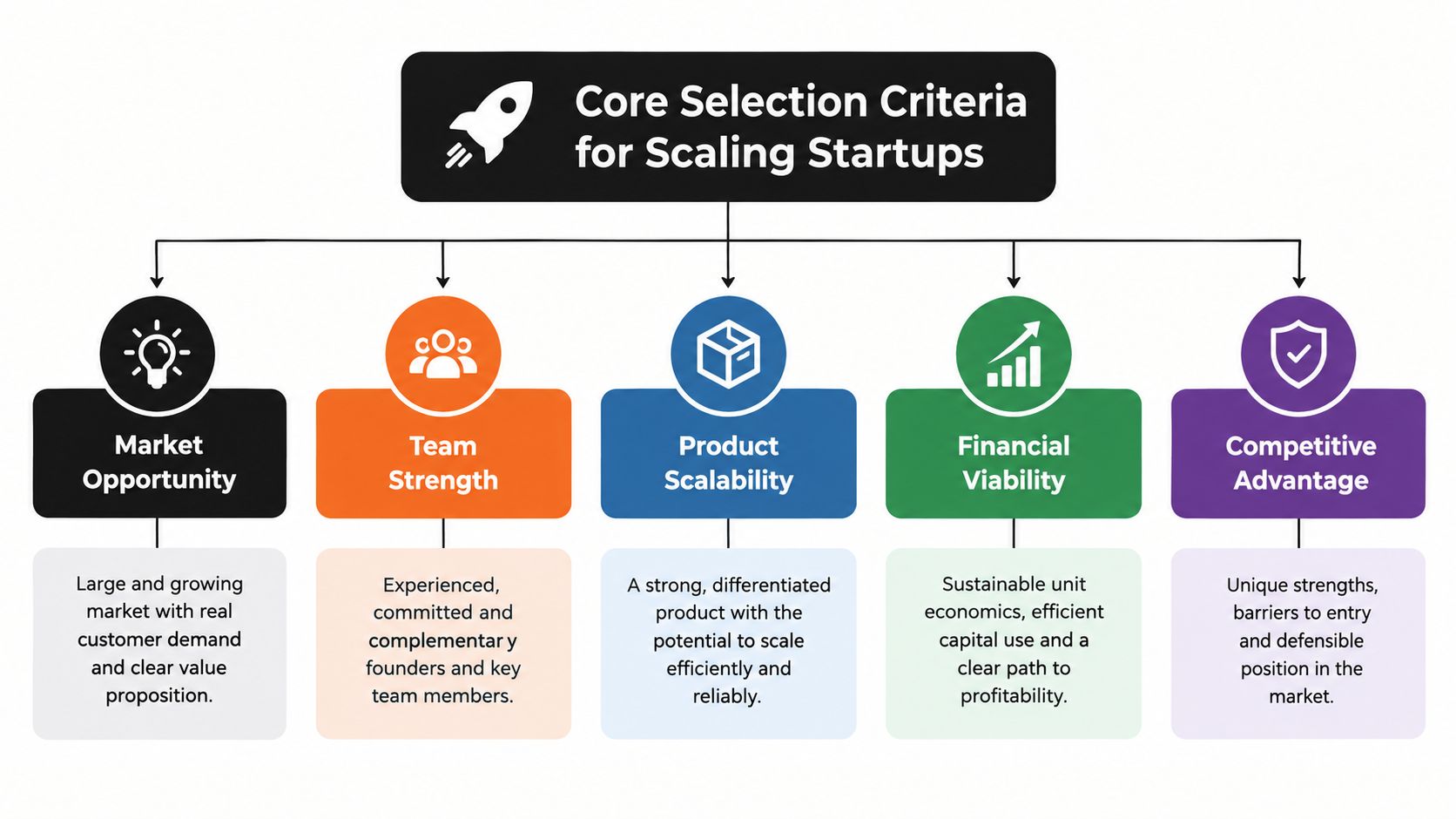
Core Selection Criteria for Scaling Startups
Founders should evaluate accounting software as a financial data architecture, not a digital filing cabinet. The application must capture transactions accurately, preserve context, and let authorized people turn that data into decisions.
Start with the accounting basis
Ask whether the system can support a controlled move from cash basis to accrual basis without discarding the underlying transaction history. You need dependable handling for accounts receivable, accounts payable, prepaid expenses, accrued costs, fixed assets, and deferred revenue.
A startup doesn't need every advanced module immediately. It does need a migration path that preserves source documents, reconciliations, account mappings, and reporting logic. If the platform can't export a usable general ledger and supporting records, you're accepting vendor dependence before the company has finance staff to manage it.
Test the operating connections
Bank-feed synchronization is table stakes, but it isn't the whole workflow. Review how the software connects with:
- Billing and payment processors, so invoices and collections don't require duplicate entry.
- Payroll and expense platforms, so liabilities and reimbursements reach the ledger correctly.
- Customer relationship systems, when sales activity needs to inform invoicing or revenue analysis.
- Inventory and commerce systems, for businesses that sell physical products.
- Planning and reporting tools, so management dashboards use controlled financial data.
Look beyond the existence of an integration. Check whether it supports the fields, timing, approval rules, and error handling your team needs. Strong API access and standard exports become increasingly important when a startup adds tools or changes providers.
Protect access and portability
Role-based permissions should separate the person entering bills from the person approving payments and the person closing the books. Audit logs, secure authentication, backup procedures, and documented ownership of company data are practical requirements, not enterprise decoration.
A startup should also be able to export its chart of accounts, general ledger, invoices, bills, customer records, vendor records, bank reconciliations, and attachments in usable formats. Data portability is an exit plan. It protects you if pricing changes, the provider fails to meet your needs, or your finance team adopts a different system.
A clean export is valuable only if your team can interpret it. Document account definitions, revenue rules, approval workflows, and reconciliation procedures while the business is still small.
Evaluating the Top Accounting Platforms
QuickBooks Online remains the default recommendation for many US startups because its value lies in interoperability. Rho's startup comparison positions it as the choice for companies seeking broad accountant and bookkeeper access, while Business.com reports approximately 750 integrations and features covering expense tracking, invoicing, payment acceptance, and cash-flow management (Rho's startup accounting comparison). The platform is strongest when you want a familiar general ledger surrounded by a large ecosystem.
That ecosystem is also its limitation. QuickBooks Online doesn't provide native multi-entity support in the online product, so companies with subsidiaries or demanding consolidation requirements may outgrow it sooner than they outgrow a simpler bookkeeping application.
Xero is the more compelling alternative for businesses operating across currencies or jurisdictions. It offers a clean cloud workflow and strong integration potential, but your accountant, payroll provider, and local compliance requirements still determine whether it fits better than QuickBooks.
AI-native finance platforms are a different category. They appeal to venture-backed or SaaS companies that want financial close, billing automation, burn analysis, and operational reporting designed around a modern startup stack. They can reduce manual work when the integrations fit, but they generally have a smaller accountant ecosystem and require more deliberate vendor evaluation.
| Platform Type | Core Strength | Scalability Limit | Ideal Startup Stage |
|---|---|---|---|
| General-purpose cloud ledger | Broad accountant access, bank feeds, invoicing, and integrations | Complex multi-entity consolidation may require another system | Pre-seed through growth |
| International cloud accounting platform | Multi-currency workflows, collaboration, and connected apps | Local payroll, tax, or accountant coverage may vary | Seed and globally oriented startups |
| Industry-focused accounting platform | Service billing, inventory, or project workflows | Specialized strengths may leave gaps elsewhere | Early startups with a clear business model |
| AI-native startup finance platform | Automated categorization, close workflows, and startup metrics | Younger ecosystem and narrower specialist support | Venture-backed SaaS and technology companies |
| Integrated ERP | Accounting connected to inventory, commerce, or multiple entities | Higher implementation and configuration burden | Later-stage or operationally complex startups |
The useful comparison isn't “which app has the longest feature list?” It's which system keeps your core data connected as the business changes. For a broader overview of small-business finance tools and adjacent workflow categories, review this finance software guide by Nexist.
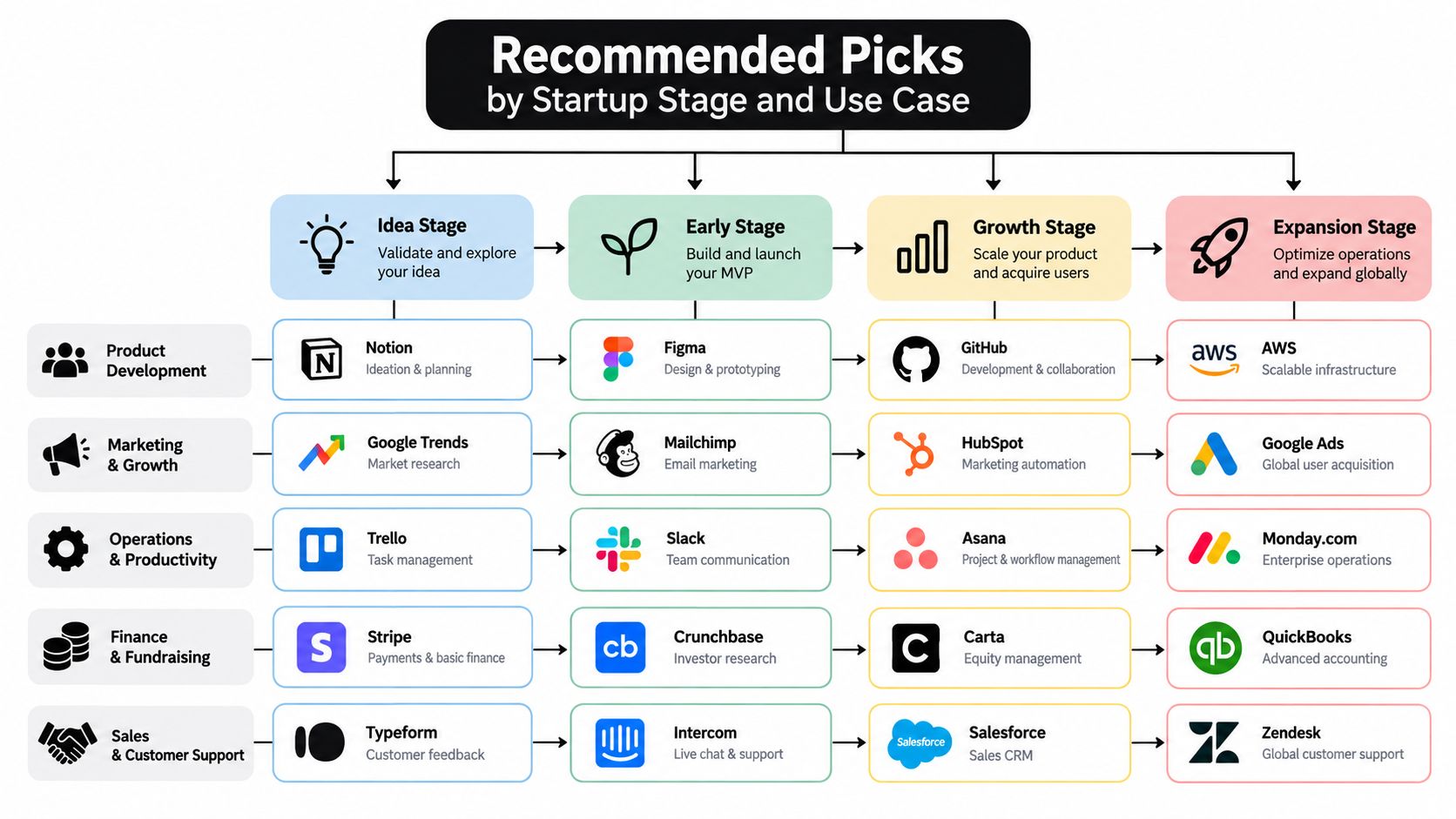
Recommended Picks by Startup Stage and Use Case
There isn't one universal winner. The best accounting software for startups depends on the company's accounting basis, geography, transaction model, funding expectations, and tolerance for managing the books internally.
Pre-seed and pre-revenue companies
Choose a lightweight cloud ledger if transactions are straightforward and the founder or bookkeeper can reconcile accounts consistently. Wave or Zoho Books can be appropriate starting points when the business needs basic invoicing, expense tracking, bank reconciliation, and financial statements without paying for unused complexity.
The condition is discipline. Create a sensible chart of accounts, separate business and personal spending, attach receipts, reconcile regularly, and preserve exports. A free tool is only inexpensive if the records remain usable.
Seed-stage SaaS companies
A SaaS company should think about accrual accounting earlier than a simple services business. Deferred revenue, annual contracts, refunds, payment processor timing, and customer-level billing data can make cash reports misleading.
QuickBooks Online is the practical US default when accountant availability and third-party connectivity matter most. Xero deserves priority for international or multi-currency operations. If automated close workflows, burn reporting, and modern fintech integrations are central to the operating model, assess an AI-native platform instead of assuming the general-purpose ledger will remain the best fit.
Companies approaching institutional diligence
As reporting expectations rise, the decision is less about the user interface and more about controls. You may need documented close procedures, approval permissions, reliable accrual schedules, consolidated reporting, audit trails, and a finance owner who can explain every material balance.
A managed bookkeeping service can make sense when the founder no longer has the time or accounting expertise to maintain the system. For practical context on startup-specific requirements and tool selection, consult this Snyp startup accounting guide.
Product and commerce startups
Physical products introduce inventory, purchasing, cost-of-goods tracking, returns, and tax complexity. A platform that handles only invoicing and expenses may be cheap but structurally wrong. Consider an integrated accounting or ERP path when inventory and commerce operations are already central, rather than stitching together disconnected spreadsheets and imports.
Cost-Saving Strategies and Subscription Management
Software costs grow through accumulation. A startup may approve each tool individually, then discover that accounting, payroll, billing, expenses, reporting, collaboration, and AI subscriptions duplicate capabilities or sit unused.
The answer isn't to remove every premium tool. It's to assign each subscription a clear job, owner, renewal date, access policy, and data-export plan.
Build a subscription control system
Start with a complete inventory. Include accounting platforms, payment tools, payroll services, expense systems, reporting applications, add-ons, integrations, and services purchased by individual employees.
Then review each item using four questions:
- Usage: Who uses it, and what recurring workflow depends on it?
- Overlap: Does another tool already provide the same function?
- Contract: What are the renewal terms, cancellation rules, and user limits?
- Data: Can you export the records needed for accounting, compliance, or migration?
Reduce risk before reducing spend. Never cancel an accounting or billing system until you've exported records, confirmed retention obligations, and verified that a replacement workflow works.
Use group purchasing carefully
For eligible premium tools, AccountShare can provide group purchasing and shared subscription access, including accounting software such as QuickBooks and Xero. That model can help a lean team examine whether shared access is suitable for a non-sensitive workspace, while the company keeps its primary ledger, permissions, and financial ownership under a controlled business account.
Shared access requires boundaries. Don't place confidential company records in a group account, don't share administrator credentials casually, and confirm that the provider's terms and your accountant's workflow permit the arrangement. The accounting system of record should remain under company control.
For a practical operating framework, use this guide to subscription management software for small business.
Review costs on a schedule
Assign one person to review subscriptions before renewals. Consolidate seats, remove inactive users, downgrade unnecessary plans, and document the replacement process before cancellation. The goal isn't merely a smaller software bill. It's a finance stack with fewer duplicate records, fewer access risks, and fewer integrations to break during migration.
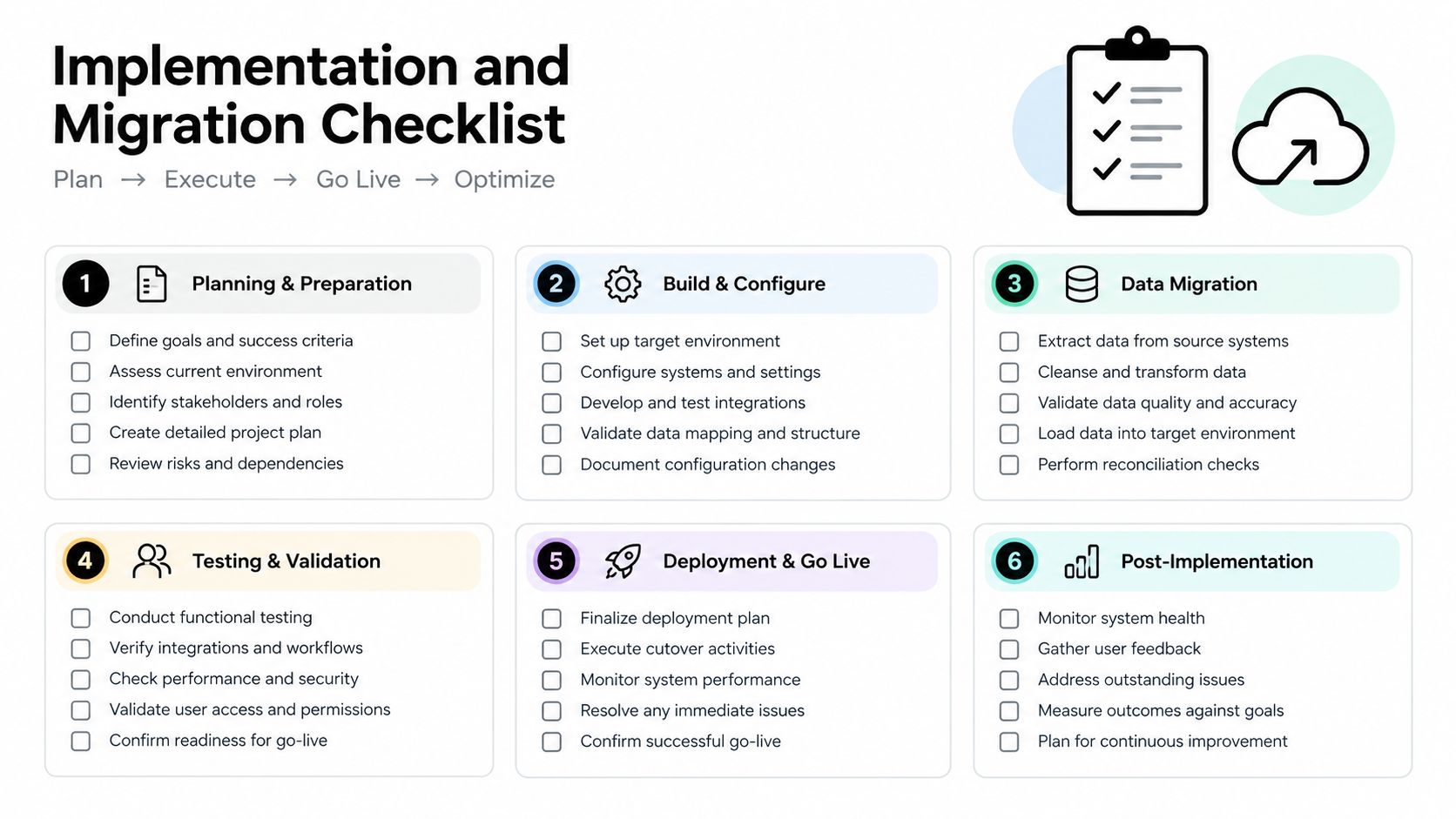
Implementation and Migration Checklist
Selecting a platform is the easy part. A clean implementation requires a controlled cutover, documented accounting decisions, and someone accountable for testing the results.
1. Audit the existing books
Before importing anything, identify unreconciled bank accounts, duplicate transactions, uncleared payments, missing receipts, stale invoices, unpaid bills, inconsistent vendors, and unexplained equity entries.
Ask your bookkeeper or fractional CFO to produce a current trial balance and account reconciliation schedule. Don't migrate disorder and expect the new platform to repair it.
2. Define the target structure
Create the chart of accounts before importing transactions. Decide how the new system will classify revenue, cost of goods sold, operating expenses, payroll, contractors, prepaid costs, fixed assets, debt, equity, and intercompany activity.
Document the decisions. An account called “software” may need to distinguish product infrastructure, internal tools, customer support, and finance applications if management reporting depends on those categories.
3. Decide the conversion date
Year-end is usually easier, but a mid-year cutover can work if your team controls opening balances and preserves prior-period reporting. Choose a date that gives the finance owner enough time to reconcile the old system and test the new one.
Export more than a summary report. Preserve the general ledger, chart of accounts, customer and vendor lists, invoices, bills, payment records, bank reconciliations, tax data, and supporting documents.
4. Import selectively and validate
Don't assume every historical transaction belongs in the new platform. Many teams import opening balances and retain a read-only archive of older detail, while others need full history for revenue, customer, inventory, or audit reasons.
After import, compare the new trial balance with the old system. Reconcile cash, receivables, payables, deferred revenue, debt, fixed assets, and equity separately. Have an accounting professional approve the opening balances.
5. Run both workflows briefly
A parallel run tests whether bank feeds, invoice creation, payment matching, payroll postings, approval permissions, and management reports work as intended. Use representative transactions, including refunds, partial payments, recurring invoices, foreign-currency activity, and month-end adjustments where relevant.
Migration discipline: Never judge a new system from a clean demo account. Test it with the messy transactions your company actually produces.
6. Cut over and close the loop
Set a final date for the old system, lock historical periods, and communicate the new process to every user. Assign owners for bank reconciliation, accounts payable, accounts receivable, payroll review, revenue schedules, and month-end close.
Review the first close in detail. Compare management reports with the old system, investigate variances, and record every configuration change. For broader procurement controls, use these software procurement best practices.
Securing Your Financial Foundation for Growth
Accounting software is part of the startup's operating stack. It determines whether the founder can trust cash visibility, whether the finance team can close the books, and whether investors receive reports that explain the business rather than raise new questions.
The strongest choice isn't always the most advanced platform. It's the one that matches your current complexity, preserves data ownership, supports the accounting basis you'll need next, and gives your accountant a dependable workflow. QuickBooks Online is the sensible default for many US startups, Xero is the stronger international candidate, and specialized or AI-native platforms deserve evaluation when billing and reporting complexity justify them.
Make three decisions now:
- Set the horizon: Write down the entities, currencies, billing model, funding path, and reporting needs you expect over the next three to five years.
- Set the standard: Require reconciled accounts, documented account definitions, controlled access, exportable data, and a repeatable close process.
- Set the review date: Reassess the stack before a funding round or major operational change, not after diligence exposes broken records.
Cash management also deserves an operating rhythm. Use these cash-flow improvement tips to connect bookkeeping discipline with decisions about collections, spending, and runway.
Don't wait for investors to force the upgrade. Ask a startup-focused accountant or fractional CFO to review your current books, test your reporting requirements, and identify the point at which cash basis, single-entity bookkeeping, or manual reconciliation will stop serving the company. Then audit your subscriptions, remove duplicate tools, and redirect the savings toward the financial controls that protect your next stage of growth.
AccountShare helps teams access eligible premium software and subscriptions through group purchasing and shared access, which can reduce the cost of tools such as QuickBooks and Xero when the arrangement fits your security and account-control requirements. Review your software spend and explore the available options at AccountShare.