

Software Subscription Services Explained for 2026
You're paying for more software than you think. One adult uses a work suite, another needs design and video tools, a teenager relies on online learning apps, and a side business adds invoicing, storage, and accounting services. Each subscription looks manageable alone. Together, they create a system of recurring charges, overlapping features, renewal dates, user limits, and account-sharing decisions that are easy to overlook.
Software subscription services now sit inside ordinary work, education, entertainment, and household administration. The global SaaS subscription market was valued at USD 404.5 billion in 2024 and is projected to reach USD 1,753.9 billion by 2034, representing a 15.8% compound annual growth rate over the forecast period, according to Market.us research on the subscription economy. Understanding the model matters because the cheapest-looking plan isn't always the least expensive way to achieve the outcome you need.
Why Software Subscription Services Matter in Everyday Life
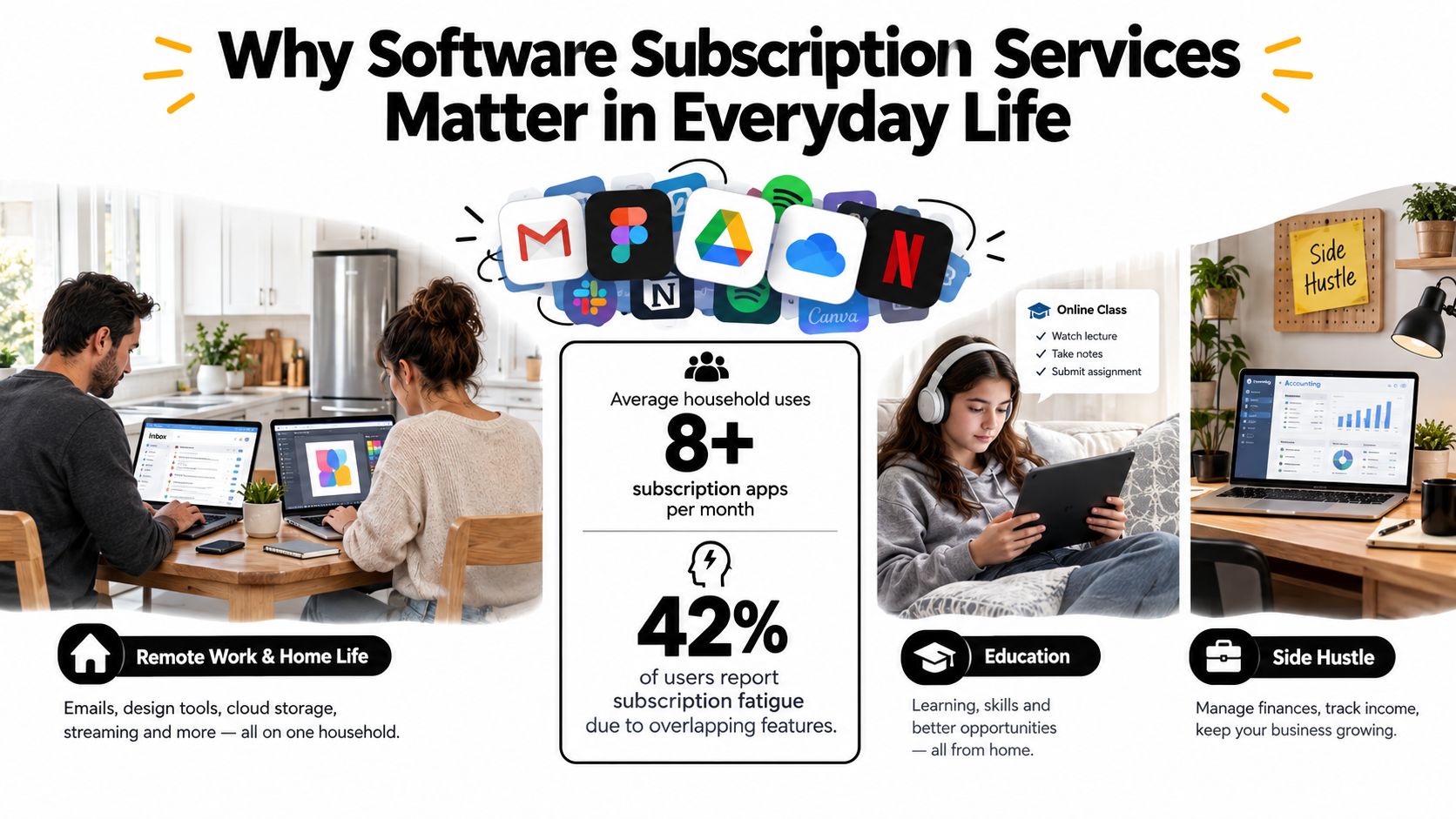
A household can have two adults working remotely at a kitchen table, a teenager attending online classes, and a small side business operating from a spare room. One person needs email, documents, and video calls. Another needs a design editor and cloud storage. The teenager uses educational software, while the business owner adds bookkeeping, receipt capture, and marketing tools. Streaming and gaming subscriptions sit beside everything else.
That mix creates subscription sprawl. The problem isn't only the monthly charge. It's also the unused seat, duplicated storage, disconnected integrations, forgotten renewal, and time spent remembering which account owns which file. Industry coverage aimed at small and midsized businesses describes the hidden cost of overlapping tools, renewal administration, integrations, and manual work, with the true cost sometimes reaching two to three times the invoice total according to coverage of subscription cost management for SMEs.
The quiet decisions behind every plan
Every subscription asks you to make several choices:
- Which tier: A free plan may include advertising, restrictions, or limited export options. A paid tier may provide the feature that matters.
- How many seats: A household may need a family plan, while a small business may need separate identities and administrative controls.
- How long to commit: Monthly billing offers flexibility. Annual billing may change the effective price, but it also makes cancellation less immediate.
- Where access happens: A desktop license, mobile app, browser account, and cloud workspace may have different limits.
- Who controls the account: A shared household login is convenient, but a team workspace usually needs individual permissions.
The rest of this guide treats software subscription services as a practical buying decision rather than a list of fashionable features. You'll learn how the model works, where the main categories overlap, how to calculate total ownership cost, and when a family plan, team plan, or group-purchase arrangement makes sense.
Practical rule: Choose the subscription that removes a real bottleneck, not the one with the longest feature page.
What Software Subscription Services Actually Are
Think about the difference between buying a DVD and paying for a streaming library. Buying the DVD gives you a copy you can keep, while a streaming subscription gives you continuing access as long as the account remains active. You're paying for availability, maintenance, and a changing catalogue rather than permanent possession.
Software subscriptions follow the same logic. Instead of buying a finished program and keeping that version indefinitely, you pay for continuing access to a service. The provider hosts some or all of the software, fixes defects, improves security, adds features, maintains infrastructure, and manages your account. You usually stop receiving the service when the subscription ends, although downloaded files or exported work may remain available depending on the product.
Software as a service, or SaaS, is the most familiar form. You open a browser or app, sign in, and use a cloud-connected product. Google Workspace, Microsoft 365, Canva, Notion, and many project-management platforms fit this pattern. The provider controls the service environment, so updates can appear without you installing a new boxed release.
The neighbouring models
Not every subscription behaves identically.
- Desktop subscriptions may install applications locally while requiring an active account for licensing, updates, cloud sync, or premium features.
- Mobile subscriptions often provide extra functions inside an iOS or Android app, such as ad-free use, advanced editing, or additional storage.
- Cloud infrastructure services charge for hosted storage, computing, backup, databases, or developer environments.
- Usage-based services link the bill to activity, such as storage consumed, API calls, generated content, or processing capacity.
- Media subscriptions sell ongoing access to music, video, games, or audiobooks rather than a permanent copy of each item.
The important distinction is that a subscription is more than a payment schedule. It combines delivery, maintenance, support, identity, permissions, and feature access. A free, standard, and premium tier can feel like different products because the provider assigns different limits and capabilities to each one.
For a useful example of how a narrow app can support a wider recurring-revenue model, explore this explanation of receipt scanner business models. It helps show why a simple-looking tool may depend on paid tiers, business customers, integrations, or transaction-related services.
Main Types of Software Subscription Services
The easiest way to understand the market is to connect each category to a job someone is trying to complete. A freelancer grading footage needs a different service from a parent backing up family photos, even if both products advertise cloud access and premium support.
| Category | Primary Use | Example Product |
|---|---|---|
| Productivity suites | Documents, spreadsheets, email, calendars, and collaboration | Microsoft 365 |
| Creative tools | Photo, video, vector, audio, and design production | Adobe Creative Cloud |
| Security services | Password management, antivirus, VPN, and identity protection | 1Password |
| AI platforms | Writing, image generation, research, coding, and automation | ChatGPT |
| Entertainment and media | Music, video, gaming, and audiobooks | Spotify |
| Infrastructure layers | Storage, hosting, backup, databases, and developer services | Dropbox |
Productivity and creative work
A remote worker may use a productivity suite to draft proposals, share spreadsheets, schedule meetings, and edit documents with colleagues. The value comes from connected workflows, not from owning separate copies of every application. A freelancer, by contrast, may open a creative suite to remove a background, colour-grade a video, prepare vector artwork, and export files for different platforms.
These products often charge through individual plans, business tiers, or seat-based access. For a deeper look at how vendors structure free plans, per-user billing, usage charges, and feature gates, review this guide to pricing models for SaaS.
Security, AI, and media
Security subscriptions protect the accounts and devices that support everything else. A password manager stores unique credentials, while antivirus, VPN, and identity-monitoring products address different risks. They shouldn't be treated as interchangeable badges of safety. Check which devices, identities, alerts, and recovery options the plan covers.
AI platforms now span writing, image creation, coding, research, and task automation. They also blur into productivity and creative products, where AI functions may appear as an add-on or a higher tier. A student might use an AI writing assistant for brainstorming, while a developer uses a code copilot inside an editor.
Entertainment subscriptions are easier to recognise. A family may pay for music, video, games, or audiobooks, then discover that several services offer overlapping content. Infrastructure subscriptions operate in the background, storing phone photos, hosting websites, backing up files, or supporting an application. Their bills can depend more on capacity and activity than on the number of people who sign in.
Key Evaluation Criteria Before You Subscribe
A polished interface can distract you from the questions that determine value. Start with the job, then examine the service around it. A tool that solves one important workflow may be worth paying for, while a broad platform with impressive extras can become expensive clutter.
| Criterion | What to Check | Red Flag to Watch |
|---|---|---|
| Features | Whether the plan completes your actual workflow | Premium features that don't address your core task |
| Security | Encryption, recovery, permissions, and data location | Vague policies or unclear account ownership |
| Multi-user support | Seats, roles, shared workspaces, and administration | One shared login used by an entire team |
| Pricing | Base fee, add-ons, AI usage, integrations, and overages | A low entry price that hides essential charges |
Features should match a task
Ask, “What must I complete with this product?” A designer may need reliable export formats more than a large template library. A student may care about offline access and academic eligibility. A small company may need shared editing, file history, and the ability to remove a departing employee without disrupting the workspace.
Test the product with real work during a trial. Create a document, invite the intended users, export a file, connect the required integration, and attempt cancellation. Menu tours don't reveal friction in the workflow that matters.
Security includes location and control
Look for clear information about encryption in transit and at rest, account recovery, administrator visibility, role permissions, and data-residency options. A family account and a business workspace shouldn't be evaluated by the same standard. A service holding payroll records, customer information, or regulated data needs stronger governance than a shared entertainment account.
Use this account security best-practices guide when you assess passwords, recovery methods, permissions, and shared access. The practical test is simple: can you identify who can see the data, who can change it, and what happens if access must be revoked?
Pricing is a system, not a headline
A plan's advertised fee may not include additional AI credits, integrations, storage, seats, or usage. A team should calculate the cost of the required configuration, not the cheapest displayed tier. Consumers should also check whether a family plan officially covers the intended users and devices.
If your main need is controlling recurring spending rather than adding another productivity feature, compare tools that help you find your ideal budgeting app. The same discipline applies to software: record the complete charge, renewal timing, and practical benefit before deciding.
Use Cases for Consumers, Families, Students, and Small Teams
A single consumer may choose between a free media tier and a premium plan. The free option might be adequate for occasional listening, but advertising, limited controls, or restricted offline use can make the paid tier worthwhile for someone who uses the service every day. The correct choice depends on the desired experience, not the label attached to the plan.
A student faces a different calculation. Education pricing, verified discounts, and academic access programs can open premium tools without requiring the learner to pay the standard consumer rate. Before subscribing, check eligibility requirements, whether the discount renews, and what happens when the student status ends.
A family needs coordination
A family managing schoolwork, gaming, video calls, and photo backups should examine family plans, parental controls, and shared storage before comparing minor feature differences. Separate individual accounts can preserve personal recommendations and privacy, while a family workspace may simplify billing and permissions.
The family should decide who administers the plan, how recovery works, and whether children need independent profiles. Sharing one password may feel quicker, but individual profiles and vendor-approved household access usually make it easier to remove a device or change a member's permissions.
A small team needs identity controls
Consider a five-person business choosing project software. The base price may look reasonable until each person needs a seat, an AI allowance, a connected storage service, or an administrative role. The team should inspect the console, audit logs, user provisioning, file ownership, and export options before committing.
The right tier depends on who uses the software, how often they use it, and how many identities need controlled access.
A small business may accept a higher per-seat price if it receives proper administration and separation. A household may prefer a family plan because the main benefit is shared storage and simpler billing. These are different forms of value, even when the products use similar subscription language.
How Group Purchasing and Account Sharing Change the Math
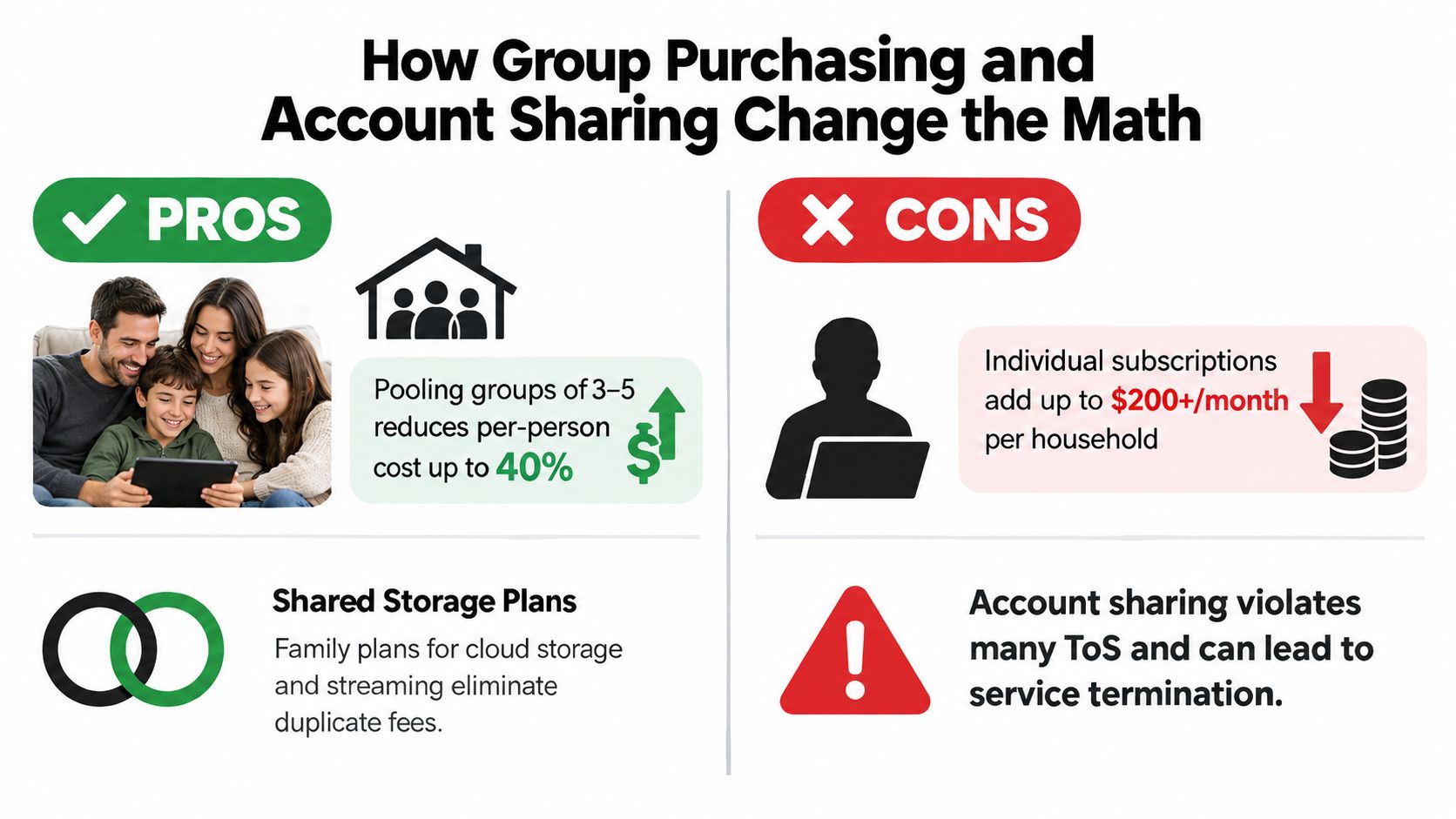
People share subscriptions because the individual price doesn't always reflect how lightly each person uses the service. A household might need occasional access to a creative editor, an AI platform, or a streaming catalogue without buying a full standalone plan for every person. A small team may also look for a shared arrangement when its usage is intermittent.
This demand exists alongside a broader cost problem. Subscription-management software was valued at USD 8.33 billion in 2025 and is projected to reach USD 20.83 billion by 2032, at a 14% CAGR, according to Maximize Market Research. The growth reflects a basic operational need: companies require systems to manage billing, renewals, entitlements, and usage as recurring products replace one-time purchases.
Two kinds of sharing
Vendor-sanctioned sharing includes family plans, team workspaces, and multi-seat business subscriptions. Each model sets its own rules for users, devices, locations, profiles, and permissions. This approach usually provides clearer support and account recovery because the provider designed the access model.
Third-party group purchasing pools buyers into a shared subscription and distributes access through a management service. AccountShare is one example of a platform offering group purchasing for shared access to software and other premium services, with account pooling and management features described by the publisher. You can review its approach to group-buying services before deciding whether the arrangement fits your risk tolerance and the vendor's terms.
Informal account sharing between trusted people may reduce duplication, but it can also create shared-password exposure, weaker administrative separation, support limitations, and possible terms-of-service friction. A provider may restrict simultaneous sessions, household locations, or the number of authorised users. Read the agreement rather than assuming that technical access means permitted access.
Where sharing fits
Sharing can be reasonable for lower-risk services such as entertainment, general education, or non-sensitive productivity use, especially when the provider explicitly supports it. It's a poor choice for financial records, regulated information, customer data, or core business infrastructure. In those settings, individual identities, role permissions, recovery controls, and contractual support matter more than a lower apparent cost.
A Practical Checklist for Choosing and Auditing Subscriptions
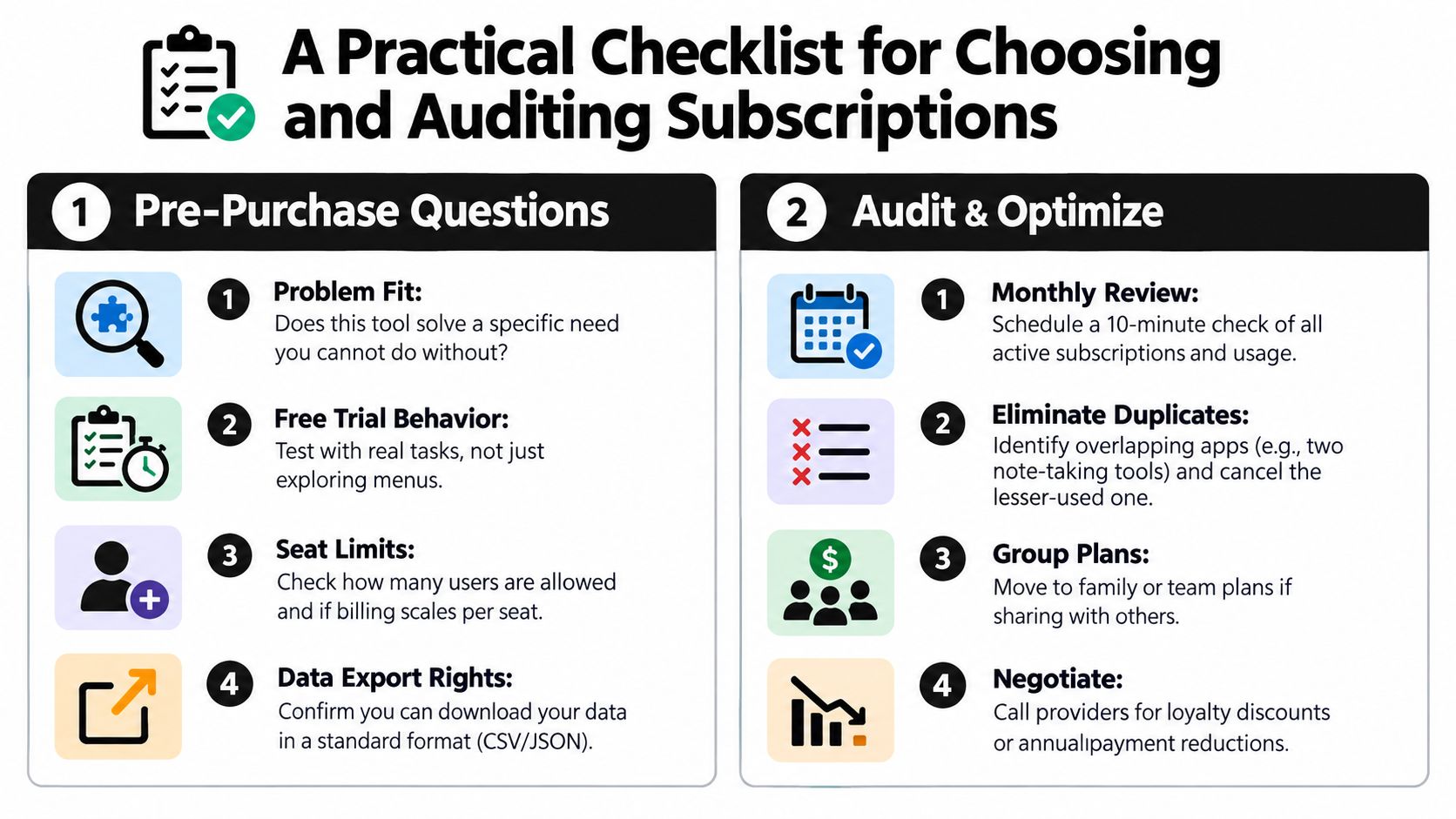
Use this checklist before adding a service, then repeat the audit regularly:
Before purchase
- Problem fit: Can you name the specific task this tool will solve?
- Trial behaviour: Have you tested real work instead of only browsing the interface?
- Seat limits: Does the plan cover the intended people, profiles, and devices?
- Data export: Can you download your files or records in a usable format?
- Cancellation: Can you cancel without unclear steps or unexpected renewal?
- Security: Does the account provide suitable permissions, recovery, and privacy controls?
During an audit
- Usage per license: Which seats or profiles are rarely used?
- Feature overlap: Do two services perform the same job?
- Renewal terms: Has the price, tier, or included allowance changed?
- Sharing legitimacy: Does the access arrangement follow the provider's rules?
- Account security: Are passwords, recovery details, and permissions still appropriate?
- Ownership: Does the organisation control files created by departing users?
For a repeatable process, use this subscription optimisation guide alongside one spreadsheet or password-manager note. Record each service, billing date, owner, users, renewal condition, and cancellation path so the next review takes minutes rather than requiring detective work.
Where Software Subscriptions Are Heading and Common Questions
Software subscription services are moving toward AI-driven tiers, usage-based billing, and stricter data-residency requirements. Recent industry coverage describes vendors adding AI editions, restructuring plans, and exploring modular or usage-linked pricing while seat-based models remain common. The same discussion highlights growing attention to privacy, security, regional hosting, pause options, and transparent billing in SaaS pricing trend coverage.
A few practical questions remain:
- How should you cancel? Export important data first, remove extra users, cancel through the billing owner, and save the confirmation.
- Can shared plans violate terms? Yes. Family, team, and third-party arrangements have different rules, so check the provider's agreement.
- What happens after a lapse? Access, editing, storage, and recovery may change. Export essential work before cancellation.
- How do you spot a legitimate group plan? Look for clear billing responsibility, defined permissions, recovery procedures, support terms, and an explanation of how access complies with the provider's rules.
- How should you judge AI add-ons? Price the feature against actual usage, privacy requirements, and the value of the workflow it improves.
AccountShare helps consumers, families, students, and small teams explore group purchasing for shared access to premium software and digital services, while bringing account pooling, password sharing options, and permissions into one management layer. Review your active subscriptions, identify the tools where shared access is appropriate, and visit AccountShare to see whether its model fits your cost and access requirements.